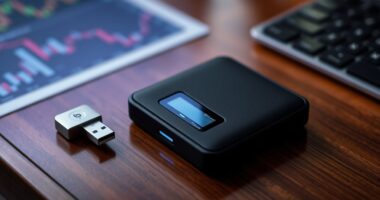

Choosing between the Ledger Nano X and Trezor Safe 5 is a choice between two established hardware wallets with different priorities: the Nano X adds Bluetooth for phone-based use, while the Safe 5 puts more emphasis on its color touchscreen and open-source design. Both keep private keys on the device and require users to verify transactions before approving them, but the experience and security tradeoffs differ. Choose Ledger if wireless mobile access is central to how you manage crypto; choose Trezor if you prefer a larger screen and value public scrutiny of the device’s software and design.

Get hardware and tech essentials delivered free — and shop member deals
- Fast, free delivery on millions of items
- Access to Prime Big Deal Days deals on October 6–7
- Prime Video, Amazon Music and more included

Trezor Safe 3 Crypto Hardware Wallet, Cosmic Black
- ✔ Model: TS3
- ✔ Security: EAL 6+ Secure Element and passphrase protection
- ✔ Display: OLED

Tangem Crypto Wallet, Pack of 2
- ✔ Pack size: 2 cards
- ✔ Supported blockchains: 90+
- ✔ Supported assets: 14,100+ coins and tokens

DCENT Biometric Hardware Wallet with Bluetooth
- ✔ Security chip: EAL5+ certified Secure Element
- ✔ Authentication: Fingerprint
- ✔ Supported assets: 10,000+
Neither device makes crypto risk-free. You still need to buy from a trusted source, protect your recovery backup, and check transaction details carefully. The comparison below focuses on what changes in everyday use and whether the higher cost of the Safe 5 earns its place for your needs.
At a Glance
| Criteria | Ledger Nano X | Trezor Safe 5 | Winner |
|---|---|---|---|
| Mobile connectivity | USB-C and Bluetooth; useful for wireless phone use. | USB-C connection; no Bluetooth. | A |
| On-device screen and controls | Small monochrome screen with physical buttons. | Large color touchscreen with haptic feedback; easier to inspect and navigate. | B |
| Security model and transparency | Secure Element based design; parts of the firmware are closed source. | Open-source firmware and design elements; Secure Element included, with its own security tradeoffs and implementation choices. | Depends |
| Asset and app experience | Ledger Live plus supported third-party wallets; broad coin and token support, subject to app and network compatibility. | Trezor Suite plus compatible third-party wallets; confirm support for each asset and feature before buying. | Depends |
| Recovery and backup | Recovery phrase backup; optional Ledger Recover service is available in supported regions and has drawn debate among users. | Recovery phrase backup, with supported advanced backup options depending on setup and firmware. | Tie |
| Price and value | Often lower priced; strong value if Bluetooth matters. | Usually costs more; worth it for the screen and open-source preference. | A |
Trezor Safe 3 Crypto Hardware Wallet, Cosmic Black
Trezor Safe 3 is our most balanced recommendation because it pairs a secure element and passphrase protection with a screen that lets us confirm transactions on the device. That on-device step is useful for storage because it gives us a direct review point during signing, instead of making the phone or computer the only place to inspect activity. Its OLED and USB-C connection also create a familiar hardware-wallet routine for buyers who prefer a dedicated device over a card.Recovery is another reason it leads this group: the package includes two backup cards, and the product description identifies Multi-share Backup. Compared with Tangem’s second physical card, Trezor’s approach centers on written recovery materials and a more traditional wallet setup. That can suit owners who want an established recovery process, though it also makes careful handling of backup information part of ownership.The main compromise is software dependence. Trezor Suite is required for asset management, so this is not the simplest option for someone who wants to tap a card with a phone and move on. Tangem is more compact and phone-led; DCENT makes fingerprint unlocking its convenience feature. We’d choose Safe 3 when transaction checks and recovery structure matter more than the smallest form factor or biometric access.
Pros:
- EAL 6+ secure element with passphrase protection
- OLED display supports on-device transaction confirmations
- Includes two backup cards and Multi-share Backup
- Supports thousands of coins and tokens
Cons:
- Asset management depends on Trezor Suite
- Requires handling and securely storing recovery materials
Best for: Crypto owners who want a dedicated device screen, passphrase protection, and included recovery materials for a conventional wallet workflow.
Not ideal for: People who want a card-sized wallet, prefer fingerprint access, or do not want to use Trezor Suite for asset management.
Bottom line: Choose Trezor Safe 3 for the clearest balance of device-based transaction checks, passphrase protection, and a documented backup-oriented setup.
“Choose Trezor Safe 3 for the clearest balance of device-based transaction checks, passphrase protection, and a documented backup-oriented setup.”
Tangem Crypto Wallet, Pack of 2
Tangem’s two-card format is the most compact approach in this comparison. Rather than carrying a small device with a screen, we tap an NFC card with a compatible phone. The second card can act as an encrypted backup, giving this pack a physical recovery option that travels like the primary wallet. For buyers who want a slim wallet to keep with everyday essentials, that form factor is the defining advantage.The specifications also make Tangem the broadest stated option for asset coverage here: it lists more than 14,100 coins and tokens across 90-plus blockchains. It shares the EAL6+ security certification level described for Trezor Safe 3, and its water- and shock-resistant construction may help the cards tolerate rougher everyday handling. Those durability claims are relevant to a card that might be carried regularly, though they do not replace a recovery plan.Compared with Trezor, Tangem gives up a built-in display and its direct transaction confirmation experience; compared with DCENT, it has no stated fingerprint reader or built-in screen. The card flow depends on an NFC-capable phone, and buyers who want a seed phrase setup should note that it is described as optional. Tangem is best for portability and straightforward phone access, not for those who want a dedicated screen to inspect details on the wallet itself.
Pros:
- Two-card pack includes a card for encrypted backup
- EAL6+ certified offline key storage
- Lists support for 90+ blockchains and 14,100+ assets
- Waterproof and shockproof design
Cons:
- Requires a compatible phone with NFC
- Does not list a built-in display for transaction review
- Seed phrase setup is optional, which may not suit buyers who specifically want that recovery method
Best for: People who want a highly portable NFC card wallet with a second card available as an encrypted backup.
Not ideal for: Buyers who want a built-in screen for transaction review, a traditional device interface, or a wallet that does not rely on an NFC-compatible phone.
Bottom line: Pick Tangem when compact NFC access and a second backup card matter more than an on-device display or a conventional hardware-wallet form.
“Pick Tangem when compact NFC access and a second backup card matter more than an on-device display or a conventional hardware-wallet form.”
DCENT Biometric Hardware Wallet with Bluetooth
DCENT Biometric is the mobile-oriented pick for owners who want fingerprint authentication as part of wallet access. Its EAL5+ secure element stores keys offline, and a built-in screen with four-button controls lets us review transactions before signing. That gives it a meaningful advantage over Tangem for buyers who want a dedicated display, while the fingerprint reader offers an access style neither the NFC card nor the Trezor Safe 3 listing specifies.For people who use decentralized applications, DCENT also lists Bluetooth pairing with its mobile app and MetaMask connectivity. It supports more than 10,000 assets across over 100 blockchains, so its stated network breadth is substantial, though Tangem lists more assets and Trezor’s description simply says thousands. Blockaid-powered contract checks add a stated scam-warning layer for contracts; we should treat that as a useful prompt during review, not as a substitute for understanding what we approve.The tradeoff is a more app-dependent mobile setup. Bluetooth phone use requires the DCENT app, and the supplied specifications do not state battery life or device dimensions. Trezor Safe 3 is the stronger fit for someone prioritizing passphrase protection and included recovery materials; Tangem is easier to carry in card form. DCENT makes most sense when fingerprint access, mobile pairing, and a screen are the deciding combination.
Pros:
- EAL5+ secure element stores private keys offline
- Fingerprint authentication and built-in transaction-review screen
- Supports 10,000+ assets across 100+ blockchains
- Bluetooth app pairing, MetaMask connectivity, and Blockaid-powered contract checks
Cons:
- Bluetooth phone experience requires the DCENT mobile app
- Battery life and device dimensions are not specified in the supplied details
- EAL5+ certification is a different stated level from the EAL6+ listed for Tangem and Trezor
Best for: Mobile crypto users who value fingerprint authentication, a screen for transaction review, and listed MetaMask and dApp connectivity.
Not ideal for: Buyers who want clearly specified battery life and dimensions, or who prefer the included recovery materials described for Trezor Safe 3.
Bottom line: Choose DCENT if fingerprint access and mobile dApp connectivity are central to your routine and you are comfortable with its app-led setup.
“Choose DCENT if fingerprint access and mobile dApp connectivity are central to your routine and you are comfortable with its app-led setup.”
As an Amazon Associate we earn from qualifying purchases.
Key Differences
The clearest practical difference is how you connect and interact. The Nano X can pair with a phone over Bluetooth, which suits people who make frequent mobile transactions or want fewer cables. Its smaller monochrome screen is less comfortable for checking long addresses and detailed prompts. The Safe 5’s touchscreen gives transaction details more room and makes navigation easier, but it requires a wired connection and usually costs more.
Security is not a simple ranking. Both devices are designed to keep private keys on the wallet and ask for user approval before signing. Ledger uses a Secure Element and a partly closed-source firmware approach; Trezor emphasizes open-source components and also includes a Secure Element in the Safe 5. These represent different approaches to reviewability and hardware protection. Neither prevents a user from approving a deceptive transaction, losing a recovery phrase, or falling for a phishing attempt.
For most buyers, the choice comes down to routine. Pay extra for the Safe 5 if its larger screen and open-source orientation match your priorities. Pick the Nano X if wireless phone access is useful enough to shape your day-to-day use. If you rarely move assets, either can be more device than you need; a simpler, cheaper model from a reputable maker may fit better.
Detailed Comparison
Mobile connectivity (Ledger Nano X wins — moderate)
Ledger wins for wireless phone use: the Nano X supports Bluetooth as well as USB-C, while the Safe 5 connects by cable. This is a moderate advantage if you manage crypto on a phone often, though Bluetooth does not remove the need to review and approve each action on the wallet. Choose the Trezor if you prefer a wired workflow or do not want wireless pairing.
On-device screen and controls (Trezor Safe 5 wins — moderate)
Trezor wins with a larger color touchscreen and haptic feedback. Its screen gives transaction prompts more room than the Nano X’s compact monochrome display, which can make checking details more comfortable. This is a moderate everyday usability advantage, especially for users who inspect addresses and prompts closely. Ledger remains usable, but its smaller screen asks for more patience.
Security model and transparency (major difference)
This is a genuine tradeoff, not a decisive security victory. Ledger pairs its Secure Element with firmware that is not fully open source; Trezor emphasizes open-source firmware and design while also using a Secure Element in the Safe 5. Open-source code allows public review, but does not by itself prove a device is secure. Ledger’s hardware approach may appeal to buyers who prioritize a dedicated security chip. The practical gap depends on which risks and trust assumptions matter to you, so neither earns a universal win.
Asset and app experience (moderate difference)
Neither wins for every portfolio. Ledger Live offers a unified way to manage supported assets, while Trezor Suite provides Trezor’s own interface and works with selected third-party wallets. Supported coins, tokens, networks, and features can differ, so check the exact assets you hold before purchase. For a mainstream portfolio, both may work; for less common assets, compatibility should decide the purchase.
Recovery and backup (major difference)
Both rely on a recovery backup that must be kept private and safe: a hardware wallet cannot restore access if the device is gone and the recovery information is lost. Ledger also offers Ledger Recover in supported regions, an optional service that has concerned users who prefer to keep recovery material entirely under their control. Trezor’s setup and backup options vary by device and software version. Neither is a clear winner; choose the backup method you understand and can protect.
Price and value (Ledger Nano X wins — moderate)
The Nano X is often the less expensive choice, so it tends to offer better value when Bluetooth is useful and the small display is acceptable. The Safe 5 asks buyers to pay more for its screen, touch controls, and open-source orientation. That premium is justified for users who will benefit from those features, but it is hard to justify if the wallet will mostly sit in storage. Check current prices and regional availability before buying.
Ledger Nano X: Pros and Cons
Pros:
- Bluetooth makes phone-based use more convenient.
- USB-C offers a wired option.
- Often priced below the Safe 5.
- Ledger Live and third-party wallet support cover many common assets.
Cons:
- Small monochrome display is less comfortable for detailed checks.
- Firmware is not fully open source.
- Wireless pairing may not suit users who prefer a strictly wired routine.
- Optional Ledger Recover is not appealing to everyone.
Trezor Safe 5: Pros and Cons
Pros:
- Large color touchscreen makes prompts and navigation easier to read.
- Open-source approach supports public inspection of firmware and design elements.
- Includes a Secure Element.
- Touch controls can make frequent use more comfortable.
Cons:
- No Bluetooth; phone use requires a wired connection.
- Usually costs more than the Nano X.
- Asset and feature support still needs checking against your portfolio.
- A larger screen does not protect against approving a malicious transaction.
Who Should Choose What
Choose Ledger Nano X if:
- You regularly manage crypto from a phone and value Bluetooth.
- You want a capable wallet at a typically lower price.
- You are comfortable with Ledger’s security model and firmware transparency tradeoffs.
Choose Trezor Safe 5 if:
- You want a larger screen for checking transaction prompts and addresses.
- You prefer an open-source design approach and accept its particular security tradeoffs.
- You use the wallet often enough to value its touchscreen and can justify the extra cost.
Skip both if: You hold only a small amount, rarely transact, and would prefer a lower-cost reputable wallet, or your required assets are not supported by either device.
Value for Money
The Nano X is the better value for buyers who will use Bluetooth: it delivers the core hardware-wallet function and wireless convenience for less in many markets. The Safe 5’s higher price buys a more legible touchscreen and an open-source approach, which can be worth paying for if you frequently verify transactions or specifically prefer that design philosophy. If those features will not change how you use or trust the wallet, save the difference. Prices and bundles change, so compare the current price from an authorized seller.
Final Verdict
For most phone-first users choosing between these two, buy the Ledger Nano X: Bluetooth is a concrete convenience, and the lower typical price makes it the stronger value. Choose the Trezor Safe 5 if you will benefit from its larger touchscreen or place real weight on its open-source approach; its premium is justified for that buyer, not for everyone. The deciding factor is your preferred daily workflow and security philosophy, after confirming that the device supports the assets you own. Whichever you choose, protect the recovery backup and verify every transaction on the device.
Frequently Asked Questions
Is the Ledger Nano X safer than the Trezor Safe 5?
There is no simple universal winner. Both keep private keys on the device and require approval to sign transactions. Ledger uses a Secure Element and partly closed-source firmware; Trezor Safe 5 combines open-source elements with a Secure Element. Your setup, backup security, and transaction checks matter alongside the device design.
Which wallet is easier to use on a phone?
The Ledger Nano X is easier for wireless phone use because it supports Bluetooth. The Trezor Safe 5 uses a wired connection. For desktop use, either can work; the Safe 5’s larger touchscreen may be easier to read.
Is the Trezor Safe 5 worth paying more for?
Yes, if you value its larger color touchscreen or prefer Trezor’s open-source approach enough to use those features. If you mainly want Bluetooth and a lower typical price, the Nano X is better value.
Can I store every cryptocurrency on either wallet?
No. Support varies by coin, token, network, app, and third-party wallet. Check each device’s current compatibility list for the specific assets and features you need before purchasing.
What happens if I lose my hardware wallet?
You can restore access with your recovery backup on a compatible replacement, provided the backup is intact and private. Without it, losing or damaging the device may mean losing access to the assets. Never share the recovery phrase or enter it into a website or message link.
Fall Picks
fall essentials
As an affiliate, we earn on qualifying purchases.