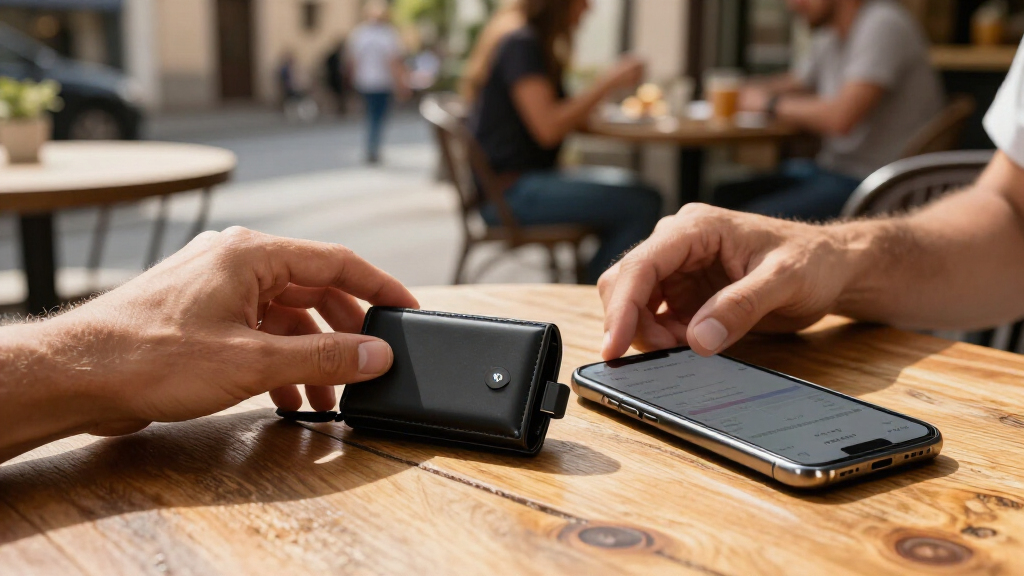

Ledger and Trezor are two established hardware wallet brands, but the choice between them comes down to what you trust and need from a device that protects access to cryptocurrency. Ledger builds its products around a secure element, a specialized chip designed to resist physical attacks, and supports a wide range of assets through its software and third-party integrations. Trezor puts more emphasis on open-source firmware and recovery methods that can keep a backup phrase off paper.

Get hardware and tech essentials delivered free — and shop member deals
- Fast, free delivery on millions of items
- Access to Prime Big Deal Days deals on October 6–7
- Prime Video, Amazon Music and more included

Ledger Nano X Bluetooth Crypto Hardware Wallet
- ✔ Connectivity: Bluetooth, USB, NFC
- ✔ Storage capacity: 2.05 MB
- ✔ Dimensions: 2.83 × 0.73 × 0.46 inches

Trezor Safe 3 Crypto Hardware Wallet, Cosmic Black
- ✔ Security: EAL 6+ Secure Element
- ✔ Display: OLED screen
- ✔ Management app: Trezor Suite desktop and mobile app

Tangem Crypto Wallet, 2-Pack
- ✔ Pack size: 2 cards
- ✔ Connectivity: NFC
- ✔ Supported blockchains: 90+
The practical tradeoff is not simply which brand is “more secure.” Both can protect private keys when used correctly, and neither can protect a user who approves a malicious transaction or exposes recovery information. Ledger is the stronger fit for people who want broad asset coverage and a hardened chip. Trezor is appealing to users who value inspectable software, simpler model choices, and supported advanced recovery features. The right pick depends on your assets, recovery plan, and comfort with each company’s design choices.
At a Glance
| Criteria | Ledger | Trezor | Winner |
|---|---|---|---|
| Security architecture | Secure element paired with Ledger firmware | Secure element on some models; architecture varies by device | Depends |
| Software transparency | Firmware is not fully open source | Open-source firmware and software are a central selling point | B |
| Asset support | Broad coin and token support through Ledger Live and integrations | Strong coverage for common assets, with support varying by model and wallet software | A |
| Recovery options | Standard recovery phrase; some models offer Ledger Recover as an optional service | Standard recovery phrase; supported models offer Shamir Backup | B |
| Ease of use | Ledger Live provides a wide feature set, with more choices to navigate | Clear, focused setup; advanced features require more user understanding | Depends |
| Privacy and ecosystem | Ledger Live connects to many services; account and device setup can involve company infrastructure | Suite and third-party wallet options; open design favors user choice | B |
| Price and value | Entry models can be affordable; more capable models cost more | Several models across price points; value depends on needed features | Depends |
Ledger Nano X Bluetooth Crypto Hardware Wallet
The Ledger Nano X is the most flexible match here for people who want to manage crypto from a phone. Its Bluetooth connection works with iOS and Android, while the Ledger Wallet app is described as supporting buying, selling, swapping, and staking. That combination gives it a broader mobile-management role than the USB-C-centered Trezor Safe 3 in this lineup. Its stated support for more than 15,000 coins and tokens is also the broadest of the three, although buyers should still check that their specific assets and desired operations are supported.That convenience comes with setup and compatibility considerations. Ledger’s small 1.1-inch screen is less suited to buyers who want a larger display for reviewing details, and Chromebook users are explicitly excluded. Unlike Tangem’s card pair, the Nano X is a small electronic device with a battery and a form factor that may need a separately purchased case to help prevent scratches. The listed genuine-check feature adds a device-authentication step, but buyers should also think through how they will protect and recover wallet access. We rank it first for broad mobile use, while Trezor is the more natural choice for screen-centered confirmation and Tangem for card-style carry.
Pros:
- Bluetooth supports phone-based access on iOS and Android.
- The listed asset range exceeds 15,000 coins and tokens.
- The Ledger Wallet app brings buying, selling, swapping, and staking together.
- A genuine-check feature is included for device authentication.
Cons:
- It is not compatible with Chromebooks.
- A protective case or pod is a separate purchase if scratch protection is wanted.
- The 1.1-inch display is smaller than buyers seeking a more spacious review surface may prefer.
Best for: Crypto holders who use an iPhone or Android phone and want Bluetooth access, broad stated asset support, and several management functions in one app.
Not ideal for: Chromebook users, people who want a wallet card rather than a small electronic device, or buyers who prioritize a larger on-device display.
Bottom line: For mobile-first buyers who want broad stated asset support and app-based management, the Ledger Nano X is the most versatile starting point in this group.
“For mobile-first buyers who want broad stated asset support and app-based management, the Ledger Nano X is the most versatile starting point in this group.”
Trezor Safe 3 Crypto Hardware Wallet, Cosmic Black
For buyers who want to check a transaction on the wallet itself, the Trezor Safe 3 makes its OLED screen a central part of the experience. On-device confirmations give users a dedicated place to review and approve actions, a meaningful distinction from Tangem’s phone-tapped card format. The device also includes an EAL 6+ Secure Element and supports Multi-share Backup, giving it a clear security-and-recovery identity. The included USB-C cable and two wallet backup cards make the package feel oriented around a more conventional setup process.Compared with Ledger, Trezor is less explicitly positioned around Bluetooth phone convenience; its asset management uses the Trezor Suite desktop and mobile app. That can suit people who prefer a dedicated wallet interface, but it means Suite is part of the ownership routine. Setup is required, and the supplied description says “thousands” of supported assets rather than Ledger’s and Tangem’s larger specified counts, so holders should confirm support for their exact portfolio. We place it second because its visible confirmation and recovery tools are compelling, while its app-centered workflow is more specific than Ledger’s stated all-in-one mobile pitch.
Pros:
- EAL 6+ Secure Element is specified.
- OLED screen supports on-device confirmations.
- Multi-share Backup provides a recovery option.
- The package includes two wallet backup cards and a USB-C cable.
Cons:
- The wallet requires setup before use.
- Asset management uses the Trezor Suite app.
- The provided asset description is less numerically specific than the other two product listings.
Best for: Buyers who want a dedicated OLED screen for transaction confirmation, a Secure Element, and an included recovery-card approach with Multi-share Backup.
Not ideal for: People who want the simplest tap-to-access card format, or those who do not want asset management to depend on Trezor Suite.
Bottom line: Choose Trezor Safe 3 when transaction review on a dedicated screen and a defined backup workflow matter more than a phone-first or card-based format.
“Choose Trezor Safe 3 when transaction review on a dedicated screen and a defined backup workflow matter more than a phone-first or card-based format.”
Tangem Crypto Wallet, 2-Pack
Tangem’s two-card pack takes a different route from the screen-equipped Ledger and Trezor devices: the wallet is a PVC card accessed with NFC from a compatible phone. There is no small display to inspect; the phone supplies the interface, while the cards store keys offline. For someone who values a thin, easy-to-carry format, that can feel simpler than keeping track of a separate electronic device. The second card provides an encrypted backup, and the cards’ IP69K water resistance and shockproof design make this the most durability-focused option in the comparison.The tradeoff is that the phone is essential for access: it must support NFC. Tangem’s seed phrase is optional, which may appeal to buyers who want a card-based recovery arrangement but can be uncomfortable for anyone who prefers a familiar written seed backup. By contrast, Trezor includes backup cards and Multi-share Backup, while Ledger’s listed strengths center on Bluetooth and app features. Tangem states support for 14,100+ assets across 90+ blockchains, a broad range, though slightly below Ledger’s stated asset count. We rank it third overall because its compact, rugged design has a narrower phone and backup fit than our other picks.
Pros:
- Two cards provide an encrypted backup option.
- NFC enables access from a compatible phone while keys remain offline.
- IP69K water resistance and shockproof construction support rougher carry conditions.
- The listing specifies support across 90+ blockchains and 14,100+ assets.
Cons:
- A compatible phone with NFC is required.
- Seed phrase use is optional, which may not fit buyers who want a traditional written backup.
- There is no dedicated display listed for reviewing transactions on the card itself.
Best for: People who want a compact NFC card wallet, an included second card for encrypted backup, and a phone with NFC support.
Not ideal for: Buyers without an NFC-capable phone or those who strongly prefer a mandatory, traditional seed phrase backup and a dedicated transaction display.
Bottom line: Tangem is the most compact and durability-focused pick here, provided NFC access and its optional seed phrase approach suit your recovery preferences.
“Tangem is the most compact and durability-focused pick here, provided NFC access and its optional seed phrase approach suit your recovery preferences.”
As an Amazon Associate we earn from qualifying purchases.
Key Differences
Security hardware and software transparency represent different trust choices. Ledger relies on a secure element, a chip designed to protect sensitive operations against physical tampering, while its firmware is not fully open source. Trezor makes firmware inspection a priority, allowing independent review of more of its software. Some Trezor devices also include a secure element, so the brand-level distinction is not absolute; buyers should compare the specific models they are considering. Neither approach removes the need to verify transaction details on the device and keep recovery information private.
For day-to-day use, Ledger tends to have an advantage when a portfolio spans many networks, tokens, or connected services. Trezor’s appeal is stronger for users who want open-source software and recovery options such as Shamir Backup on supported models. Both can be used with external wallet applications, and exact asset support changes by device, firmware, and software. Check current compatibility for every asset you hold before buying; a brand-wide claim does not guarantee that a particular model supports a particular token.
Price alone should not decide the purchase. A lower-cost device is better value when it supports the assets and recovery plan you need. Paying more makes sense for a screen, connectivity, chip, or recovery feature that you will actually use. If you hold a small amount, prioritize reliable setup and safe backups over a long feature list. If the wallet will secure substantial funds, spending time on recovery planning matters at least as much as choosing between the brands.
Detailed Comparison
Security architecture (moderate difference)
Ledger’s signature design combines a secure element with its wallet firmware, giving it a clear emphasis on resistance to physical attacks. Trezor’s architecture differs across models: some prioritize open design without a secure element, while newer devices include one. This is a model-specific comparison, not a simple brand-wide win. The gap is moderate for buyers worried about physical extraction, but both brands still depend on careful transaction approval and recovery phrase handling. Compare the exact device specifications and threat model before deciding.
Software transparency (Trezor wins — moderate)
Trezor wins for users who want firmware and software that can be inspected publicly. Ledger’s firmware is not fully open source, so buyers must place more trust in the vendor’s implementation and audits. This is a moderate difference in philosophy, especially for technically informed users who value independent review. Open source does not automatically make software safe, and closed firmware does not by itself mean a device is unsafe; the distinction concerns how much of the implementation outsiders can examine.
Asset support (Ledger wins — moderate)
Ledger generally has the edge for breadth, particularly for users who hold less common tokens or use several networks. Trezor supports many widely used assets, but compatibility depends on the device and the wallet application. The gap is moderate to major for a diverse portfolio and minor for someone holding only a few common currencies. Verify the specific coin, token, and network support before purchasing; sending funds on an unsupported network can create serious recovery problems.
Recovery options (Trezor wins — moderate)
Trezor can be the stronger choice for users who want Shamir Backup on supported models, which splits recovery information into shares rather than relying on one complete phrase. Ledger uses a standard recovery phrase, and some models offer Ledger Recover as an optional paid service that stores encrypted fragments through a managed process. These are different approaches, not interchangeable guarantees. Trezor has a moderate advantage for self-managed split backups; Ledger’s service may suit someone who wants a recovery option beyond personal custody of a phrase, provided they accept its process and terms.
Ease of use (minor difference)
Neither brand wins for everyone. Ledger Live combines asset management and access to connected services in one application, which can simplify a broad portfolio but may feel busy. Trezor Suite offers a more focused experience, though advanced recovery and third-party wallet choices can add learning. The difference is minor for basic receiving and sending, and moderate for new users who want a guided, all-in-one interface. Choose based on the workflow you expect to use rather than the number of features advertised.
Privacy and ecosystem (Trezor wins — moderate)
Trezor’s open approach and support for multiple wallet applications give privacy-conscious users more flexibility to select how they interact with the device. Ledger Live offers a broad, convenient ecosystem, but using a company-connected application can involve service and network metadata. This is a moderate advantage for Trezor if minimizing reliance on one provider is a priority. Neither hardware wallet makes blockchain transactions private by itself; public networks expose transaction histories, and privacy depends on the software and network services used.
Price and value (minor difference)
Value depends on what each model includes, so compare current prices and features rather than assuming one brand is always cheaper. An entry-level device from either maker can be enough for a modest portfolio. Paying more for a larger screen, secure element, wireless connection, or recovery feature is justified only when it addresses a real need. The difference is minor for basic storage and can become moderate when a premium feature improves transaction checking or a recovery plan you will maintain.
Ledger: Pros and Cons
Pros:
- Secure element is central to Ledger’s hardware design
- Broad support across assets and connected wallet services
- Ledger Live combines portfolio access and common wallet tasks
Cons:
- Firmware is not fully open source
- Many features and integrations can make the software feel busy
- Optional Ledger Recover may not suit users who prefer self-managed backups
Trezor: Pros and Cons
Pros:
- Open-source software supports independent inspection
- Shamir Backup is available on supported models
- Multiple wallet software choices can reduce reliance on one ecosystem
Cons:
- Asset coverage and features vary by model and software
- Some models lack a secure element
- Advanced recovery choices require careful setup and understanding
Who Should Choose What
Choose Ledger if:
- You hold a broad mix of coins, tokens, or networks and have verified Ledger support for each.
- You prioritize a secure element and want a device centered on that hardware design.
- You prefer an integrated application for managing assets and accessing services.
Choose Trezor if:
- Open-source firmware and public inspectability matter strongly to you.
- You want Shamir Backup on a supported device and can manage a split recovery plan.
- You value the option to use different wallet applications with your hardware.
Skip both if: Neither brand fits if you are unwilling to verify transactions on the device, protect a recovery backup, and buy directly from a trusted source. A hardware wallet cannot compensate for unsafe setup or careless recovery phrase storage.
Value for Money
Ledger can be better value for a portfolio with varied assets because broad compatibility may avoid needing separate devices or workarounds. Trezor can be better value for a user who places a premium on open-source software or wants supported Shamir recovery without paying for an optional managed recovery service. In either case, a pricier model is worth the extra cost only when its screen, connectivity, chip, or recovery feature serves a concrete purpose. For basic long-term storage, a supported entry model and a tested backup plan usually offer more practical value than premium extras.
Final Verdict
For most buyers with a varied portfolio, Ledger is the more practical default because its asset support and integrated ecosystem reduce compatibility friction. Choose Trezor if software transparency and self-managed recovery options matter more to you than maximum breadth. The deciding factor should be the exact model’s support for your assets and the recovery process you can reliably maintain. Before transferring significant funds, set up the device carefully, record and secure the recovery information, and verify a small transaction.
Frequently Asked Questions
Which is safer, Ledger or Trezor?
Neither brand is universally safer. Ledger emphasizes a secure element, while Trezor emphasizes open-source transparency, and security features vary by model. Safe setup, careful transaction verification, and secure recovery backups matter for both.
Is Trezor fully open source?
Trezor’s software and firmware are developed as open-source projects, which allows public inspection. Check the documentation for the particular device and software version, since hardware components and third-party services may have separate details.
Does Ledger support more cryptocurrencies?
Ledger generally supports a broader range of assets, especially across networks and tokens. Exact support depends on device, firmware, and wallet application, so confirm compatibility for each asset before buying.
Is Ledger Recover required?
No. Ledger Recover is an optional service on supported devices. Users can instead keep a standard recovery phrase securely themselves, following the device’s instructions.
Should I pay more for a premium hardware wallet?
Pay more when a specific feature improves your security checks, connectivity, or recovery plan. If an entry model supports your assets and gives you a clear way to protect recovery information, a premium device may add little practical value.
Fall Picks
fall essentials
As an affiliate, we earn on qualifying purchases.