TL;DR

Get hardware and tech essentials delivered free with Prime
- Fast, free delivery on millions of items
- Prime Video, Amazon Music and more included
- Member-only deals all year
Building your own AI workstation was once always cheaper, but recent component shortages and bulk buying have tipped the scales toward prebuilts. The decision now hinges on your need for customization, support, and how quickly you want to deploy.
Imagine clicking ‘power on’ and immediately diving into your AI project, no fuss. That’s the core promise of a prebuilt system. But many still swear by building their own, thinking it’s cheaper and more flexible. Yet, in 2026, the game has changed—costs, support, and time all shift the balance.
This isn’t just about dollars; it’s about how you want to work, how fast, and how much control you need. Whether you’re a hobbyist, a researcher, or a professional, understanding these tradeoffs helps you make a smarter choice. Ready to get real about building vs buying an AI workstation?
Build vs buy
an AI workstation.
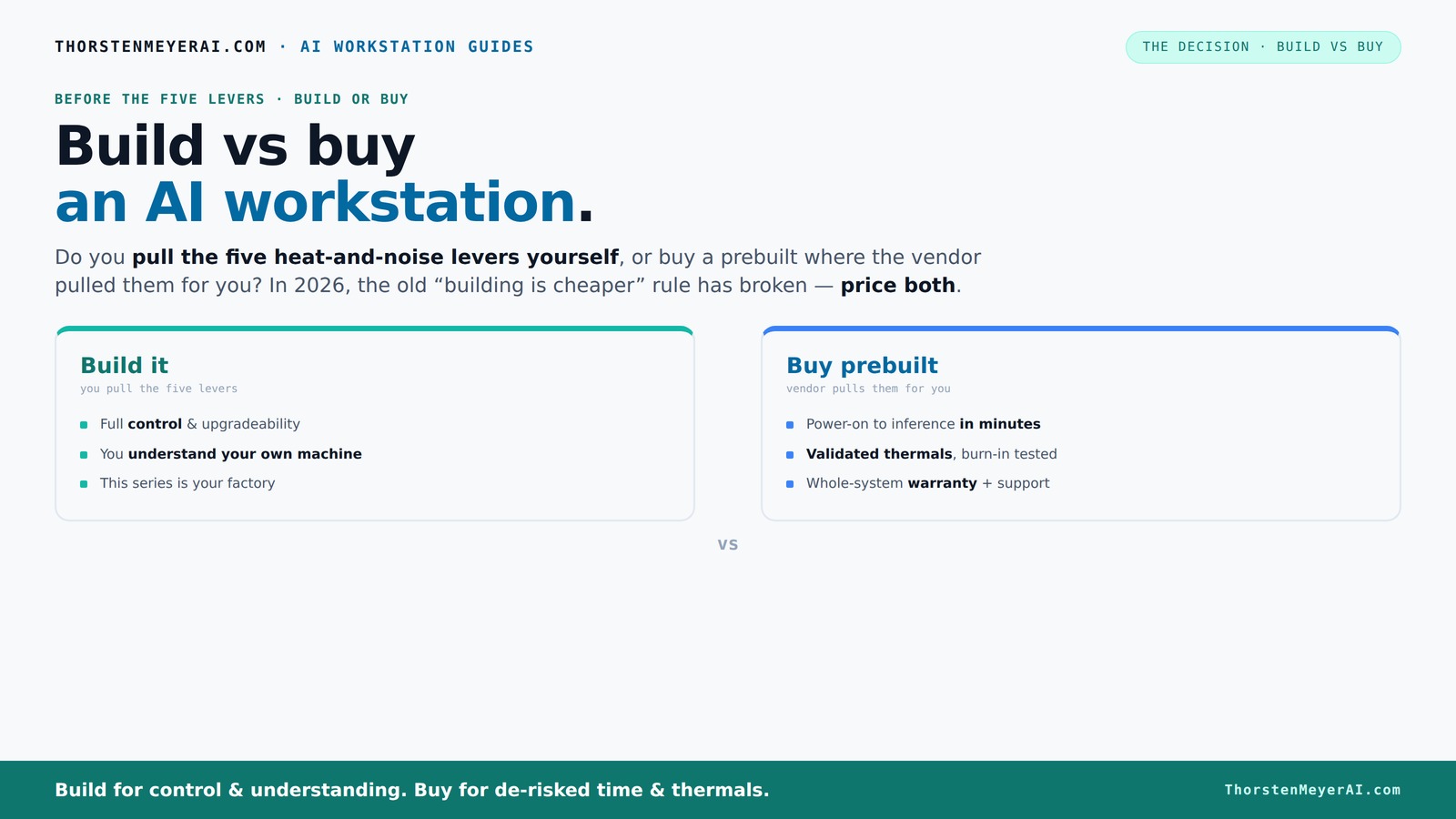
The real question behind this whole series: do you pull the five heat-and-noise levers yourself, or buy a prebuilt where the vendor pulled them for you? And in 2026, the old “building is cheaper” rule has broken. Match your situation in Part 3.
Key Takeaways
- Component shortages have closed the price gap between DIY and prebuilts, making support and speed more critical in your choice.
- Prebuilts offer validated cooling, support, and quick deployment—ideal if you need reliable uptime and minimal setup.
- Building your own allows for tailored hardware, better upgrade paths, and personal control over noise and thermal tuning.
- GPU VRAM is vital—choose based on your specific AI workload, whether training large models or running inference.
- Support, warranty, and future-proofing are often the deciding factors for professional setups, outweighing initial cost savings. For more insights, visit bitcoinnewsday.com.
As an affiliate, we earn on qualifying purchases.
Why 2026 Changes the Build vs Buy Debate for AI Workstations
Building your own AI workstation used to be the clear winner on price. But recent supply chain issues and bulk buying have jacked up component prices like GPUs and DDR5 RAM. A DIY rig that cost under $1,000 just a few years ago now easily surpasses $1,250—even before adding the OS.
Meanwhile, big vendors like Dell, Lambda, and BIZON buy in bulk, locking in lower prices and offering systems at prices that many DIYers can’t match today. The old rule—"build cheaper"—no longer applies straightforwardly. Now, it’s about balancing cost, time, and risk.
As an affiliate, we earn on qualifying purchases.
The Five Levers: Who Tunes Your AI System — You or the Vendor?
Making an AI workstation run cool and quiet depends on five key levers: undervolting the GPU, matching the cooler, optimizing airflow, tuning fans, and placement. When you buy prebuilt, the vendor handles these—testing, tuning, and validating for you. When you buy prebuilt, the vendor handles these—testing, tuning, and validating for you. Systems from Lambda or Puget come with water cooling, quiet fans, and thermal validation, often backed by multi-year warranties.
If you build yourself, you pull those levers. You pick a quiet GPU, undervolt it (see how here), select a case with sound-dampening features, and fine-tune your fans (more here). It’s satisfying, but requires expertise and time.
As an affiliate, we earn on qualifying purchases.
When a prebuilt makes your AI project smoother
If speed and reliability matter, prebuilts shine. They’re ready to run the moment you get them. Systems come with OS, drivers, and AI frameworks preinstalled—CUDA, PyTorch, TensorFlow—saving you hours of setup. Plus, they’ve been tested under sustained load, so you avoid thermal throttling or unexpected crashes.
For example, a BIZON system designed for multi-GPU AI training offers validated cooling and warranty support, letting you focus on your models, not hardware troubleshooting. For professionals who can’t afford downtime, prebuilts provide peace of mind.
As an affiliate, we earn on qualifying purchases.
When building your own is worth it: customization and control
Building your own AI workstation is about control. Need a specific GPU like the RTX 4090 with 24GB VRAM? Or want a custom cooling setup for ultra-quiet operation? DIY gives you that flexibility. You can choose a motherboard with specific features, add more RAM, or design a case airflow system tailored for your workload.
Say you’re doing niche research with unusual hardware needs, or want to upgrade over time—building lets you plan for that. It’s also a learning experience, giving you insight into every component’s role in AI performance.
Cost Breakdown: Building vs Buying in 2026
| Factor | Build Your Own |
|---|---|
| Component costs | Higher now due to shortages and demand |
| Assembly time | Time-consuming, especially for beginners |
| Support & warranty | Variable; depends on individual parts and DIY skills |
| Thermal tuning | You handle it, requires expertise |
| Upgradeability | High; choose your own parts for future upgrades |
| Factor | Prebuilt System |
|---|---|
| Component costs | Often higher, but bulk discounts help |
| Time to deployment | Minutes to hours, ready to go |
| Support & warranty | Standard, often multi-year, with support |
| Thermal tuning | Done in factory, validated performance |
| Upgradeability | Limited by design, but some allow upgrades |
GPU Choices and VRAM: What Do You Really Need?
For AI tasks, GPU VRAM is king. Training large models like GPT-3 or fine-tuning complex datasets often demand 24GB or more. For inference, 8-12GB can suffice. Choosing the right GPU depends on your workload and budget.
Prebuilt systems often feature NVIDIA RTX 4090 or A100 cards, packed with VRAM and optimized for AI workloads. DIY builders can select these too, but availability and pricing fluctuate wildly in 2026.
Cooling, Noise, and Power: Why They Matter for AI
AI workloads generate intense heat and noise—fans ramp up, power supplies strain. Proper cooling keeps your system stable and quiet. Prebuilts often include advanced cooling solutions, like water loops, to keep noise low under load. Learn more about cooling options at Build vs Buy a Prebuilt AI Workstation.
If you build, you choose the cooler, case, and fan setup. For example, a quiet case with sound-dampening panels ([see options here](https://thorstenmeyerai.com/low-noise-pc-cases-airflow/)) can slash noise levels. Power delivery stability also prevents throttling or shutdowns during heavy training sessions.
Support, Warranty, and Downtime Risk — Why They Matter
When your AI workstation crashes during a critical run, support matters. Prebuilts come with warranties—often 3 to 5 years—and dedicated support lines. This reduces downtime and gives peace of mind.
DIY systems leave you to troubleshoot, replace parts, and manage warranties individually. If you’re running large models or need 24/7 uptime, this risk can add up. Support costs and downtime can overshadow initial savings.
Upgrading and Resale: How Future-Proof Is Your System?
Building gives you the advantage of choosing upgrade paths—more RAM, newer GPUs, better cooling—over time. But prebuilts can be less flexible, though some allow limited upgrades.
Resale value varies: Build vs Buy a Prebuilt AI Workstation.m-built systems often hold value better if upgraded and maintained, while prebuilts depreciate faster. Think about your long-term plans when choosing.
Cloud or Local AI: Which Is Cost-Effective Over Time?
Cloud compute can be cheaper for occasional use—no hardware investment, pay-per-use. But for persistent workloads, owning a dedicated system often saves money, especially if you run models regularly ([see comparison](https://bizon-tech.com/blog/building-best-deep-learning-computer-vs-aws-cloud-vs-bizon)).
In 2026, many find that local AI workstations pay off over cloud for ongoing projects, but the choice depends on workload frequency and project size.
Frequently Asked Questions
Is it cheaper to build or buy a prebuilt AI workstation?
In 2026, component prices and supply chain issues have blurred the traditional cost advantage of building. While DIY can sometimes be cheaper if you find good deals, prebuilts often match or beat DIY prices once you factor in assembly, testing, and support. Always price your specific configuration before deciding.
How much more do prebuilts cost after assembly and support?
Prebuilts typically include assembly, testing, warranty, and support, which adds a markup—often 10-20% over DIY parts. However, this cost can be justified by saved time, reduced risk, and guaranteed performance under load.
What are the hidden costs of building your own workstation?
Extra costs include time investment, troubleshooting, potential component incompatibilities, and future upgrade planning. If something goes wrong, diagnosing issues can take hours, and support is on you. Consider these hidden costs when comparing to prebuilt options.
Is a prebuilt good enough for training large models locally?
Yes. Many prebuilts now feature high-VRAM GPUs like the A100 or RTX 4090, validated for sustained heavy workloads. They often come with optimized cooling and support, making them reliable for large training jobs.
How much GPU VRAM do I need for AI work?
For training large models like GPT-3, 24GB or more is recommended. For inference and smaller datasets, 8-12GB may suffice. Choose based on your workload complexity and budget.
Conclusion
In 2026, the decision isn’t just about saving a few dollars. It’s about what matters most to you—speed, support, customization, or control. If you need immediate productivity with peace of mind, a prebuilt might be your best move.
But if you crave full control, upgradeability, and a learning experience, building your own system makes sense. Either way, understanding the tradeoffs helps you make a smarter investment—one that fuels your AI ambitions today and tomorrow.
Fall Picks
fall essentials
As an affiliate, we earn on qualifying purchases.