
🔍 Read the full analysis: 10 Best High Refresh Gaming Monitors For Responsive Play In 2026 on ThorstenMeyerAI.com

Get hardware and tech essentials delivered free with Prime
- Fast, free delivery on millions of items
- Prime Video, Amazon Music and more included
- Member-only deals all year
TL;DR
This report compares 10 high-refresh gaming monitors using the specifications and selection criteria provided by ThorstenMeyerAI.com. The ASUS TUF VG259QM5A is the source’s balanced 240Hz pick, while the CRUA 540Hz model targets competitive players; resolution, screen size and the frame rates a system can deliver affect which format makes sense.
The guide compares refresh rate, resolution, screen size and format, including compact Full HD monitors, large Full HD screens, QHD models and ultrawides. Its ranking favors a balance of speed and practical use over the highest specification in isolation. The source says its assessment relies on listed specifications; it does not claim firsthand performance testing or assume features that were not listed.
The ASUS TUF VG259QM5A is identified as a 24.5-inch Full HD, 240Hz all-rounder. The CRUA 27-inch model is listed at Full HD and 540Hz, aimed at players who prioritize very high refresh rates; buyers comparing that size can also see these 27-inch gaming monitor picks. The SANSUI 34-inch UWQHD model combines an ultrawide format with 240Hz, while the Kado bundle provides two monitors at 165Hz, according to the source.
Other named options include the KTC 31.5-inch and SANSUI 32-inch large Full HD models, the compact Dell 24-inch Full HD 240Hz display, and Samsung’s 32-inch QHD Odyssey G55C with a pronounced 1000R curve. The provided material does not include the full model names and specifications for all 10 entries, so this comparison cannot verify every pick’s exact configuration.
The 10 picks
- 1
 CRUA 45-Inch DQHD 185Hz Ultrawide Curved Gaming MonitorView on Amazon →
- 2
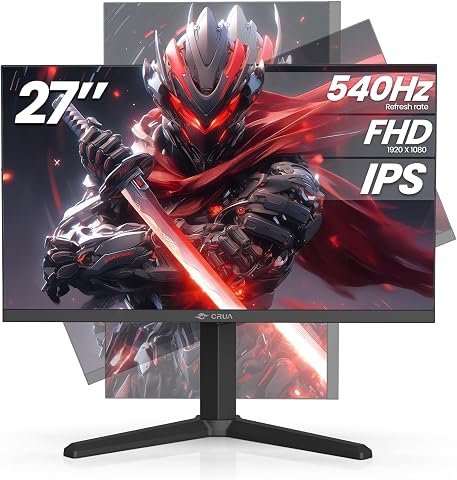 CRUA 27-Inch FHD 540Hz IPS Gaming MonitorView on Amazon →
- 3
 Kado 2-Pack 34-Inch Curved Ultrawide Monitor with 1500R Curvature, 165Hz, 1ms…View on Amazon →
- 4
 SANSUI 34-Inch Curved UWQHD 240Hz Gaming MonitorView on Amazon →
- 5
 KTC 32 Inch 280Hz 240Hz Curved Gaming Monitor, FHD PC Monitor 1080P, H32C5View on Amazon →
- 6
 Samsung 32" Odyssey G55C Series QHD Curved Gaming MonitorView on Amazon →
- 7
 SANSUI 32 Inch Curved Gaming Monitor 240Hz FHD 1080PView on Amazon →
- 8
 ASUS TUF Gaming VG259QM5A 25-Inch 1080p 240Hz G-SYNC Gaming MonitorView on Amazon →
- 9
 SANSUI 27 Inch Curved Gaming Monitor 240Hz FHD 1080PView on Amazon →
- 10
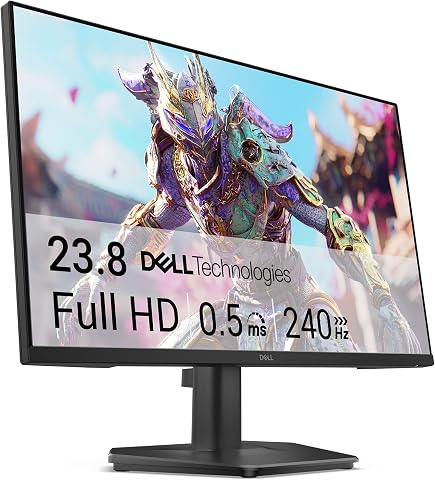 Dell 24 240Hz Gaming Monitor – SE2426HG – 23.8-inch FHD (1920×1080) 240Hz Dis…View on Amazon →
Choosing Speed, Detail and Screen Space
The comparison highlights a practical tradeoff: more refresh headroom can suit competitive play, but it does not automatically provide sharper images or a more immersive screen. A 540Hz monitor is most relevant when a player’s games and PC can deliver very high frame rates. Buyers whose systems cannot approach that output may find a balanced 240Hz monitor a more fitting match.
Resolution and size also affect everyday use. The source notes that Full HD on a 31.5- or 32-inch screen spreads pixels across a larger area than on a compact display, which can make detail look less crisp at close desk distances. QHD and ultrawide formats provide more image area or detail, but can demand more graphics power. These are selection considerations, not guarantees of performance in a particular game.
Products Worth Considering

LG UltraGear 27-inch QHD OLED Gaming Monitor, 240Hz, 0.03ms, G-SYNC Compatible, FreeSync Premium Pro, HDR True Black 400

LG UltraGear 34-Inch Curved QHD Gaming Monitor, 160Hz, FreeSync Premium

LG UltraGear 34G600A-B 34-Inch Curved WQHD Gaming Monitor
As an affiliate, we earn on qualifying purchases.
How the Monitor Ranking Was Made
ThorstenMeyerAI.com says its ranking weighs native refresh rate, resolution at the stated size, panel format and likely system demands. Compact Full HD models are assessed differently from large QHD and ultrawide screens because each format addresses a different setup and gaming priority.
The guide recommends matching the display to the games played, the frame rates the computer or console can sustain, viewing distance and available desk space. It also notes that ultrawide game support varies: some titles use the wider aspect ratio naturally, while others may show side bars or stretch the image. The material gives no independent test results, prices or availability data.
Specifications and Testing Gaps
The source provides no publication date, prices, availability details or measured response-time and image-quality results. It also does not provide complete model names and specifications for all 10 products in the supplied material. The ranking should be read as a specification-based editorial comparison, not as a report of independently verified performance.
Actual frame rates depend on the game and the system running it. The source does not say which hardware configurations were used to evaluate the monitors, or how specific games handle ultrawide formats. Buyers should check current product listings and game compatibility before relying on a particular configuration.
Check Your Setup Before Buying
Readers can use the comparison to narrow options by deciding whether competitive speed, sharper detail or a wider view matters most. Before choosing, check the exact monitor configuration, measure desk space and compare the display’s resolution and refresh rate with the frame rates the system can sustain in the games played.
Prices, stock and product specifications can change, but the supplied source names no upcoming announcement or review update. No further milestone is confirmed.
Key Questions
Which monitor does the source rank as its balanced pick?
The guide selects the ASUS TUF Gaming VG259QM5A, a 24.5-inch Full HD monitor listed at 240Hz, as its balanced all-round choice.
Who might prefer the CRUA 540Hz monitor?
The source positions the CRUA 27-inch 540Hz model for competitive players who prioritize extreme refresh rates. The practical benefit depends on whether the games and system can sustain very high frame rates.
What is the tradeoff with a large Full HD gaming monitor?
A large Full HD screen offers more physical display area, but its pixels are spread across a wider panel. The guide says buyers seeking finer detail at 31.5 or 32 inches may prefer QHD, which can place greater demands on the graphics card.
Does an ultrawide monitor work well with every game?
No universal compatibility is established in the source. It says support varies by title: some games use an ultrawide aspect ratio naturally, while others may show side bars or stretch the image.
Source: ThorstenMeyerAI.com