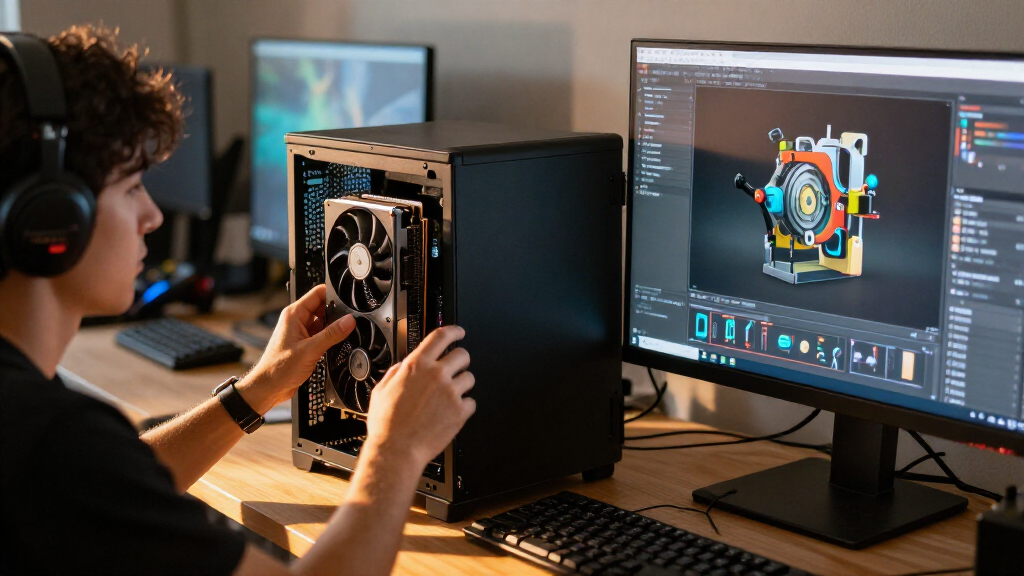
🔍 Read the full analysis: 10 Top Graphics Card Picks For Gamers And Professionals In 2027 on ThorstenMeyerAI.com

Get hardware and tech essentials delivered free with Prime
- Fast, free delivery on millions of items
- Prime Video, Amazon Music and more included
- Member-only deals all year
TL;DR
A ThorstenMeyerAI.com guide compares 10 graphics cards for gaming, creative work and basic display use, highlighting the RTX 5080, RTX 5060 Ti and RX 9070 XT. Its rankings are editorial assessments, not independently verified benchmark results; prices, availability and 2027 market conditions are not provided.
ThorstenMeyerAI.com has published a 10-card graphics guide for gamers and professionals, placing the ASUS ROG Astral GeForce RTX 5080 at the top of its recommendations while reserving older cards for narrow, low-demand uses. The roundup matters to buyers weighing gaming performance, creative software support, power needs and cost, but it does not provide comparable benchmark data or prices to validate the rankings; buyers considering graphics cards for AI can also review these AI graphics card options.
The guide names the RTX 5080 its best overall choice, citing ray tracing, cooling and overclocking headroom, while graphics card deals may help buyers compare upgrade costs. It recommends the ASUS Dual RTX 5060 Ti series as a mid-range option and points to its 16GB memory configuration as a benefit for demanding games. The article also identifies AMD’s RX 9070 XT as an alternative for rasterization-heavy workloads.
The remaining entries are the PNY RTX 5080, ASUS ROG Astral RTX 5080, ASUS Dual RTX 5060 Ti, AMD RX 9070 XT, RTX 3060, VisionTek RX 580, RX 550 and GT 730. The source treats the two RTX 5080 products and two RTX 5060 Ti entries as separate picks, although it supplies limited model-specific comparison details for them.
Its methodology says it considered architecture, memory bandwidth, cooling, connectivity and form factor, favoring newer designs and at least 8GB of VRAM for gaming cards. It characterizes the RX 550 and GT 730 as suitable mainly for display output and light tasks, while the RX 580 is presented as a possible multi-monitor workstation card rather than a modern gaming recommendation.
The 10 picks
- 1
 ASUS ROG Astral GeForce RTX 5080 OC Edition 16GB GDDR7 Graphics CardView on Amazon →
- 2
 PNY NVIDIA GeForce RTX 5080 OC Triple-Fan Graphics CardView on Amazon →
- 3
 ASUS Prime Radeon RX 9070 XT 16GB GDDR6 OC Edition Gaming Graphics CardView on Amazon →
- 4
 ASUS Prime Radeon RX 9070 EVO 16GB GDDR6 OC Gaming Graphics CardView on Amazon →
- 5
 ASUS Dual GeForce RTX 5060 Ti 16GB GDDR7 White OC Edition Graphics CardView on Amazon →
- 6
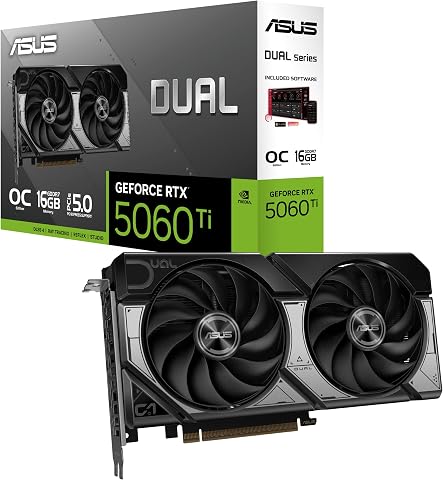 ASUS Dual GeForce RTX 5060 Ti 16GB GDDR7 OC Edition Gaming Graphics CardView on Amazon →
- 7
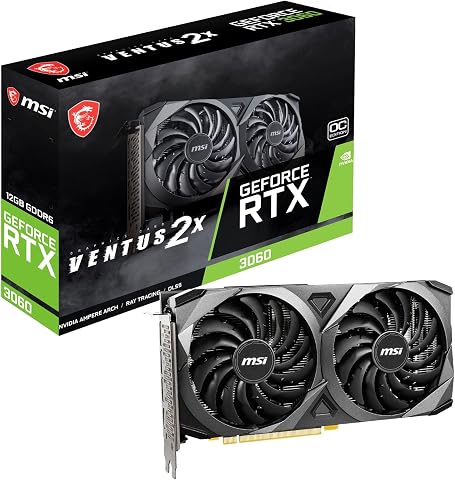 MSI GeForce RTX 3060 Ventus 2X 12G OC V1 Graphics CardView on Amazon →
- 8
 VisionTek AMD Radeon RX 580 8GB Graphics Card with 6 Mini DisplayPort OutputsView on Amazon →
- 9
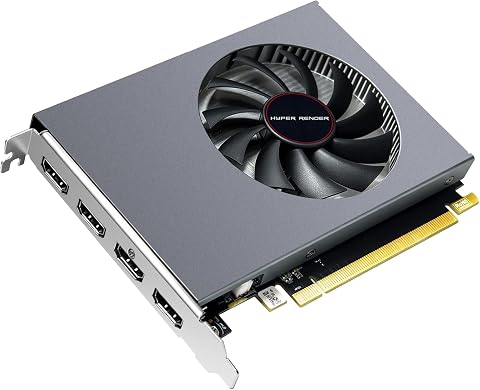 RX 550 4GB GDDR5 Graphics Card 4 HDMI GPU Tarjeta Gráfica 4 Port Video cardView on Amazon →
- 10
 Vandossy GeForce GT 730 4GB GDDR5 Graphics Card with 4 HDMI PortsView on Amazon →
Matching GPUs to Real Workloads
The roundup’s central point is that a graphics card’s usefulness depends on the task, not only its age or headline performance. A newer GPU may offer ray tracing, AI-assisted image features and current driver support, while an older card can still serve a system that only needs several displays or basic output.
That distinction can affect total system cost. High-end cards may call for larger cases, stronger cooling and higher-wattage power supplies; a low-cost legacy card may avoid those upgrades but cannot be assumed to handle modern games. Buyers also need to check whether software uses CUDA, NVENC or AMD acceleration effectively. The guide offers a starting shortlist, not enough evidence to establish a universal best buy.
Products Worth Considering

Apple MacBook Pro 16.2-inch with M5 Pro, 18-Core CPU, 20-Core GPU, 24GB Memory, 1TB SSD, Wi-Fi 7, Silver

Apple MacBook Pro 14.2-inch with M5 Pro, 15-core CPU, 16-core GPU, 24GB Memory, 1TB SSD, Nano-Texture Display, Space Black
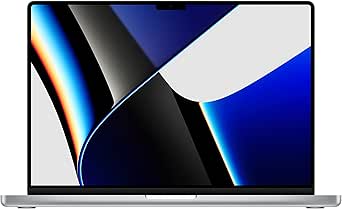
Apple MacBook Pro 16-inch (2021) with M1 Pro Chip, 10-Core CPU, 16-Core GPU, 16GB RAM, 512GB SSD – Silver
As an affiliate, we earn on qualifying purchases.
How the Guide Scores Cards
ThorstenMeyerAI.com says it favored recent architectures, including NVIDIA’s Blackwell RTX 50-series and AMD’s RDNA 4 RX 9000-series, because of their newer graphics and AI-related features. The source argues that older hardware may lack support for newer upscaling or ray-tracing capabilities even if it remains usable for existing games or workstation tasks.
The article also emphasizes memory capacity and cooling. It treats 16GB as useful for high-detail gaming and notes that large triple-fan cards can occupy three or more expansion slots. It advises checking case clearance and power supply specifications. These are general selection considerations reported by the source; the article does not supply test results, exact power measurements or a full set of card dimensions.
“I evaluated these graphics cards based on three primary criteria: architectural generation, memory bandwidth, and thermal efficiency.”
— ThorstenMeyerAI.com, in its selection methodology
Prices, Tests and Availability
The source does not give prices, retailer availability, publication date or benchmark settings, so readers cannot determine value for money or reproduce its performance comparisons. It also does not explain how each card was scored or provide full model specifications for every entry. The page’s 2027 framing does not establish that all listed models will remain available or represent current choices throughout that year.
Some recommendations also need qualification. The guide describes 16GB as useful for demanding gaming, but actual requirements vary by game, resolution and settings. Its statements about driver support and professional software are not backed by application-by-application tests. Buyers should verify the exact model, current drivers, compatibility and workload performance before relying on the ranking.
Verify Before You Buy
The next step for readers is to compare current local prices and independent benchmarks for the exact models they are considering. Gaming buyers should check results at their target resolution and settings; professionals should look up performance in the specific applications they use. Both groups should confirm case dimensions, power connectors and recommended PSU capacity.
No further testing or update schedule is stated in the source. Until additional data is available, the list is best treated as an editorial shortlist rather than a measured ranking, especially for buyers comparing cards with very different ages and intended uses.
Key Questions
Which card does the guide rank highest?
ThorstenMeyerAI.com names the ASUS ROG Astral GeForce RTX 5080 its best overall pick, citing cooling and ray-tracing capabilities. The article provides no comparative benchmark table to independently confirm that ranking.
Does the guide recommend the RX 550 or GT 730 for gaming?
No. It describes both as options for basic display output and light tasks, not modern gaming. Their suitability depends on the display setup and software involved.
Is 16GB of graphics memory required?
The source presents 16GB as beneficial for higher-detail gaming, but it does not establish a universal requirement. Resolution, game, settings and workload all affect memory use.
What should buyers check besides graphics performance?
Check card dimensions, cooling, power supply capacity and connectors, along with software support for the applications you use. The source also advises checking whether professional programs favor NVIDIA or AMD hardware.
Source: ThorstenMeyerAI.com