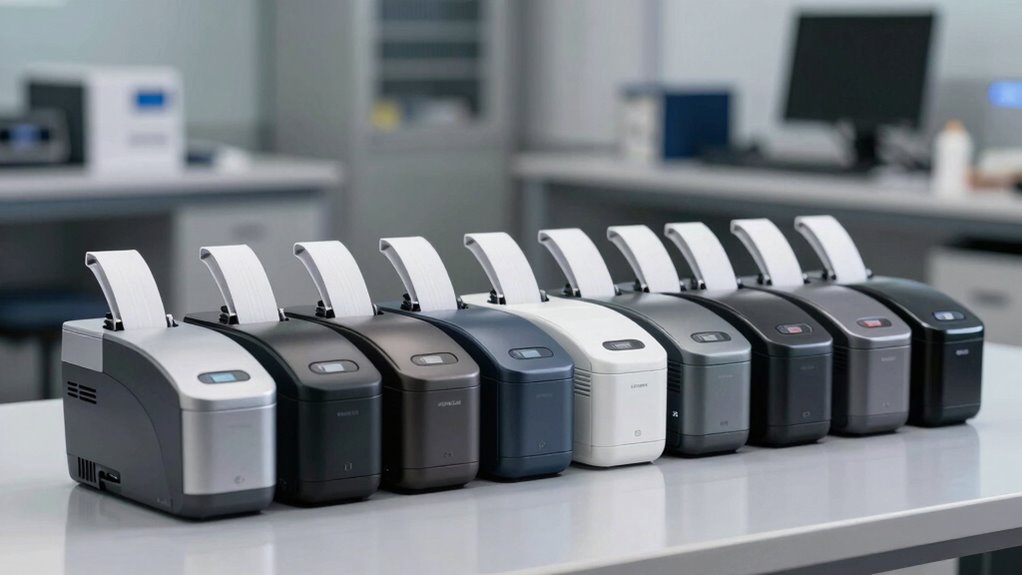

Searching for a reliable thermal transfer label printer under 2500 can be challenging, as options vary widely in features, durability, and ease of use. The Zebra ZD411 stands out as the best overall pick due to its modular connectivity and user-friendly design. For smaller-scale needs, the LabelTac LT4 offers excellent value, while the Honeywell PM45A provides industrial-grade performance at a budget-friendly price. The main tradeoffs often involve balancing print quality, durability, and connectivity options within a limited budget. Continue reading for a detailed breakdown of each option and help narrowing down your choice.

Get hardware and tech essentials delivered free with Prime
- Fast, free delivery on millions of items
- Prime Video, Amazon Music and more included
- Member-only deals all year
Key Takeaways
- The top picks excel in balancing print quality and durability without exceeding the 2500 budget limit.
- Industrial models like Zebra ZT411 and Honeywell PM45A offer higher DPI and robustness but come with tradeoffs in ease of use for beginners.
- Connectivity options such as Bluetooth, Ethernet, and USB are critical for seamless integration into existing workflows.
- Size and footprint vary significantly; compact models suit small spaces while industrial printers prioritize durability and throughput.
- Price differences often reflect build quality, resolution, and feature set—evaluate what matters most to your specific use case.
| Zebra Technologies ZD411 Printer – Direct Thermal 203DPI, Modular Connectivity, Bluetooth 5, EZPL, Includes Cleaning Cloth |  | Best Overall | Resolution: 203 DPI | Print Width: 2.2 inches | Connectivity: USB 2.0, Bluetooth 5 | VIEW ON AMAZON | See Our Full Breakdown |
| Brother TD-4520TN Thermal Transfer Label Printer |  | Best for Industrial Use | Resolution: 300 dpi | Print Speed: 5 inches/sec | Connectivity: Ethernet, USB, RS232C | VIEW ON AMAZON | See Our Full Breakdown |
| Zebra ZT411 4-Inch Thermal Transfer Industrial Printer, 203 dpi, USB, Serial, Ethernet, Bluetooth |  | Best for Heavy-Duty Industrial Use | Print Width: 4 inches | Resolution: 203 dpi | Print Speed: 14 inches/sec | VIEW ON AMAZON | See Our Full Breakdown |
| LabelTac LT4 Thermal Transfer Label Printer |  | Best for In-House Label Creation | Printer Type: Thermal | Print Resolution: 203 x 203 dpi | Media Support: Labels up to 4 inches wide | VIEW ON AMAZON | See Our Full Breakdown |
| Zebra ZD421t 4″ Direct Thermal and Thermal Transfer Label Printer, 203 dpi, USB, Ethernet, Bluetooth |  | Best Versatile 4-Inch Printer | Print Technology: Direct thermal and thermal transfer | Resolution: 203 DPI | Print Width: 4 inches | VIEW ON AMAZON | See Our Full Breakdown |
| Honeywell PM45A Industrial Thermal Transfer Label Printer, 300 DPI, Full Touch Display, Ethernet Connectivity, US Power Cord |  | Best Overall for High-Volume Industrial Use | Printer Type: Thermal Transfer | Print Media: Labels | Maximum Copy Speed: 590.6 pages per minute | VIEW ON AMAZON | See Our Full Breakdown |
| Zebra Technologies ZT411 Thermal Transfer Industrial Printer 300 dpi, 4-Inch Print Width, Serial, USB, Ethernet, Bluetooth |  | Best for Demanding Manufacturing and Warehouse Environments | Printer Type: Thermal Transfer | Print Resolution: 300 dpi | Print Width: 4.09 inches | VIEW ON AMAZON | See Our Full Breakdown |
| LabelTac LTPX Industrial Thermal Transfer Labeling Printer |  | Best for On-Demand In-House Labeling with User-Friendly Software | Printer Type: Thermal | Display Screen: LCD | Print Resolution: 300 x 300 dpi | VIEW ON AMAZON | See Our Full Breakdown |
| DT5150P 300DPI Industrial Thermal Transfer Label Printer |  | Best for Heavy-Duty, Outdoor, and Harsh Environment Labeling | Resolution: 300 DPI | Label Width Support: 0.3″ – 1.65″ | Battery Capacity: 2 x 1500mAh | VIEW ON AMAZON | See Our Full Breakdown |
| Zebra ZT510 Thermal Transfer & Direct Thermal Rugged Industrial Printer |  | Best for Rugged, Versatile Industrial Labeling | DPI: 203 | Model: ZT51042-T010000Z | Connectivity: USB, Bluetooth, Serial, Ethernet | VIEW ON AMAZON | See Our Full Breakdown |
| thermal transfer label printer under 2500 | Connectivity | Resolution |
|---|---|---|
| Zebra Technologies ZD411 Print | USB 2.0, Bluetooth 5 | 203 DPI |
| Brother TD-4520TN Thermal Tran | Ethernet, USB, RS232C | 300 dpi |
| Zebra ZT411 4-Inch Thermal Tra | USB, Serial, Ethernet, Bluetooth | 203 dpi |
| LabelTac LT4 Thermal Transfer | — | — |
| Zebra ZD421t 4" Direct Thermal | USB, Ethernet, Bluetooth | 203 DPI |
| Honeywell PM45A Industrial The | — | — |
| Zebra Technologies ZT411 Therm | Serial, USB, Ethernet, Bluetooth | — |
| LabelTac LTPX Industrial Therm | — | — |
| DT5150P 300DPI Industrial Ther | — | 300 DPI |
| Zebra ZT510 Thermal Transfer & | USB, Bluetooth, Serial, Ethernet | — |
More Details on Our Top Picks
Zebra Technologies ZD411 Printer – Direct Thermal 203DPI, Modular Connectivity, Bluetooth 5, EZPL, Includes Cleaning Cloth
The Zebra ZD411 excels as an all-around choice for those seeking reliable, high-quality direct thermal printing in a compact form. Its 203 DPI resolution delivers sharp labels for precise barcodes and text, making it suitable for retail, healthcare, or small business environments. Compared with the Zebra ZT411, the ZD411 offers a more straightforward setup and easier maintenance but sacrifices the higher print speed and wider media capacity of its industrial counterpart. The inclusion of Bluetooth 5 ensures strong wireless connectivity, while the user-friendly software simplifies operation—even for first-time users. The limited print width of 2.2 inches might restrict larger label formats, but for small to medium-sized labels, it performs admirably. The need for compatible devices and some initial setup complexity could be hurdles for absolute beginners.
Pros:- High-quality 203 DPI resolution for clear labels
- Versatile connectivity including Bluetooth 5
- User-friendly software and easy maintenance
Cons:- Limited print width to 2.2 inches, restricting larger labels
- May be complex for first-time users to set up
Best for: Small businesses or retail environments needing reliable, high-quality labels with easy connectivity.
Not ideal for: Heavy-duty industrial users requiring wider labels or faster output, as the 2.2-inch width may be limiting.
- Resolution:203 DPI
- Print Width:2.2 inches
- Connectivity:USB 2.0, Bluetooth 5
- Programming Languages:ZPL/EPL
- Includes:Cleaning Cloth
Our verdict“This printer suits small-scale operations requiring precise, reliable labels with straightforward wireless connectivity.”
Brother TD-4520TN Thermal Transfer Label Printer
The Brother TD-4520TN stands out for its high-resolution 300 dpi printing and fast speed of up to 5 inches per second, making it ideal for demanding industrial environments like warehousing or manufacturing. Its broad connectivity options—including Ethernet and serial—support integration into complex setups, although this extensive feature set may be unnecessary for small or casual users. Compared to the Zebra ZD411, the TD-4520TN offers higher print resolution and faster speeds but at a higher cost and a design primarily geared toward professional or industrial settings. The printer’s robustness and warranty make it a dependable choice for high-volume tasks, yet its complexity and expense might deter casual users or small offices. The need for compatible software and setup familiarity could be a barrier for newcomers.
Pros:- High-resolution 300 dpi printing for sharp labels
- Fast print speed of 5 inches/sec
- Multiple connectivity options including Ethernet and serial
Cons:- Higher price point compared to basic label printers
- Designed mainly for industrial use, overkill for casual settings
Best for: Industrial facilities or warehouses needing high-resolution, high-speed label printing for large volumes.
Not ideal for: Home users or small businesses with occasional labeling needs, due to its cost and industrial design.
- Resolution:300 dpi
- Print Speed:5 inches/sec
- Connectivity:Ethernet, USB, RS232C
- Warranty:2-year Premier Limited
Our verdict“Best suited for high-volume, precision labeling in industrial or commercial environments willing to invest in durability and speed.”
Zebra ZT411 4-Inch Thermal Transfer Industrial Printer, 203 dpi, USB, Serial, Ethernet, Bluetooth
The Zebra ZT411 pushes into the industrial realm with a 4-inch wide media capacity and rapid 14 inches per second print speed. It’s engineered for demanding environments like manufacturing floors or logistics centers, where high-volume, durable labels are essential. Its compatibility with thermal transfer ribbons adds versatility for different media types, but this also introduces ongoing ribbon costs, unlike direct thermal models. Its extensive connectivity—including Bluetooth 4.1, Ethernet, USB, and serial—makes it adaptable to complex setups, although the setup process may be challenging for less experienced users. Compared with the Zebra ZD411, it offers wider labels and faster output but at the expense of increased size, complexity, and maintenance needs.
Pros:- High-speed printing at 14 inches/sec
- Supports up to 4-inch wide media
- Durable, industrial-grade construction
Cons:- Ribbon supplies add ongoing costs
- More complex setup and maintenance
Best for: Large-scale operations that require durable, high-speed printing with broad media support.
Not ideal for: Small businesses or casual users who don’t need industrial-grade durability or wider labels, as the setup and maintenance may be overkill.
- Print Width:4 inches
- Resolution:203 dpi
- Print Speed:14 inches/sec
- Connectivity:USB, Serial, Ethernet, Bluetooth
Our verdict“Ideal for heavy-duty environments demanding high-speed, durable labels and wide media support, with a willingness to manage setup complexity.”
LabelTac LT4 Thermal Transfer Label Printer
The LabelTac LT4 offers industrial-grade quality with a focus on in-house label production, supporting a variety of label sizes up to 4 inches wide. Its simple supply loading and user-friendly software make it accessible for small to medium enterprises needing custom signage, barcodes, or safety labels. While it supports a broad range of media and is compact enough for small workspaces, it is limited to monochrome black printing and lacks wireless connectivity, unlike models such as the Zebra ZD421t. This focus on monochrome labels makes it less suitable for color or high-resolution graphics but excellent for durable, professional-grade black-and-white labels in a dedicated setting.
Pros:- Supports wide variety of label sizes and supplies
- Easy supply and ribbon replacement
- Lifetime warranty and durable print quality
Cons:- Limited to monochrome black printing
- No wireless connectivity features
Best for: Manufacturing or warehousing teams creating custom, durable black-and-white labels on-site.
Not ideal for: Businesses needing color labels or wireless operation, as it is monochrome and wired only.
- Printer Type:Thermal
- Print Resolution:203 x 203 dpi
- Media Support:Labels up to 4 inches wide
- Warranty:Lifetime
Our verdict“Best suited for organizations needing durable, black-and-white labels with simple in-house production and reliable quality.”
Zebra ZD421t 4″ Direct Thermal and Thermal Transfer Label Printer, 203 dpi, USB, Ethernet, Bluetooth
The Zebra ZD421t combines direct thermal and thermal transfer capabilities in a compact 4-inch model, making it flexible for various printing needs. Its support for both printing methods allows users to choose cost-effective direct thermal labels or more durable ribbons for long-lasting labels, unlike the ZD411, which relies solely on direct thermal. Its multiple connectivity options, including Bluetooth and Ethernet, provide easy integration into different systems, though additional wireless upgrade options are limited beyond Bluetooth. The printer’s relatively small size and 203 DPI resolution suit retail, healthcare, or light industrial tasks, but its sheet capacity of 100 labels might restrict high-volume workflows.
Pros:- Supports both direct thermal and thermal transfer printing
- Multiple connectivity options including Bluetooth and Ethernet
- Compact, space-saving design
Cons:- Limited sheet capacity for high-volume printing
- No extensive wireless upgradeability beyond Bluetooth
Best for: Retail or healthcare settings needing flexible, space-saving label printing with multiple connection choices.
Not ideal for: High-volume industrial environments requiring wide labels or faster throughput, as its capacity and media width are limited.
- Print Technology:Direct thermal and thermal transfer
- Resolution:203 DPI
- Print Width:4 inches
- Connectivity:USB, Ethernet, Bluetooth
Our verdict“This printer offers versatile printing options in a compact form, ideal for environments needing flexible media and connections without heavy-duty throughput.”
Honeywell PM45A Industrial Thermal Transfer Label Printer, 300 DPI, Full Touch Display, Ethernet Connectivity, US Power Cord
The Honeywell PM45A stands out for its combination of high-resolution 300 DPI printing and rapid output, making it ideal for demanding industrial environments. Its full touch display simplifies operation, while Ethernet connectivity facilitates seamless network integration. Compared to the Zebra ZT411, it offers a more user-friendly interface and higher print speed, but it sacrifices some portability and compactness. The bulkier design means it requires dedicated space, and maintenance costs could be higher over time. This pick makes the most sense for large-scale operations needing reliable, high-quality labels at speed, where space and maintenance are manageable tradeoffs.
Pros:- High-resolution 300 DPI printing ensures crisp, clear labels
- Full touch display simplifies setup and operation
- Rapid printing speed supports high-volume workflows
- Ethernet connectivity eases network integration
Cons:- Bulky design demands significant space
- Limited to print-only functions, no additional features
Best for: Manufacturing facilities requiring high-speed, high-resolution label printing in large volumes
Not ideal for: Small businesses or offices with limited space and lower-volume needs
- Printer Type:Thermal Transfer
- Print Media:Labels
- Maximum Copy Speed:590.6 pages per minute
- Print Color:Mono
- Maximum Print Resolution:300 DPI
- Warranty & Support:Amazon.com Return Policy, 30-Day Return Guarantee, Product Warranty
Our verdict“This printer is perfect for large industrial settings prioritizing speed and resolution over compactness.”
Zebra Technologies ZT411 Thermal Transfer Industrial Printer 300 dpi, 4-Inch Print Width, Serial, USB, Ethernet, Bluetooth
The Zebra ZT411 offers robust industrial performance with a 300 DPI resolution and a 4-inch print width, making it suitable for complex, high-quality labels in challenging environments. Its support for multiple connectivity options, including Bluetooth, enhances flexibility, especially compared to the LabelTac LTPX’s wired-only setup. However, at around 35 pounds, it’s quite heavy, requiring sturdy installation and space. Its complex setup may also be a hurdle for less technical users. This model is ideal for businesses that need durable, high-resolution labels and have the capacity to handle its installation demands, trading off portability and ease of setup.
Pros:- Supports 300 DPI for sharp label quality
- 4-inch print width accommodates larger labels
- Multiple connectivity options including Bluetooth and Ethernet
- Built tough for industrial environments
Cons:- Heavy weight complicates relocation
- Setup complexity may require technical support
Best for: Large-scale manufacturing plants needing durable, high-resolution labels with flexible connectivity
Not ideal for: Small offices or retail stores with limited space and simpler printing needs
- Printer Type:Thermal Transfer
- Print Resolution:300 dpi
- Print Width:4.09 inches
- Print Speed:10 inches per second
- Connectivity:Serial, USB, Ethernet, Bluetooth
- Item Weight:35 pounds
Our verdict“This printer is ideal for high-demand industrial applications where durability and connectivity options are priorities.”
LabelTac LTPX Industrial Thermal Transfer Labeling Printer
The LabelTac LTPX offers an excellent balance for in-house label creation, with a 300×300 dpi resolution and an easy-to-use LCD screen that simplifies monitoring. Its compact, durable design makes it suitable for industrial or office environments where space is limited. Unlike the ZT411, it lacks wireless connectivity, which could be a drawback for some users. The device’s support for various media types and sizes makes it versatile, but its monochrome printing limits use cases where color labels are needed. This printer makes the most sense for small to medium operations focused on flexible, on-demand label printing, with the tradeoff of limited connectivity and color options.
Pros:- Supports a wide range of label sizes and media types
- User-friendly LCD display for easy operation
- Includes lifetime warranty for peace of mind
- Compact and durable design
Cons:- Limited to monochrome printing
- No wireless connectivity options
Best for: Small manufacturing units or offices needing flexible, on-demand label printing with simple operation
Not ideal for: Large warehouses or outdoor applications requiring high-speed bulk printing
- Printer Type:Thermal
- Display Screen:LCD
- Print Resolution:300 x 300 dpi
- Maximum Media Size:4 inches
- Includes Software:LabelSuite Labeling Software
- Warranty:Full Lifetime Warranty
Our verdict“This printer is ideal for small to medium businesses seeking simple, reliable, in-house label creation without complex setup.”
DT5150P 300DPI Industrial Thermal Transfer Label Printer
The DT5150P excels in demanding outdoor or industrial settings, with a rugged build that withstands tough conditions. Its 300 DPI resolution produces sharp, water, fade, and scratch-resistant labels, perfect for outdoor signage or heavy-duty applications. Compared to the ZT510, it offers longer battery life and portability, making it suitable for mobile use on job sites. However, its limited continuous operation time of about four hours per charge and higher cost for industrial features can be limiting. It’s best suited for fieldwork where durability and label longevity matter most, accepting the tradeoff of shorter battery life and higher upfront costs.
Pros:- Industrial-grade durability for harsh environments
- Waterproof and scratch-resistant labels
- Supports mobile and PC editing
- Lightweight and portable
Cons:- Limited to 4 hours of continuous use per charge
- Requires fast charging to reduce downtime
Best for: Outdoor workers, field service teams, or construction crews needing resilient labels
Not ideal for: Indoor, high-volume manufacturing environments where power supply is stable and continuous operation is preferred
- Resolution:300 DPI
- Label Width Support:0.3″ – 1.65″
- Battery Capacity:2 x 1500mAh
- Battery Life:4 hours
- Charging:DC 5V/1A fast charge
- Weight:0.83 lbs
Our verdict“This printer is well-suited for outdoor or heavy-duty applications where durability and portability are critical, despite its limited battery life.”
Zebra ZT510 Thermal Transfer & Direct Thermal Rugged Industrial Printer
The Zebra ZT510 combines rugged durability with reliable 203 DPI printing, making it suitable for environments where toughness outweighs high resolution. Its support for both thermal transfer and direct thermal printing broadens its application range, especially compared to the Zebra ZT411, which is limited to 300 DPI but offers a higher resolution. The multiple connectivity options, including Bluetooth, make it versatile. However, its lower resolution may not meet needs for fine detail or small fonts, and setup can be complex for users unfamiliar with industrial printers. This model suits operations that prioritize durability and flexibility over ultra-fine resolution, accepting the tradeoff of a lower DPI and setup complexity.
Pros:- Durable, rugged design withstands tough environments
- Supports both thermal transfer and direct thermal printing
- Multiple connectivity options including Bluetooth and Ethernet
- Affordable alternative to higher-resolution models
Cons:- Lower 203 DPI resolution may limit fine detail
- Complex setup for inexperienced users
Best for: Industrial environments demanding ruggedness and versatile printing methods
Not ideal for: Businesses requiring high-resolution graphics or color labels
- DPI:203
- Model:ZT51042-T010000Z
- Connectivity:USB, Bluetooth, Serial, Ethernet
- Replaces:105SL Plus
Our verdict“This printer is best for industrial use cases where durability and media versatility are key, and high-resolution detail is less critical.”

How We Picked
The selection process focused on printers that deliver reliable thermal transfer printing at or below 2500. We evaluated performance metrics like print resolution, speed, and durability, alongside usability factors such as connectivity, ease of setup, and maintenance. Build quality and user reviews also played a significant role in assessing long-term value. Products were ranked based on how well they balance these factors for different user needs—whether for industrial, small business, or entry-level use—ensuring a diverse but relevant lineup for budget-conscious buyers.| thermal transfer label printer under 2500 | Connectivity |
|---|---|
| Zebra Technologies ZD411 Print | USB 2.0, Bluetooth 5 |
| Brother TD-4520TN Thermal Tran | Ethernet, USB, RS232C |
| Zebra ZT411 4-Inch Thermal Tra | USB, Serial, Ethernet, Bluetooth |
| LabelTac LT4 Thermal Transfer | — |
| Zebra ZD421t 4" Direct Thermal | USB, Ethernet, Bluetooth |
| Honeywell PM45A Industrial The | — |
| Zebra Technologies ZT411 Therm | Serial, USB, Ethernet, Bluetooth |
| LabelTac LTPX Industrial Therm | — |
| DT5150P 300DPI Industrial Ther | — |
| Zebra ZT510 Thermal Transfer & | USB, Bluetooth, Serial, Ethernet |
Factors to Consider When Choosing Thermal Transfer Label Printer Under 2500
Choosing the right thermal transfer label printer under 2500 involves understanding several key factors. Beyond just price, consider how the printer’s features align with your labeling volume, environment, and connectivity needs. Making an informed decision requires weighing these broader considerations to avoid costly mistakes and ensure long-term satisfaction.Print Resolution and Speed
Higher DPI levels, such as 300 dpi found in industrial models, produce sharper, more durable labels suited for barcode scanning and long-term labeling needs. However, higher resolution often comes with slower print speeds, so consider your throughput requirements. For quick, short-term labels, 203 dpi may suffice, but for high-volume or precision needs, investing in higher DPI can improve overall efficiency and quality.
Connectivity Options
Look for printers that support multiple connection types like USB, Ethernet, Bluetooth, or serial ports. These options ensure compatibility with existing systems and simplify integration into your workflow. Wireless connectivity, in particular, offers flexibility for mobile or remote printing setups, but it can sometimes introduce latency or security concerns. Prioritize models that balance connectivity features with ease of setup and security protocols.
Durability and Build Quality
Industrial environments demand printers built to withstand dust, vibration, and high-volume use, making rugged models more suitable for such settings. Conversely, lighter, compact printers are better for small offices or retail spaces. Consider your environment carefully—spending more on a durable model can reduce downtime and maintenance costs over time, but for light use, budget options may be sufficient.
Ease of Use and Maintenance
Intuitive interfaces, clear instructions, and accessible parts make daily operation and troubleshooting smoother. Features like color-coded labels, straightforward loading mechanisms, and easy-to-access print heads are valuable. Remember that some models require more frequent maintenance or calibration; assessing ongoing costs and ease of upkeep can save frustration and downtime later.
Price and Long-term Value
While sticking to a 2500 budget limits options, it’s essential to consider what features are worth paying for. A slightly more expensive model with better durability, higher resolution, or improved connectivity can offer greater value over its lifespan. Avoid choosing solely based on initial cost; evaluate the total cost of ownership, including supplies, maintenance, and potential scalability.
Frequently Asked Questions
Can I use a thermal transfer printer for both barcode labels and shipping labels?
Yes, most thermal transfer printers can produce both barcode and shipping labels, provided they support the required label sizes and media types. You should verify that the printer’s maximum width and resolution meet your label specifications. Additionally, compatibility with label design software is essential for customizing labels for different purposes effectively.
How difficult is it to replace the ribbon and labels in these printers?
Most printers in this category are designed for straightforward ribbon and label replacement, often featuring guided loading systems or color-coded parts. While industrial models may require more care and time due to larger sizes or higher volumes, entry-level models generally prioritize ease of maintenance. Reading the user manual and watching quick setup videos can significantly reduce the learning curve.
Will these printers support custom label sizes or only standard formats?
Many models support customizable label sizes through their software or hardware settings, but some budget or compact options may have limitations. Check the specifications for maximum and minimum label widths and whether they can handle variable lengths. For versatile use, a model with flexible media handling is advisable, especially if your labeling needs change over time.
What should I consider if I need a printer for industrial-level volume?
For high-volume, industrial applications, focus on printers with higher DPI, faster speeds, and robust build quality like the Honeywell PM45A or Zebra ZT411. These models often include features such as large media rolls, high duty cycles, and advanced connectivity. Be prepared for a slightly higher initial investment, but this can reduce downtime and maintenance costs in the long run.
Are wireless connectivity options secure for sensitive labeling tasks?
Wireless options like Bluetooth and Wi-Fi can be secure if properly configured. Look for printers with security features such as WPA2 encryption, secure pairing procedures, and firmware updates. Proper network security practices, including strong passwords and firewall settings, are essential to protect sensitive data transmitted during the printing process.
Conclusion
For most small businesses or casual users, the Zebra ZD421t offers a solid balance of ease of use, durability, and features, making it the best overall choice. If you’re seeking the best value, the LabelTac LT4 provides reliable performance at a budget-friendly price. For industrial-scale needs, the Honeywell PM45A stands out with higher DPI and rugged design, justifying a slightly higher investment. Beginners should consider models like the Zebra ZD411 for straightforward setup, while those with demanding environments or higher volume requirements should prioritize industrial options. Your choice ultimately depends on your specific labeling needs, environment, and budget constraints.
Evergreen bestsellers Picks

Breville Bambino Espresso Machine, Brushed Stainless Steel (BES450BSS)

Dyson Cyclone V10 Origin Cordless Vacuum

LG 55-Inch QNED73B Mini LED 4K Smart TV (2026)
As an affiliate, we earn on qualifying purchases.