
When your SSD is password protected, it doesn’t guarantee full security. Hardware vulnerabilities, like flaws in controllers or firmware, can be exploited to bypass encryption altogether. Attackers can use physical or firmware exploits to access data without needing the password. Relying solely on password protection ignores these hardware risks. To better protect your data, it’s vital to understand these vulnerabilities and adopt thorough security measures—more details await if you look further.
Key Takeaways
- Password protection can be bypassed through hardware exploits or firmware vulnerabilities, not just encryption.
- Hardware flaws in SSD controllers or firmware can expose data regardless of password security.
- Physical attacks like cold boot or firmware hacking can extract encryption keys, compromising data.
- Encryption alone doesn’t safeguard against hardware-based vulnerabilities or data corruption.
- Comprehensive security includes hardware integrity checks and timely firmware updates beyond simple password protection.
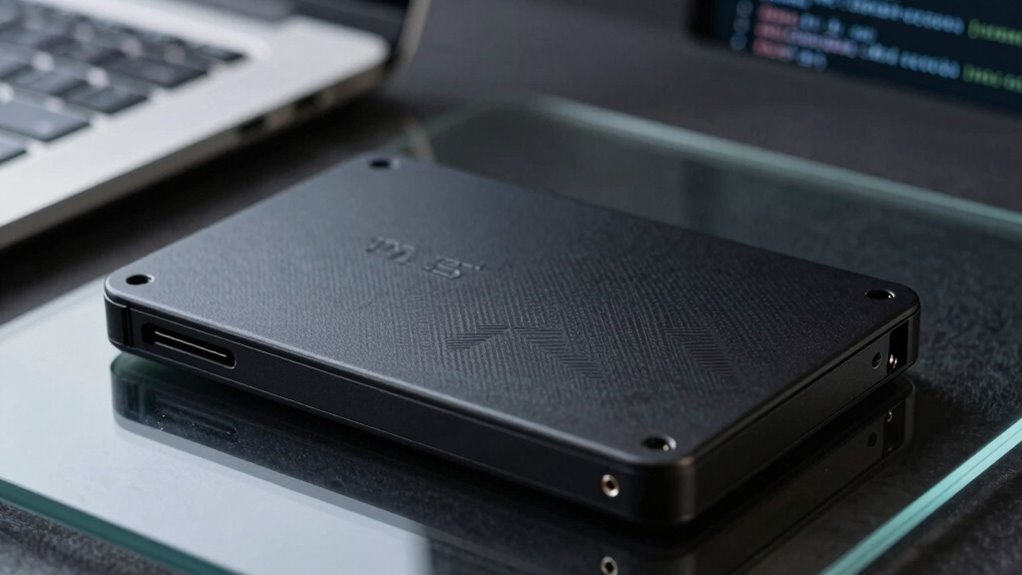
Encrypted SSDs have become crucial for protecting sensitive data in today’s digital landscape. They’re designed to keep your information safe, especially if your device gets lost or stolen. But just because an SSD is labeled as “password protected” doesn’t mean it’s automatically secure. Many users assume that encryption alone guarantees protection, but that’s not always the case. It’s important to understand what’s behind the encryption, especially regarding data recovery and hardware vulnerabilities.
Encryption alone isn’t enough; hardware vulnerabilities can still expose your data to risks.
When you rely on encryption, you’re fundamentally scrambling your data so that only someone with the correct key or password can access it. However, if your SSD’s hardware has vulnerabilities, malicious actors can exploit those weaknesses to bypass encryption entirely. For example, hardware flaws in the drive’s controller or firmware can allow attackers to access data without needing the password. These vulnerabilities might not be immediately obvious, and they can sometimes be exploited through physical attacks or firmware updates. That’s why a simple password protection isn’t enough—if the hardware itself has flaws, your data remains at risk.
Data recovery is another critical aspect to evaluate. If your SSD becomes corrupted or damaged, retrieving your data can be complicated, especially if encryption is involved. Encrypted SSDs often require specific tools or keys for data recovery, and if those aren’t available, your data could be lost forever. Additionally, hardware vulnerabilities can make the recovery process even more challenging. For example, if an attacker exploits a hardware flaw to delete or corrupt data, you might find yourself unable to recover your files without specialized knowledge or equipment. This underscores the importance of choosing encrypted SSDs from reputable manufacturers who regularly update firmware to patch known vulnerabilities. Staying informed about hardware security flaws is essential for maintaining data integrity and security. Furthermore, understanding the hardware architecture can help you better assess potential points of failure or attack vectors.
In addition, hardware vulnerabilities can sometimes allow attackers to perform cold boot attacks or firmware hacking, which can bypass encryption entirely. These attacks take advantage of hardware flaws to extract encryption keys directly from memory or firmware, rendering password protections useless. That’s why relying solely on password protection is risky. You need to evaluate the overall security architecture, including hardware integrity and updates, to truly safeguard sensitive data. Being aware of hardware security measures can help you take additional steps to protect your information from sophisticated threats. Recognizing the importance of regular firmware updates can also help mitigate risks associated with known hardware vulnerabilities.

Apricorn 2TB Aegis Padlock USB 3.0 256-Bit AES XTS Hardware Encrypted Portable External Hard Drive (A25-3PL256-2000)
Hardware encrypted drive
As an affiliate, we earn on qualifying purchases.
As an affiliate, we earn on qualifying purchases.
Frequently Asked Questions
Can Encrypted SSDS Be Hacked Without the Password?
Yes, encrypted SSDs can be hacked without the password through remote hacking or data recovery techniques. Cybercriminals may exploit vulnerabilities or use sophisticated tools to bypass encryption, especially if the SSD’s security isn’t robust. They might also recover data directly from the device’s hardware or firmware. That’s why relying solely on password protection isn’t enough—additional security measures are essential to keep your data safe from unauthorized access.
What Are the Common Vulnerabilities in Encrypted SSDS?
Ever wonder if your encrypted SSD is truly secure? Common vulnerabilities include outdated encryption algorithms that can be cracked and weak user authentication methods. If the encryption relies on easily guessable passwords or flawed algorithms, hackers can exploit these gaps. Additionally, poor implementation or hardware flaws may expose data. Staying updated on encryption standards and strengthening user authentication helps protect your data from these common threats.
How Does Physical Access Impact SSD Security?
Physical access can substantially impact your SSD’s security, especially if someone tries data recovery or physical tampering. With direct access, an attacker might bypass encryption, extract data, or manipulate hardware components. They could also attempt to disable security features or use specialized tools to recover sensitive information. Protect your SSD by securing physical access, using tamper-evident seals, and implementing hardware-based encryption to prevent unauthorized data recovery or tampering.
Are There Differences Between Hardware and Software Encryption?
You might think hardware and software encryption are the same, but they differ markedly. Hardware encryption uses dedicated chips with advanced encryption algorithms, ensuring better data integrity and faster performance. Software encryption relies on your device’s processor, which can be more vulnerable to hacking. Hardware solutions typically provide stronger protection against physical attacks, making them more secure for sensitive data. So, choosing hardware encryption enhances your data’s security and integrity.
What Should I Do if I Forget My SSD Password?
If you forget your SSD password, don’t panic. First, try biometric authentication if your device supports it; it might unlock your drive easily. If that doesn’t work, check if you’ve backed up your data to the cloud—restoring from there could save you. Avoid resetting the drive or using unreliable recovery tools, as they could cause data loss. Contact the manufacturer’s support for professional assistance if needed.

SANDISK 1TB Extreme Portable SSD – Up to 1050MB/s, USB-C, USB 3.2 Gen 2, IP65 Water and Dust Resistance, Updated Firmware – External Solid State Drive – SDSSDE61-1T00-G25
Get NVMe solid state performance with up to 1050MB/s read and 1000MB/s write speeds in a portable, high-capacity…
As an affiliate, we earn on qualifying purchases.
As an affiliate, we earn on qualifying purchases.
Conclusion
So, next time you see “password protected” on an SSD, don’t breathe a sigh of relief just yet. Think of it as locking your house with a paperclip—looks secure until someone with a crowbar comes knocking. Encryption isn’t foolproof, and a weak password can be cracked faster than you can blink. Protect your data like your life depends on it because, in the digital world, it just might. Stay vigilant, stay secure.
hardware vulnerability protected SSD
As an affiliate, we earn on qualifying purchases.
As an affiliate, we earn on qualifying purchases.
Apricorn 2TB Aegis Padlock USB 3.0 256-Bit AES XTS Hardware Encrypted Portable External Hard Drive (A25-3PL256-2000)
Hardware encrypted drive
As an affiliate, we earn on qualifying purchases.
As an affiliate, we earn on qualifying purchases.