
📊 Full opportunity report: Quiet GPUs for Local AI: Acoustic and Thermal Roundup on ThorstenMeyerAI.com — validation score, market gap, and execution plan.

Get hardware and tech essentials delivered free — and shop member deals
- Fast, free delivery on millions of items
- Access to Prime Big Deal Days deals on October 6–7
- Prime Video, Amazon Music and more included
TL;DR
This article reviews the quietest and coolest GPUs suitable for local AI in 2026. It highlights key models, cooling strategies, and how to optimize for low noise and heat. The focus is on practical choices for building quiet, high-performance AI rigs.
In 2026, the most effective GPUs for local AI are those that balance performance with low noise and heat output, achieved through undervolting and superior cooling solutions. This roundup identifies the top models and strategies to build quiet, efficient AI rigs.
The focus is on GPUs with sufficient VRAM for large models, emphasizing that power management and cooler design are critical for quiet operation. The RTX 5090 (32GB) is highlighted as the top consumer choice for high-end local AI, capable of running 70B models at Q4 with proper cooling and power capping. For value, the RTX 4090 and used RTX 3090 (both 24GB) remain solid options, especially when paired with undervolting and good cooling. The mid-tier options, such as the RTX 5080 and RTX 4060 Ti (16GB), offer efficient performance for smaller models, with lower power draw and heat. For professional workloads, the RTX PRO 6000 Blackwell with 96GB VRAM is noted for dense, large-model deployments. The key to quiet operation is undervolting to reduce heat and noise, combined with selecting partner cards with large, efficient cooling solutions. Power capping to 70–80% is recommended to significantly lower heat without sacrificing inference speed.Quiet GPUs
for local AI.
The GPU makes ~70% of your heat and most of your noise. But here’s the secret: the chip doesn’t decide how loud your card is — the cooler design and your power settings do. Match your VRAM tier in Part 2, then make it quiet.
Capping to 70–80% sheds a huge amount of heat for almost no inference loss — because inference is memory-bound. A capped 5090 is dramatically cooler & quieter than stock. Do this first.
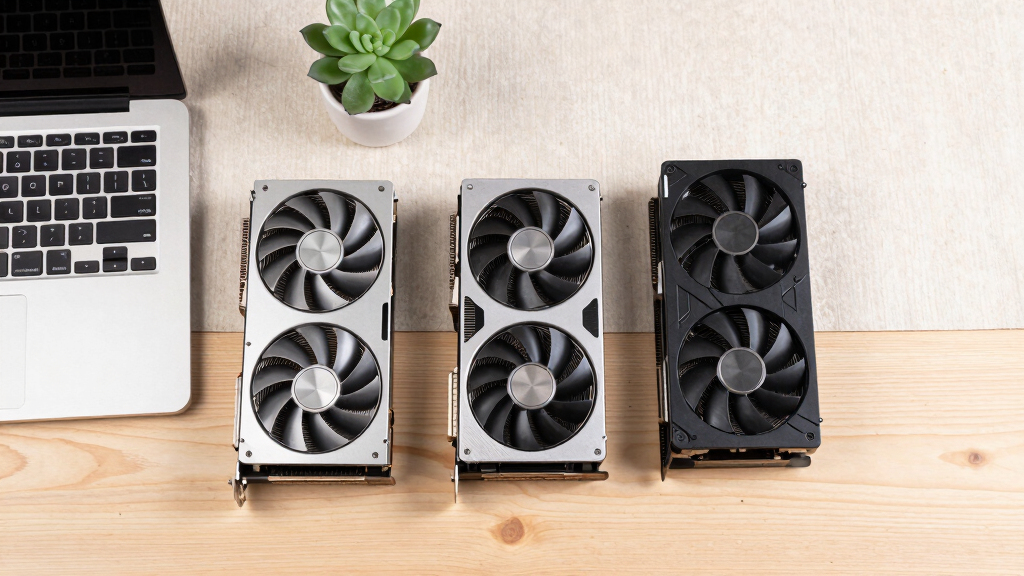
Within one GPU model, partner cards differ enormously. For a single card, a large triple-fan open-air with zero-RPM idle runs slow & quiet. For multi-GPU, the calculus flips →
With room to breathe, a large triple-fan open-air cooler spreads heat across a big fin stack and runs its fans slowly. The quietest choice — what most people should buy.
Impact of Cooling and Power Management on GPU Noise
Optimizing for low noise and heat directly improves the usability of local AI rigs, especially in office or home environments. Proper cooling and undervolting extend hardware lifespan and reduce energy costs, making high-performance AI more accessible to individual users and small teams. This focus on acoustic and thermal performance shifts the conversation from raw speed to practical, sustainable operation, crucial as AI models grow larger and more resource-intensive. You can learn more about quiet GPUs for local AI and their cooling strategies.As an affiliate, we earn on qualifying purchases.
2026 GPU Landscape and Cooling Strategies
In 2026, GPU manufacturers continue to push VRAM capacities and bandwidth for AI workloads, with models like the RTX 5090 leading the high-end consumer segment. Historically, high power draw and heat generation have been barriers to quiet operation. Recent developments show that cooler design and power management—specifically thermal solutions—are now the primary factors influencing noise levels. The importance of partner card cooling solutions has increased, as large triple-fan designs with zero-RPM modes are essential for maintaining quiet operation during sustained workloads. This shift highlights a focus on practical, real-world usability over just raw performance metrics."Power-capping a GPU to 70–80% can dramatically reduce heat and noise, often with negligible impact on inference speed."
— Thorsten Meyer, AI hardware expert
low noise high performance GPU cooling solutions
As an affiliate, we earn on qualifying purchases.
As an affiliate, we earn on qualifying purchases.
Uncertainties in Long-Term Noise and Heat Performance
While current strategies like undervolting and high-quality cooling significantly reduce noise and heat, it is still unclear how these solutions will perform over extended periods or with future model updates. Long-term reliability of cooling solutions and the impact of sustained high loads remain to be confirmed. Additionally, the variability among partner cards means that real-world noise levels can differ widely even within the same GPU model.
As an affiliate, we earn on qualifying purchases.
Next Steps for Quiet GPU Development and User Optimization
Manufacturers are expected to release new cooling designs and firmware updates aimed at further reducing noise. For insights on cooling solutions, see GPU cooling strategies. Users should monitor for BIOS updates and new partner card models optimized for quiet operation. Additionally, software tools for more precise undervolting and power management will likely become more accessible, enabling users to fine-tune their rigs for optimal acoustic and thermal performance. Future research may focus on integrating advanced cooling with AI-driven thermal management systems.
undervolted GPU for quiet operation
As an affiliate, we earn on qualifying purchases.
As an affiliate, we earn on qualifying purchases.
Key Questions
Which GPU offers the best balance of performance and quiet operation in 2026?
The RTX 5090 with a well-cooled, power-capped setup is currently the top choice for high-end local AI, offering excellent performance with manageable noise and heat when properly configured.
How can I make my GPU quieter without sacrificing performance?
Undervolting your GPU and choosing partner cards with large, efficient cooling solutions are the most effective methods. Power-capping to 70–80% can significantly reduce heat and noise with minimal performance loss.
Are used GPUs a viable option for quiet, low-cost local AI rigs?
Yes, used RTX 3090 cards can provide 24GB VRAM at a lower price point, especially when combined with undervolting and good cooling, making them a practical choice for budget-conscious builders.
Will future GPU models improve noise and heat performance?
It is expected that manufacturers will continue to develop cooling solutions and firmware optimizations, but the fundamental challenge of balancing high performance with thermal and acoustic management remains central to GPU design.
Source: ThorstenMeyerAI.com
Halloween Picks
halloween
As an affiliate, we earn on qualifying purchases.