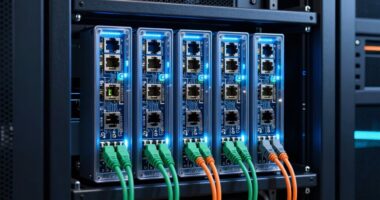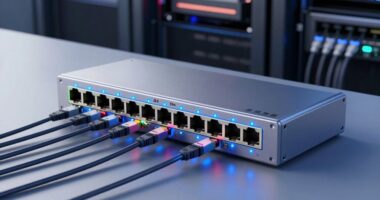
Home firewall appliances block many cyber threats by monitoring and controlling network traffic, stopping malware and unauthorized access. They can isolate devices through network segmentation, set parental controls, and filter content. However, they can’t prevent users from sharing sensitive info, falling for phishing scams, or guarantee complete malware protection. They also aren’t foolproof against outdated devices or physical theft. To better understand what these firewalls can and can’t do, keep exploring the details below.
Key Takeaways
- Home firewalls block unauthorized network traffic and known malicious threats but cannot prevent all phishing or social engineering attacks.
- They restrict access to certain websites and content through filtering but can’t control encrypted or bypassed content.
- Firewalls help segment networks to isolate devices, yet cannot guarantee complete protection if devices or software are outdated.
- They do not prevent users from sharing sensitive info, falling for scams, or physically losing devices.
- Firewalls are part of layered security; they do not eliminate the need for strong passwords, updates, and user vigilance.

A home firewall appliance is an essential tool for protecting your personal network from cyber threats. It acts as a barrier, monitoring and controlling incoming and outgoing traffic to keep malicious actors out. But beyond basic security, many firewalls offer features like network segmentation and parental controls that help tailor your home network’s safety and usability. Network segmentation allows you to divide your home network into separate zones, isolating devices like work computers, smart home gadgets, and personal devices. By doing this, you prevent a breach on one device from spreading across your entire network. For example, if a smart device gets compromised, network segmentation ensures that your work laptop stays protected, reducing the risk of data theft or malware spread. Parental controls are another crucial feature, giving you the ability to restrict access to certain websites, filter content, or limit internet usage during specific times. These controls help you create a safer online environment for children and prevent accidental exposure to inappropriate content. When you set up your home firewall, you can configure these controls to fit your family’s needs, giving you peace of mind without constant supervision. However, it’s important to understand what a home firewall never will do. Despite its capabilities, a firewall isn’t foolproof against all cyber threats. For instance, it cannot prevent users from intentionally or unintentionally sharing sensitive information or falling for phishing scams. It also doesn’t provide complete protection against malware or ransomware that can bypass network defenses through email or compromised websites. Additionally, while network segmentation enhances security, it doesn’t guarantee absolute safety if your devices or software are outdated or vulnerable. Parental controls can block certain websites or filter content, but tech-savvy kids or users might find workarounds. It’s also worth noting that firewalls don’t protect against physical threats like lost devices or stolen hardware. To maximize your security, you should combine a firewall with strong, unique passwords, regular software updates, and user awareness. A firewall is a critical piece of your home security puzzle, but it’s not a standalone solution. Use its features wisely, especially network segmentation and parental controls, to create a layered defense. Remember, no tool can guarantee 100% security, but with proper configuration and ongoing vigilance, you can considerably reduce your risks and keep your home network safer for everyone. Floating on Water

SafeHome– Plug-n-Play Home Firewall | Built-in High-Speed Wi-Fi | 4.3 Gbps | 3000 Sq.Ft Coverage | Parental Controls, Malware & Phishing Protection and Web Filtering | Cybersecurity for Smart Homes
HOME CYBERSECURITY SOLUTION: SafeHome is an advanced cybersecurity solution that protects your home network and safeguards your family…
As an affiliate, we earn on qualifying purchases.
As an affiliate, we earn on qualifying purchases.
Frequently Asked Questions
Can a Home Firewall Prevent All Cyberattacks?
A home firewall can’t prevent all cyberattacks, but it critically boosts your security. It blocks many threats through network segmentation and user authentication, helping to isolate malicious activity and verify users. However, determined hackers can still find ways in, so it is crucial to combine your firewall with strong passwords, regular updates, and safe browsing habits. Stay vigilant, as no single device can entirely eliminate cyber threats.
Do Firewalls Protect Against Phishing Attempts?
Firewalls alone can’t fully protect you against phishing attempts, but they do help by blocking malicious traffic. To improve your defenses, enable email filtering to catch suspicious messages and consider phishing simulation training to recognize scams. These combined measures help you stay alert and reduce the chances of falling for phishing attacks. Remember, staying cautious and informed is key to avoiding cyber threats.
Will a Firewall Block All Streaming Services?
No, a firewall won’t block all streaming services. While it can restrict some traffic using network encryption and parental controls, many streaming platforms use encryption to bypass these blocks. Firewalls focus on controlling network access, but they can’t always detect or block encrypted streaming data. To better manage streaming, combine firewall rules with parental controls, which offer more targeted filtering based on content or service.
Can Firewalls Stop Malware From Infecting Devices?
Yes, firewalls can help stop malware from infecting your devices by analyzing network traffic and using port filtering to block suspicious activity. They monitor incoming and outgoing data, preventing malicious files from entering your system. However, firewalls aren’t foolproof; sophisticated malware may bypass them. To maximize protection, combine firewalls with antivirus software and safe browsing habits for all-encompassing security.
Are Firewalls Effective Against Insider Threats?
Yes, firewalls can be effective against insider threats, but they’re not a silver bullet. You might think firewalls alone prevent insider access or privilege escalation, yet savvy insiders can bypass them. To truly protect your network, combine firewalls with strict access controls, monitoring, and employee training. This layered approach helps detect suspicious activity early, reducing risks from insider threats and ensuring better overall security.

ASUS RT-AX1800S Dual Band WiFi 6 Extendable Router, Subscription-Free Network Security, Parental Control, Built-in VPN, AiMesh Compatible, Gaming & Streaming, Smart Home
New-Gen WiFi Standard – WiFi 6(802.11ax) standard supporting MU-MIMO and OFDMA technology for better efficiency and throughput.Antenna :…
As an affiliate, we earn on qualifying purchases.
As an affiliate, we earn on qualifying purchases.
Conclusion
Remember, home firewall appliances can block many threats, like malware and unauthorized access, but they won’t catch everything. For example, if you click on a shady link in an email, the firewall won’t stop the damage. Think of it as a sturdy gate—it keeps out intruders but can’t prevent you from opening the gate yourself. Stay vigilant, use additional security measures, and don’t rely solely on your firewall to protect your digital home.

Firewalla: Cyber Security Firewall for Home & Business, Protect Network from Malware and Hacking | Smart Parental Control | Block Ads | VPN Server and Client | No Monthly Fee (Purple SE)
COMPATIBILITY – This is * Firewalla Purple SE*. The IPS functionality is limited to 500 Mbits. This device…
As an affiliate, we earn on qualifying purchases.
As an affiliate, we earn on qualifying purchases.
Firewalla: Cyber Security Firewall for Home & Business, Protect Network from Malware and Hacking | Smart Parental Control | Block Ads | VPN Server and Client | No Monthly Fee (Purple SE)
COMPATIBILITY – This is * Firewalla Purple SE*. The IPS functionality is limited to 500 Mbits. This device…
As an affiliate, we earn on qualifying purchases.
As an affiliate, we earn on qualifying purchases.