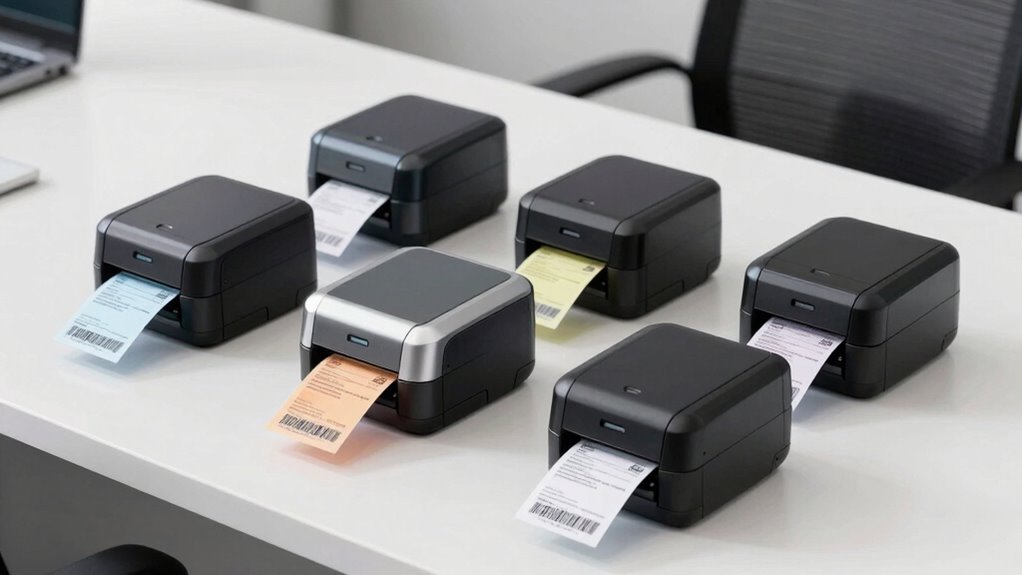

Finding a reliable commercial shipping label printer under 1500 can be challenging, as many options offer similar features but vary in performance, connectivity, and durability. The HP Shipping Label Printer stands out as the best overall for its high-speed printing and durable build, while the Zebra ZD621 offers excellent wireless connectivity and warranty coverage. For those prioritizing portability, models like the KNAON Bluetooth Thermal Label Printer provide flexibility at a lower price point. However, buyers often face tough tradeoffs between print quality, ease of use, and upfront costs. Continue reading for a detailed comparison to help you make an informed choice.

Get hardware and tech essentials delivered free with Prime
- Fast, free delivery on millions of items
- Prime Video, Amazon Music and more included
- Member-only deals all year
Key Takeaways
- The highest-rated models balance print quality and connectivity without exceeding 1500.
- Wireless and Bluetooth options provide greater flexibility but may compromise on speed or durability.
- Industrial-grade printers tend to cost more but offer longer-lasting performance suited for high-volume shipping.
- Compact designs are ideal for small spaces but may sacrifice some features like larger label formats or advanced interfaces.
- Warranty and support vary widely; choosing a reputable brand can save costs in the long run.
| HP Shipping Label Printer, 4×6 Commercial Grade Direct Thermal, High-Speed 203 DPI Barcode Printer |  | Best Overall for Small to Medium Businesses | Print Technology: Direct Thermal | Resolution: 203 DPI | Print Speed: 6 ips | VIEW ON AMAZON | See Our Full Breakdown |
| Zebra ZD621 Thermal Shipping Label Printer, 4×6, 203 DPI, Wireless & USB, NFC, LCD Screen, 2-Year Warranty |  | Best for Versatile Connectivity and Industry Standards | Print Technology: Thermal Transfer & Direct Thermal | Resolution: 203 DPI | Print Speed: Up to 6 IPS | VIEW ON AMAZON | See Our Full Breakdown |
| Bluetooth Shipping Label Printer with Built-in Label Bin |  | Best Compact and Space-Saving Wireless Option | Dimensions: 7.2 x 6.3 x 5.3 inches | Label Size: up to 4×6 inches | Print Resolution: 203 DPI | VIEW ON AMAZON | See Our Full Breakdown |
| Zebra ZD621 Thermal Transfer Shipping Label Printer | Color Touch LCD | 4×8 |  | Best for High-Resolution, Large Labels, and User-Friendly Interface | Print Technology: Thermal Transfer | Resolution: 300 DPI | Print Speed: 6 ips | VIEW ON AMAZON | See Our Full Breakdown |
| iDPRT iD880 Industrial Thermal Label Printer – 4×6 Shipping Printer (USB) |  | Best for High-Volume, Cost-Conscious Shipping Operations | Model: iDPRT iD880 | Print Technology: Direct Thermal | Resolution: 203 DPI | VIEW ON AMAZON | See Our Full Breakdown |
| Thermal Shipping Label Printer 4×6 Bluetooth Label Maker for Small Business |  | Best Overall for Small Businesses Needing Flexibility | Print Technology: Direct Thermal | Resolution: 203 DPI | Print Speed: up to 150mm/sec | VIEW ON AMAZON | See Our Full Breakdown |
| Rollo USB Shipping Label Printer – Commercial Grade 4×6 Thermal Printer |  | Best Value for High-Speed, USB-Only Printing | Print Speed: 150mm/sec | Resolution: 203 DPI | Connectivity: USB only | VIEW ON AMAZON | See Our Full Breakdown |
| Zebra ZD421 Direct Thermal Shipping Label Printer, 4-Inch, 203 DPI |  | Best for Reliability and Expandability in Commercial Settings | Resolution: 203 DPI | Print Speed: 6 ips | Connectivity: Wired, wireless, NFC | VIEW ON AMAZON | See Our Full Breakdown |
| Rollo Wireless Shipping Label Printer – Wi-Fi 4×6 Thermal Label Printer |  | Best for Wireless Flexibility and Ease of Use | Print Speed: 1 label/sec | Resolution: 203 DPI | Connectivity: Wi-Fi, AirPrint, USB | VIEW ON AMAZON | See Our Full Breakdown |
| ZEBRA ZD621 Thermal Shipping Label Printer 4″ 300 DPI |  | Best for High-Resolution, Long-Term Labels | Resolution: 300 DPI | Print Speed: up to 6 IPS | Connectivity: USB, Ethernet, Serial, NFC | VIEW ON AMAZON | See Our Full Breakdown |
| KNAON Bluetooth Thermal Shipping Label Printer, 4×6 Portable Thermal Address Label Printer for Small Business, Compatible with iPhone, Android, Windows, Mac |  | Best for Wireless Versatility and Compact Use | Print Size: 4×6 inches | Connectivity: Bluetooth, USB | Compatibility: iPhone, Android, Windows, Mac | VIEW ON AMAZON | See Our Full Breakdown |
| Westinghouse Thermal Shipping Label Printer USB, 4×6 Label, Commercial Grade, Compatible with USPS, UPS, FedEx, Shopify, Amazon, Small Business, Desktop Label Printer for Packages |  | Best for High-Speed, Reliable Business Use | Printer Type: Thermal | Output Type: Monochrome | Dimensions: 9.45″D x 8.36″W x 6.88″H | VIEW ON AMAZON | See Our Full Breakdown |
| Bluetooth Thermal Label Printer w/ Stand, 4×6 Shipping Label Printer |  | Best for AI-Enhanced Efficiency and Versatility | Print Speed: 150mm/sec | Resolution: 203 DPI | Media Range: 1.57″ to 4.3″ | VIEW ON AMAZON | See Our Full Breakdown |
| Zebra ZT411 Thermal Transfer Industrial Printer 4-Inch Print Width, 600 dpi |  | Best for High-Resolution Industrial Labeling | Print Width: 4 inches | Resolution: 600 dpi | Print Speed: up to 14 inches/sec | VIEW ON AMAZON | See Our Full Breakdown |
| JADENS Bluetooth Thermal Shipping Label Printer, Wireless 4×6 Label Printer |  | Best for Cost-Effective Wireless Shipping | Print Resolution: 203 DPI | Label Width Range: 1.57″ to 4.1″ | Connectivity: Bluetooth, USB | VIEW ON AMAZON | See Our Full Breakdown |
| commercial shipping label printer under 1500 | Print Speed | Connectivity | Resolution |
|---|---|---|---|
| HP Shipping Label Printer | 6 ips | — | 203 DPI |
| Zebra ZD621 Thermal Shipping L | Up to 6 IPS | USB, Ethernet, Serial, Bluetooth, Wi-Fi, NFC | 203 DPI |
| Bluetooth Shipping Label Print | 72 labels/min | Bluetooth, USB | — |
| Zebra ZD621 Thermal Transfer S | 6 ips | — | 300 DPI |
| iDPRT iD880 Industrial Thermal | 6 inches per second | USB, Ethernet | 203 DPI |
| Thermal Shipping Label Printer | up to 150mm/sec | Bluetooth & USB | 203 DPI |
| Rollo USB Shipping Label Print | 150mm/sec | USB only | 203 DPI |
| Zebra ZD421 Direct Thermal Shi | 6 ips | Wired, wireless, NFC | 203 DPI |
| Rollo Wireless Shipping Label | 1 label/sec | Wi-Fi, AirPrint, USB | 203 DPI |
| ZEBRA ZD621 Thermal Shipping L | up to 6 IPS | USB, Ethernet, Serial, NFC | 300 DPI |
| KNAON Bluetooth Thermal Shippi | 180 mm/s | Bluetooth, USB | — |
| Westinghouse Thermal Shipping | — | — | — |
| Bluetooth Thermal Label Printe | 150mm/sec | Bluetooth, USB | 203 DPI |
| Zebra ZT411 Thermal Transfer I | up to 14 inches/sec | Serial, USB, Ethernet, Bluetooth | 600 dpi |
| JADENS Bluetooth Thermal Shipp | — | Bluetooth, USB | — |
More Details on Our Top Picks
HP Shipping Label Printer, 4×6 Commercial Grade Direct Thermal, High-Speed 203 DPI Barcode Printer
This compact direct thermal printer is an excellent choice for small to medium-sized businesses that need quick, reliable label printing without fuss. Its ability to print at 6 inches per second makes it ideal for high-volume operations, matching the speed of the iDPRT iD880 but with a more straightforward setup. Compared to the Zebra ZD621, it offers a simpler, more affordable option without the advanced connectivity features, though it sacrifices some flexibility. Its support for major eCommerce platforms like Amazon and eBay ensures compatibility with common workflows. The main tradeoff is the 203 dpi resolution, which may not be suitable for ultra-fine barcode or text requirements. Overall, this model balances speed, ease of use, and affordability for those needing dependable shipping labels in smaller settings.
Pros:- Fast printing speed of 6 inches per second
- No need for ink or toner due to direct thermal technology
- Compact design fits well in limited space
- Compatible with major online selling platforms
Cons:- Limited to 4-inch wide labels, restricting larger formats
- Lower 203 dpi resolution may not suit detailed barcode printing
Best for: Small to medium eCommerce sellers who prioritize speed and simplicity
Not ideal for: Larger warehouses requiring high-resolution labels or advanced connectivity options
- Print Technology:Direct Thermal
- Resolution:203 DPI
- Print Speed:6 ips
- Max Label Width:4 inches
- Label Types:Fanfold labels and label rolls
- Compatibility:Amazon, UPS, Shopify, Etsy, eBay, ShipStation
Our verdict“Ideal for small to medium operations seeking quick, cost-effective shipping label printing without complex features.”
Zebra ZD621 Thermal Shipping Label Printer, 4×6, 203 DPI, Wireless & USB, NFC, LCD Screen, 2-Year Warranty
The Zebra ZD621 stands out for its flexibility, offering both thermal transfer and direct thermal printing that can adapt to varying label needs. Its extensive connectivity options—including Wi-Fi, Bluetooth, USB, Ethernet, and NFC—make it more adaptable than the HP printer, especially for businesses needing wireless or networked printing. The color LCD screen adds a user-friendly element that simplifies setup and troubleshooting. However, this added functionality comes with a higher price tag and a potentially steeper learning curve for setup, especially compared to the more straightforward HP model. Its 2-year warranty and support for industry-standard label software make it suitable for businesses seeking durability and compatibility in a crowded warehouse or office environment. Overall, this model excels for those needing a robust, multi-connection device that can integrate into complex workflows.
Pros:- Supports multiple connectivity options including Wi-Fi, Bluetooth, and NFC
- Color LCD screen for easy operation and setup
- Compatible with industry-standard label design software
- Includes a 2-year warranty for peace of mind
Cons:- Higher initial cost compared to basic models like HP or iDPRT
- Setup complexity may be daunting for non-technical users
Best for: Medium to large businesses with diverse connectivity needs and industry-standard software requirements
Not ideal for: Small operations or startups with limited budgets or simple printing needs
- Print Technology:Thermal Transfer & Direct Thermal
- Resolution:203 DPI
- Print Speed:Up to 6 IPS
- Media Roll Diameter:Up to 5 inches
- Connectivity:USB, Ethernet, Serial, Bluetooth, Wi-Fi, NFC
- Display:Color LCD
Our verdict“Best suited for businesses needing flexible, networked printing with easy software integration and durability.”
Bluetooth Shipping Label Printer with Built-in Label Bin
This Bluetooth-enabled printer combines convenience with space efficiency, thanks to its built-in label bin. It’s designed for small businesses or home offices where desk space matters. Its wireless Bluetooth connectivity allows for flexible placement and quick printing from multiple devices, making it more versatile than the wired-only iDPRT or HP models. While the setup is generally straightforward, some users may find configuring Bluetooth connections and managing label rolls slightly complex. Its 4×6 label capacity makes it suitable for standard shipping needs, but it’s limited if larger or different label sizes are needed. Compared to the Zebra ZD621, it offers less advanced features but at a more accessible price point, making it ideal for those prioritizing simplicity and minimal footprint.
Pros:- Compact design with integrated label bin saves space
- Wireless Bluetooth connectivity for flexible setup
- No ink or toner needed, reducing ongoing costs
- Compatible with major shipping platforms
Cons:- Limited to 4×6 label size, restricting versatility
- Setup can be tricky with Bluetooth pairings and label loading
Best for: Small businesses or home users needing portable, space-saving wireless label printing
Not ideal for: High-volume warehouses or enterprises requiring advanced connectivity and large media capacity
- Dimensions:7.2 x 6.3 x 5.3 inches
- Label Size:up to 4×6 inches
- Print Resolution:203 DPI
- Print Speed:72 labels/min
- Connectivity:Bluetooth, USB
- Label Capacity:up to 250 labels
Our verdict“Perfect for small-scale operations needing a space-efficient, wireless label printer that’s easy to use on a desktop.”
Zebra ZD621 Thermal Transfer Shipping Label Printer | Color Touch LCD | 4×8
The Zebra ZD621 offers a notable upgrade with its 300 DPI resolution and larger 4×8 label capacity, making it suitable for businesses requiring detailed labels or larger shipping documents. Its full-color 4.3-inch LCD touch display simplifies setup and operation, providing intuitive control that models like HP lack. This printer supports both thermal transfer and direct thermal printing, offering greater flexibility than the HP or iDPRT options. While it’s more complex and costly, its high resolution and advanced features make it ideal for environments where label clarity and detailed barcode printing are critical. The tradeoff is that its size and cost may be overkill for those with minimal label printing needs or tight budgets, but for high-quality, large-format labels, it’s a compelling choice.
Pros:- High 300 DPI resolution for crisp, detailed printing
- Color LCD touch screen for easy operation
- Supports both thermal transfer and direct thermal printing
- Large 4×8 label capacity for bigger shipping labels
Cons:- Higher price point compared to 4×6 models like HP or iDPRT
- Larger footprint may not suit tight spaces
Best for: Businesses requiring detailed, large-format labels with easy-to-navigate interfaces
Not ideal for: Small scale or budget-conscious users who only need basic shipping labels
- Print Technology:Thermal Transfer
- Resolution:300 DPI
- Print Speed:6 ips
- Max Label Width:4 inches
- Media Size:4×8 inches
- Display:Color LCD
Our verdict“Excellent for high-resolution, large-format label printing where clarity and ease of use are priorities.”
iDPRT iD880 Industrial Thermal Label Printer – 4×6 Shipping Printer (USB)
The iDPRT iD880 is built for demanding shipping environments that need fast, reliable printing at a competitive price. Its ability to print at 6 inches per second matches the HP and Zebra ZD621, making it suitable for high-volume workflows. Its compatibility across multiple operating systems, including Windows, macOS, Linux, Android, and iOS, makes it versatile for diverse setups. However, the 203 dpi resolution, while sufficient for most shipping labels, falls short of models like the Zebra ZD621, which offer 300 dpi for finer detail. Its reliance on thermal labels means fading over time can become an issue, especially for long-term tracking. The straightforward plug-and-play setup makes it accessible, but users should ensure the power connection is stable to avoid recognition issues. Overall, it’s a strong choice for cost-effective, high-speed shipping label printing in larger operations.
Pros:- High-speed printing at 6 inches per second
- Supports multiple operating systems including Linux and macOS
- Direct thermal printing reduces ongoing costs
- Plug-and-play setup simplifies deployment
Cons:- Lower 203 dpi resolution compared to premium models like Zebra ZD621
- Thermal labels can fade and are heat-sensitive over time
Best for: High-volume shippers needing fast, reliable, and broad OS compatibility on a budget
Not ideal for: Users requiring high-resolution labels or long-term durability of printed labels
- Model:iDPRT iD880
- Print Technology:Direct Thermal
- Resolution:203 DPI
- Print Speed:6 inches per second
- Max Label Width:4.64 inches
- Connectivity:USB, Ethernet
Our verdict“A solid, high-speed choice for large-scale shipping needs where cost and speed matter most, with some compromise on resolution and long-term label durability.”
Thermal Shipping Label Printer 4×6 Bluetooth Label Maker for Small Business
This option stands out for its combination of wireless and wired connectivity, making it highly adaptable for various small business environments. Compared with the Rollo Wi-Fi model, it offers Bluetooth pairing which adds convenience for mobile setups, while maintaining USB for stability. Its high-resolution 203 DPI ensures sharp barcode printing, and the energy-efficient thermal technology reduces ongoing costs. However, it sacrifices color printing and requires Bluetooth pairing for wireless use, which can be less reliable in interference-heavy environments. Its compact design and user-friendly app make it suitable for busy operations needing quick setup and customizable labels.
Pros:- Wireless Bluetooth and USB dual connectivity for flexible use
- High 203 DPI resolution for clear, scannable labels
- Supports a range of label sizes from 1.57″ to 4.3″ wide
Cons:- Limited to black-and-white printing, no color options
- Requires Bluetooth pairing which can sometimes be unstable in noisy environments
Best for: Small business owners who need a versatile, wireless-ready label printer with customizable templates
Not ideal for: Large warehouses or shipping centers that require higher volume capacity and network stability, as the offline storage and speed may limit throughput
- Print Technology:Direct Thermal
- Resolution:203 DPI
- Print Speed:up to 150mm/sec
- Connectivity:Bluetooth & USB
- Supported Labels:1.57″ to 4.3″ wide
- Included Supplies:25 sheets of 4″×6″ thermal labels
Our verdict“This printer suits small businesses seeking a compact, feature-rich, and versatile thermal label printer with minimal ongoing costs.”
Rollo USB Shipping Label Printer – Commercial Grade 4×6 Thermal Printer
Compared to the Bluetooth model, the Rollo USB delivers reliable, high-speed printing at 150mm/sec, making it ideal for users prioritizing speed and simplicity. Its universal compatibility with Windows and Mac ensures seamless integration with most e-commerce platforms. The 203 DPI resolution guarantees crisp labels, but the reliance on USB limits flexibility and mobility. This model is best for shops that operate from a fixed station and don’t need wireless features, trading some convenience for straightforward, fast output. The maximum batch size of 30 labels per session could be a limiting factor during peak periods.
Pros:- Fast printing speed of 150mm/sec for high-volume tasks
- High-resolution 203 DPI output for clear barcodes
- Supports labels up to 4.1 inches wide, compatible with various platforms
Cons:- Limited to USB connection, no wireless options
- Maximum batch size per session is 30 labels, which may slow operations during busy periods
Best for: Small to medium online sellers who need a dependable, high-volume printer connected via USB
Not ideal for: Businesses needing wireless connectivity or mobile printing, as it only supports USB connection
- Print Speed:150mm/sec
- Resolution:203 DPI
- Connectivity:USB only
- Label Width:up to 4.1 inches
- Supported Platforms:Windows, Mac
- Max Batch Size:30 labels
Our verdict“This model offers excellent value for fixed-location operations prioritizing speed and simplicity over wireless flexibility.”
Zebra ZD421 Direct Thermal Shipping Label Printer, 4-Inch, 203 DPI
The Zebra ZD421 excels in environments where durability and expandability matter. Its simple 3-button interface and LED status icons streamline operation, while Zebra’s Link-OS platform offers extensive software support for custom integration. Compared with the Rollo models, the ZD421 provides flexible wired and wireless options, including NFC for tap-to-pair convenience. Its 203 DPI resolution is adequate for most barcode and shipping label needs, but it may fall short for very small text or fine details. The tradeoff is its higher price and slightly heavier build, making it better suited for dedicated shipping stations rather than mobile setups.
Pros:- Versatile connectivity including wired, wireless, and NFC
- Supports Zebra’s robust Link-OS platform for advanced management
- Field-upgradable media handling and optional cutter
Cons:- Higher price point compared to simpler models like Rollo or NULLTONEX
- Lower 203 DPI resolution may impact very detailed small barcode printing
Best for: Businesses needing a reliable, upgradeable, and network-ready thermal printer for high-volume shipping
Not ideal for: Small home-based businesses or those with tight budgets, due to its higher cost and complexity
- Resolution:203 DPI
- Print Speed:6 ips
- Connectivity:Wired, wireless, NFC
- Supported Labels:4×6 inches
- Weight:59 lbs
- Operating System:Zebra Link-OS
Our verdict“Ideal for businesses seeking a durable, scalable, and professionally supported thermal printing solution.”
Rollo Wireless Shipping Label Printer – Wi-Fi 4×6 Thermal Label Printer
The Rollo Wireless offers the convenience of Wi-Fi, AirPrint, and USB connectivity, making it a flexible choice for diverse environments. Its ability to print one label per second at 150mm/sec supports high-volume workflows without sacrificing speed. The 203 DPI resolution provides clear, professional labels, but it’s limited to thermal labels, with no color or graphics options. Compared to the Bluetooth model, it removes pairing issues and adds Wi-Fi support, though it requires users to purchase thermal labels separately. Its compatibility across platforms makes it suitable for varied use cases, from home offices to small warehouses.
Pros:- Wireless printing via Wi-Fi and AirPrint, no drivers needed
- Fast output of one label per second
- Supports a broad range of devices and platforms
Cons:- Limited to thermal labels, no color or graphics
- Requires separate purchase of thermal labels
Best for: Small to medium-sized operations that prioritize wireless connectivity and ease of setup
Not ideal for: Locations requiring color printing or custom graphical labels, as it only supports thermal monochrome printing
- Print Speed:1 label/sec
- Resolution:203 DPI
- Connectivity:Wi-Fi, AirPrint, USB
- Supported Label Size:up to 4×6 inches
- Print Head Life:Approx. 650,000 labels
- Technology:Direct thermal
Our verdict“This printer provides an excellent balance of speed, convenience, and platform compatibility for wireless shipping needs.”
ZEBRA ZD621 Thermal Shipping Label Printer 4″ 300 DPI
The Zebra ZD621 distinguishes itself with a 300 DPI resolution, making it suitable for ultra-fine barcode printing and detailed labels. Its multiple connectivity options—USB, Ethernet, serial, NFC, and optional wireless—provide extensive flexibility, especially in environments that need secure, reliable connections. While the high resolution benefits barcode scanning precision, it may be overkill for standard shipping labels, and its higher price reflects its advanced capabilities. The inclusion of a cutter and Zebra’s robust security features make it ideal for operations requiring durability and compliance, though it might be excessive for casual or low-volume use.
Pros:- High 300 DPI resolution for detailed barcode and label printing
- Multiple connectivity options including NFC for tap-to-print
- Supports thermal transfer with optional ribbons for durable labels
Cons:- Higher cost compared to standard 203 DPI models
- May be more complex to set up and manage for casual users
Best for: Businesses demanding high-detail labels and secure, scalable network connectivity
Not ideal for: Small-scale operations or budget-conscious users, due to its premium price and over-spec features
- Resolution:300 DPI
- Print Speed:up to 6 IPS
- Connectivity:USB, Ethernet, Serial, NFC
- Supported Labels:4×6 inches
- Media Handling:Thermal transfer and direct thermal
- Warranty:2 years
Our verdict“This printer suits enterprise environments that need high-resolution labels and extensive connectivity options, with durability in mind.”
KNAON Bluetooth Thermal Shipping Label Printer, 4×6 Portable Thermal Address Label Printer for Small Business, Compatible with iPhone, Android, Windows, Mac
The KNAON Bluetooth Thermal Shipping Label Printer stands out for its wireless connectivity options, supporting both Bluetooth and USB, making it highly adaptable for small businesses on the go. Compared with the Arrvel A42BT, it offers similar wireless capabilities but is more compact, which benefits mobile setups. However, its reliance on the ‘FlashLabel Pro’ app for Bluetooth printing introduces an extra step, possibly complicating setup for non-technical users. Its portability and fast print speed of 180 mm/s are ideal for quick, on-demand label printing, though the need for an app may frustrate some users seeking a straightforward experience.
Pros:- Wireless Bluetooth and USB connectivity for versatile use
- Supports a wide range of templates and platforms
- Compact and portable design with fast printing speed
Cons:- Requires the ‘FlashLabel Pro’ app for Bluetooth printing, adding setup complexity
- All devices cannot connect directly via Bluetooth, only through the app
- Setup may be challenging for users unfamiliar with app-based configurations
Best for: Small business owners who prioritize wireless flexibility and portability for location-independent shipping
Not ideal for: Users seeking a plug-and-play solution without app dependencies or complex setup
- Print Size:4×6 inches
- Connectivity:Bluetooth, USB
- Compatibility:iPhone, Android, Windows, Mac
- Print Speed:180 mm/s
- Dimensions:7.17 x 3.9 x 3.43 inches
- Paper Width:1.5 to 4.2 inches
Our verdict“This printer is best suited for small businesses needing wireless portability but willing to handle some setup complexity.”
Westinghouse Thermal Shipping Label Printer USB, 4×6 Label, Commercial Grade, Compatible with USPS, UPS, FedEx, Shopify, Amazon, Small Business, Desktop Label Printer for Packages
The Westinghouse Thermal Shipping Label Printer delivers on speed and durability, supporting high-volume printing at 6 inches per second with sharp 203 DPI resolution, making it a strong choice for busy e-commerce operations. Unlike the portable KNAON, it’s designed as a desktop unit with a larger footprint, suitable for dedicated shipping stations. Its compatibility across Windows, macOS, and Linux ensures broad usability, but it lacks Bluetooth, meaning it’s less flexible for mobile setups. The tradeoff is that it supports various media types and is built for daily, heavy-duty use, but some accessories such as Ethernet and USB-C cables are sold separately, adding to the overall cost.
Pros:- High-speed printing at 6 inches per second for high throughput
- Compatible with multiple operating systems including Linux
- Supports various media types, including fanfold and roll labels
- Commercial-grade construction ensures durability
Cons:- No Bluetooth connectivity, limiting mobile use
- Some accessories are sold separately, increasing setup costs
- Limited details about noise levels and weight
Best for: Small to medium-sized e-commerce businesses that require fast, reliable, and high-quality label printing
Not ideal for: Small businesses needing portability or wireless operation, due to the absence of Bluetooth support
- Printer Type:Thermal
- Output Type:Monochrome
- Dimensions:9.45″D x 8.36″W x 6.88″H
- Media Size:4 x 6 inches
- Maximum Media Width:4.6 inches
- Maximum Print Speed:6 inches/sec
Our verdict“Ideal for fast-paced small businesses seeking a durable, high-speed desktop label printer without wireless capabilities.”
Bluetooth Thermal Label Printer w/ Stand, 4×6 Shipping Label Printer
The Arrvel A42BT excels with its AI-powered Smart Cropping and extensive template library, making it suitable for users who want to automate and customize their shipping labels. Its speed of 150mm/s and high-resolution 203 DPI ensure crisp, efficient printing, especially with the included stand for ergonomic placement. Compared with the JADENS model, it offers more advanced app features and AI integration, but its setup involves multiple steps, including app downloads and driver installations. The device’s lifespan of 750,000 labels surpasses many competitors, making it a cost-effective choice for frequent use.
Pros:- AI Smart Cropping reduces manual adjustments
- Supports extensive design templates and icons
- High label lifespan for heavy use
- Includes stand for flexible placement
Cons:- Requires app installation for many functionalities, adding complexity
- Manual recalibration needed when changing label sizes
- Limited details on noise levels and size
Best for: Small businesses and e-commerce sellers seeking automation and customization in shipping labels
Not ideal for: Users who prefer a simple, straightforward printer without app-based features or AI capabilities
- Print Speed:150mm/sec
- Resolution:203 DPI
- Media Range:1.57″ to 4.3″
- Lifespan:750,000 labels
- Connectivity:Bluetooth, USB
Our verdict“Best suited for automation-focused small businesses that value customization and long-term durability.”
Zebra ZT411 Thermal Transfer Industrial Printer 4-Inch Print Width, 600 dpi
The Zebra ZT411 offers exceptional print quality with 600 dpi resolution, ideal for labels requiring sharp graphics or small barcodes. Its full-color 4.3-inch touchscreen simplifies operation and monitoring, surpassing the basic interfaces of smaller desktop models. While its high performance and multiple connectivity options—including Bluetooth—make it suitable for demanding environments, it comes at a higher price point and presents a more complex setup process, which may be overkill for small-volume or casual users. This model is best used where precision and durability are critical, not just cost savings.
Pros:- 600 dpi high-resolution printing for detailed labels
- Full-color touch display for easy operation
- Multiple connectivity options including Bluetooth
- Fast print speeds up to 14 inches/sec
Cons:- Higher cost may be prohibitive for small-scale use
- Setup complexity requires technical expertise
- Large footprint not suitable for tight spaces
Best for: Industrial or high-precision labeling environments needing detailed, high-resolution labels
Not ideal for: Small businesses with low-volume shipping that do not require industrial-grade features
- Print Width:4 inches
- Resolution:600 dpi
- Print Speed:up to 14 inches/sec
- Display:4.3-inch full-color touch
- Connectivity:Serial, USB, Ethernet, Bluetooth
Our verdict“This printer is best for demanding environments where high resolution and industrial durability justify the investment.”
JADENS Bluetooth Thermal Shipping Label Printer, Wireless 4×6 Label Printer
The JADENS Bluetooth Thermal Shipping Label Printer provides a straightforward, mess-free printing solution with its 203 DPI thermal technology. It supports wireless Bluetooth and USB, making it compatible across various platforms including Windows and Mac, similar to the KNAON. However, its Bluetooth printing requires a dedicated app, which can be inconvenient for users expecting a simple, system-level connection. Manual recalibration when changing labels is an added hassle, yet its low cost and compatibility with major shipping platforms like eBay and Amazon make it attractive for small-scale operations with limited budgets.
Pros:- No ink or toner needed, reducing mess and costs
- Multiple connectivity options including Bluetooth and USB
- Compatible with major shipping platforms
- Quick setup with included instructions
Cons:- Bluetooth printing via Bluetooth requires an app, not direct system connection
- Manual label recalibration needed when changing media
- Bluetooth device connectivity may be less seamless than direct printing
Best for: Small businesses and online sellers seeking an affordable, wireless thermal printer compatible with major platforms
Not ideal for: Users who need quick, zero-setup printing or dislike manual recalibration procedures
- Print Resolution:203 DPI
- Label Width Range:1.57″ to 4.1″
- Connectivity:Bluetooth, USB
- Supported OS:Windows, Mac, Android, iOS
- Warranty:1 year
Our verdict“A solid choice for budget-conscious small businesses needing wireless shipping labels with minimal fuss.”
How We Picked
The products included in this roundup were evaluated based on performance, build quality, ease of use, connectivity options, and value for money. Priority was given to printers that can reliably handle shipping labels at a price point under 1500, ensuring durability and consistent print quality. We also considered versatility—such as wireless capabilities—and user feedback to identify which models offer the best balance between affordability and features. The ranking reflects how well each printer meets typical small to medium business needs, with an emphasis on reliability, ease of maintenance, and overall cost-effectiveness.Factors to Consider When Choosing Commercial Shipping Label Printer Under 1500
When selecting a commercial shipping label printer under 1500, it’s important to consider several factors beyond just initial cost. Understanding your specific shipping volume, label size preferences, and connectivity needs will help you choose a model that fits seamlessly into your workflow. While cheaper options may seem attractive, they often lack durability or advanced features that become necessary as your business scales. Here are key considerations to keep in mind:Print Quality and Speed
High print resolution ensures sharp, scannable barcodes and clear text, which reduces delivery errors. Most printers under 1500 offer 203 DPI, suitable for standard shipping labels. Speed matters if you process large volumes; look for models that can handle multiple labels per minute without jamming or overheating. Balancing speed and quality is essential—faster printers with lower resolution may save time but risk less legible labels.
Connectivity Options
Wireless options like Wi-Fi and Bluetooth are increasingly popular for their flexibility, allowing placement without cables and easier integration with mobile devices. However, wired connections such as USB or Ethernet tend to offer more stable and faster data transfer—critical for high-volume shipping. Consider your workspace layout and whether mobility or stability is more important for your setup.
Durability and Build Quality
Shipping environments can be tough on printers—exposure to dust, occasional bumps, or long hours of operation require solid construction. Industrial-grade models often feature metal frames and high-quality components, ensuring longevity. Cheaper plastic models may be more prone to breakdowns but are generally sufficient for low-volume or light use. Weigh your expected workload against the upfront investment for durability.
Label Size Compatibility
Most printers support standard 4×6 labels, but some models can handle larger or different formats. If your shipping labels vary or you anticipate scaling up, verify that the printer supports your preferred label sizes. Compatibility issues can lead to wasted labels or printing failures, which introduce delays and extra costs.
Ease of Use and Maintenance
Features like automatic label cutter, user-friendly interfaces, and easy roll replacement make daily operation smoother. Some models offer color touchscreens or app-based controls, reducing setup time. Maintenance considerations include availability of replacement parts and how straightforward troubleshooting is. Investing in a user-friendly model can save time and reduce frustration, especially for small teams.
Frequently Asked Questions
Can I use these printers with my existing shipping software?
Most printers under 1500 are compatible with common shipping platforms like ShipStation, Shippo, or EasyShip, especially if they support standard interfaces such as USB or Ethernet. Wireless models can often connect seamlessly via Wi-Fi, but it’s wise to verify compatibility with your specific software. Checking for driver support and network configuration options beforehand can prevent setup issues later.
How do I maintain print quality over time?
Maintaining print quality involves regular cleaning of the print head and rollers, ensuring the correct label type is used, and updating firmware as recommended by the manufacturer. Thermal printers require no ink or toner, but dust and debris can accumulate, causing print issues. Proper storage of labels and using genuine supplies will extend the lifespan of your printer and keep outputs crisp.
Are wireless printers more prone to connectivity issues?
Wireless models offer convenience but can sometimes experience interference or signal drops, especially in busy or cluttered environments. To mitigate this, ensure your Wi-Fi network is stable, and consider placing the printer closer to your router or access points. Wired connections, though less flexible, tend to provide more reliable and consistent data transfer for high-volume shipping needs.
Is it worth paying more for industrial-grade features?
If your shipping volume is high or your environment is demanding, investing in an industrial-grade printer can pay off with increased durability and faster throughput. However, for small businesses or low-volume operations, a mid-range model under 1500 often strikes a good balance. Assess your current needs carefully—over-investing might lead to unused capacity, while under-investing can cause frequent breakdowns.
What should I do if labels jam or print poorly?
Jams and print quality issues are often caused by improper label loading, dirty print heads, or incompatible labels. Regularly inspect and clean the print head, ensure labels are correctly aligned, and use labels recommended by the manufacturer. Most models have troubleshooting guides or customer support that can assist with persistent problems, minimizing downtime and maintaining efficiency.
Conclusion
For small businesses seeking a reliable, budget-friendly shipping label printer, the HP Shipping Label Printer offers a strong mix of speed and durability, making it an excellent overall choice. If wireless connectivity is critical, the Zebra ZD621 provides seamless integration and a generous warranty, ideal for growing operations. Budget-conscious buyers or those new to shipping labels will appreciate the simplicity of models like the KNAON Bluetooth Printer. Larger or more demanding environments should consider industrial models like the Zebra ZT411, despite their higher cost. Your decision should align with your shipping volume, space constraints, and future growth plans, ensuring you pick a printer that meets your needs today and tomorrow.