
To stay secure with encrypted external drives without locking yourself out, always use strong, memorable passwords and store recovery keys in a safe, separate location. Backup your data regularly to multiple spots, like cloud storage and an additional drive. Familiarize yourself with the encryption software’s recovery options before any issue arises. Keeping these practices in mind helps balance security with easy access—continue to explore more tips to protect your data effectively.
Key Takeaways
- Use strong, memorable passwords and store them securely in a reputable password manager.
- Keep recovery keys in separate, encrypted locations like cloud storage or physical safes.
- Regularly back up encrypted data to multiple secure locations to prevent data loss.
- Understand and utilize built-in recovery options offered by encryption software.
- Avoid unauthorized attempts to bypass encryption; follow proper procedures for lockout situations.
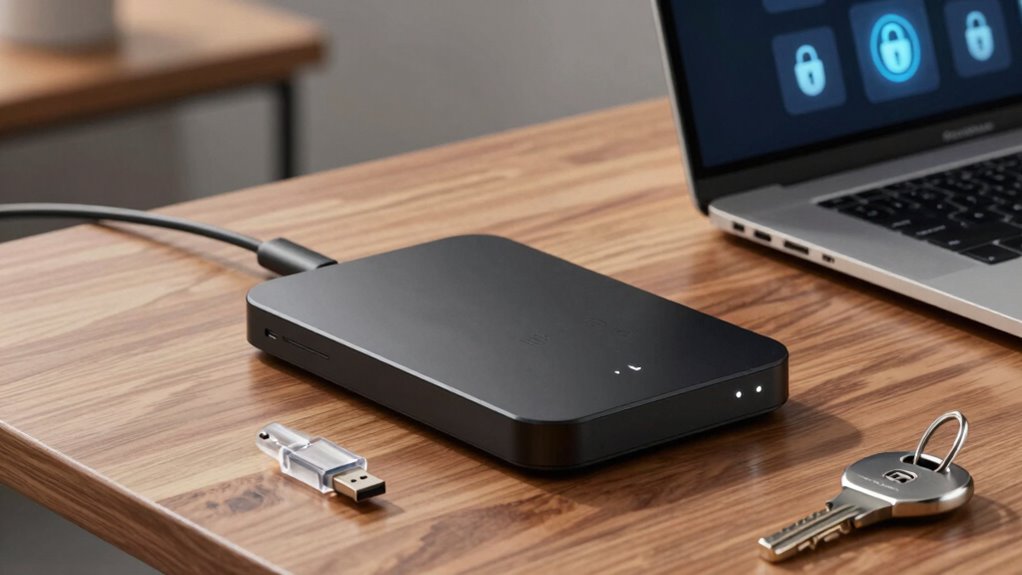
Encrypted external drives are an essential tool for protecting your sensitive data from unauthorized access. They add a robust layer of security, ensuring that even if your drive gets lost or stolen, your information remains inaccessible to prying eyes. However, to maximize their effectiveness without risking lockouts, you need to understand key practices like password management and data recovery. Managing your passwords carefully is vital. Many encryption tools require a strong password to secure your drive effectively. If you forget this password, regaining access can be challenging, especially if the encryption is robust. To prevent this, choose a password that’s both secure and memorable, or use a reputable password manager to store it safely. Avoid writing passwords down in obvious places, but consider storing the password securely within a password manager that encrypts your credentials. This way, you can access your passwords easily without compromising security. Remember, some encryption solutions also offer recovery keys or backup options. Keep these recovery keys in a safe location separate from your drive—perhaps an encrypted cloud storage or a physical safe. This guarantees that if you forget your password, you can still recover your data without resorting to data recovery services, which might be costly or unreliable. When it comes to data recovery, prevention is always better than cure. Always back up your data regularly to multiple locations, including cloud services and external drives. This way, if you do encounter a lockout, you won’t lose everything. Should you find yourself locked out of your encrypted drive, check whether your encryption software offers built-in recovery options. Some programs allow you to unlock the drive using a recovery key or through verified identity protocols. If those options aren’t available, you might need to use specialized data recovery tools or consult professionals. But keep in mind, attempting to bypass encryption without proper authorization could corrupt your data or make recovery impossible. So, it’s best to follow the recommended procedures. In conclusion, effective password management combined with careful backup and recovery strategies allows you to secure your data without risking permanent lockout. Regularly update your passwords, store recovery keys securely, and back up your data frequently. These steps ensure that your encrypted external drive remains both secure and accessible, giving you peace of mind knowing your sensitive information is protected yet recoverable if needed. Additionally, understanding mother baby kids safety guidelines can help ensure your data practices align with best security standards.

Apricorn 2TB Aegis Padlock USB 3.0 256-Bit AES XTS Hardware Encrypted Portable External Hard Drive (A25-3PL256-2000)
Hardware encrypted drive
As an affiliate, we earn on qualifying purchases.
As an affiliate, we earn on qualifying purchases.
Frequently Asked Questions
Can Encrypted Drives Be Used With Multiple Operating Systems?
Yes, encrypted drives can be used with multiple operating systems. You should look for encryption software options that offer cross-platform compatibility, like VeraCrypt or BitLocker (with limitations). These tools let you access your data securely across Windows, macOS, and Linux. Just make certain you choose the right software, follow proper setup procedures, and keep your encryption keys safe to prevent lockouts and maintain security.
What Happens if I Forget My Encryption Password?
If you forget your encryption password, it’s like losing the key to a treasure chest—you’re locked out. You might try password recovery options if available, but often, you’ll need an encryption reset, which can wipe your data clean. To avoid this, always keep a secure backup or use password managers. Remember, without the correct password, accessing your encrypted drive becomes nearly impossible, so stay vigilant.
Are There Risks of Data Corruption During Encryption?
Yes, there are risks of data corruption during encryption if you don’t follow proper procedures. Poor implementation of encryption algorithms or interruptions during the process can compromise data integrity. To stay safe, make sure you use reliable encryption tools, back up your data beforehand, and avoid interruptions. This way, you protect your data while maintaining the integrity of your external drive during encryption.
How Often Should I Update My Drive’s Encryption?
You should update your drive’s encryption regularly, much like revitalizing your password management practices. While some experts suggest every six to twelve months, it depends on your security needs and how often your data or threat landscape changes. Frequent encryption updates help protect against vulnerabilities, but avoid overdoing it to prevent data corruption risks. Balance is key—stay vigilant and keep your encryption current without compromising access.
Can Encryption Slow Down My Drive’s Performance?
Encryption can cause some drive latency and increase encryption overhead, which might slow down your external drive’s performance. However, modern encryption algorithms are optimized to minimize this impact, so you may not notice a significant difference during everyday use. To keep performance smooth, choose hardware-based encryption and make certain your system has enough resources. Regular updates and proper configuration help balance security and speed effectively.

OnlyKey FIDO2 / U2F Security Key and Hardware Password Manager | Universal Two Factor Authentication | Portable Professional Grade Encryption | PGP/SSH/Yubikey OTP | Windows/Linux/Mac OS/Android
✅ PROTECT ONLINE ACCOUNTS – A password manager, two-factor security key, and secure communication token in one, OnlyKey…
As an affiliate, we earn on qualifying purchases.
As an affiliate, we earn on qualifying purchases.
Conclusion
By following these tips, you’ll stay secure without risking lockout. Remember, losing access to your encrypted drive is like losing the keys to a fortress—devastating and nearly impossible to recover from. Stay vigilant, keep backups, and choose a strong, memorable password. With these precautions, you’ll protect your data like a digital superhero, ensuring your information remains safe and accessible whenever you need it. Don’t let security fears turn into a nightmare—stay smart and stay safe.

BUFFALO LinkStation 210 6TB 1-Bay NAS Network Attached Storage with HDD Hard Drives Included NAS Storage that Works as Home Cloud or Network Storage Device for Home
Value NAS with RAID for centralized storage and backup for all your devices. Check out the LS 700…
As an affiliate, we earn on qualifying purchases.
As an affiliate, we earn on qualifying purchases.
Rescue – 2 Year Data Recovery Plan for External Hard Drives
Your Rescue Plan documents will be delivered to you via email only to the address associated with your…
As an affiliate, we earn on qualifying purchases.
As an affiliate, we earn on qualifying purchases.