Without proper key management, your encrypted hard drives’ security can fall apart quickly. If you lose or forget your encryption key, your data becomes almost impossible to access or recover. Hardware encryption depends on secure, organized key storage, but poor management increases vulnerability to hacking and data loss. Ensuring your keys are well protected and properly handled is essential. Keep going to discover how solid key management can safeguard your sensitive information effectively.

Get hardware and tech essentials delivered free — and shop member deals
- Fast, free delivery on millions of items
- Access to Prime Big Deal Days deals on October 6–7
- Prime Video, Amazon Music and more included
Key Takeaways
- Without proper key management, encrypted hard drives become inaccessible if the encryption key is lost or forgotten.
- Poor key handling increases vulnerability to hacking and unauthorized access.
- Secure key storage methods, like hardware security modules, are essential for maintaining data protection.
- Mismanaged keys can lead to irreversible data loss, rendering encryption ineffective.
- Effective lifecycle management of keys ensures ongoing security and data accessibility.
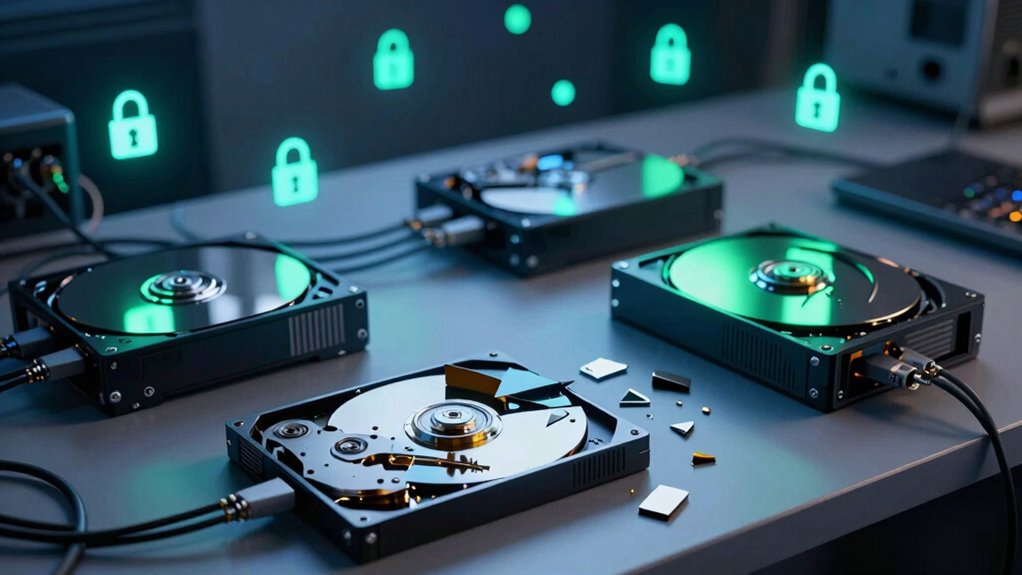
One of the biggest risks with encrypted hard drives is the potential for data recovery issues. If you lose or forget your encryption key, retrieving your data can become nearly impossible. Unlike software encryption, which sometimes allows for password resets or key recovery through cloud backups, hardware encryption often relies on a single, irreplaceable key stored securely in the device. Without this key, data recovery options are limited, and you might find yourself facing a complete data loss scenario. That’s why meticulous key management isn’t just recommended; it’s essential. You need secure, organized systems to store, back up, and access your encryption keys to prevent accidental loss. Proper key management practices are crucial to maintaining data integrity and security.
The importance of proper key management extends beyond just avoiding data loss. If your keys are poorly protected, hackers could exploit vulnerabilities to access your encrypted data, rendering the encryption ineffective. Conversely, if you keep your keys safe but unorganized, recovering data after a hardware failure or system crash becomes a nightmare. This highlights the delicate balance needed to maintain security while ensuring data remains accessible when necessary. In many cases, implementing an extensive key management solution — such as hardware security modules or encrypted key vaults — can help safeguard your keys without complicating data recovery processes. Additionally, proper key storage ensures that your encryption keys are protected yet accessible in emergencies. Maintaining a comprehensive security strategy for your keys can further reduce risks and improve overall data resilience. Recognizing the critical role of key lifecycle management helps protect your data throughout its entire lifespan, from creation to destruction.
Failure to keep your encryption keys secure and well-managed not only jeopardizes your data but can also compromise the overall security of your encrypted hard drives. Without a reliable way to recover data through proper key handling, even the most advanced hardware encryption can be rendered useless. The key to maintaining the integrity of your encrypted hard drives lies in understanding the importance of key management. It’s not enough to simply activate encryption; you must also develop a strong, organized system for managing your keys. This way, your sensitive data stays protected, accessible when needed, and resilient against both unauthorized access and data loss. Proper key lifecycle management is vital to ensure keys are rotated, revoked, and stored securely throughout their lifespan.
hardware encryption key management solutions
As an affiliate, we earn on qualifying purchases.
As an affiliate, we earn on qualifying purchases.
Frequently Asked Questions
How Often Should Encryption Keys Be Rotated?
You should rotate encryption keys regularly, ideally every few months, to reduce security risks. Key rotation is essential during the encryption lifecycle to prevent unauthorized access if keys are compromised. By establishing a consistent schedule, you guarantee that encryption remains effective and resilient against threats. Frequent key rotation minimizes the impact of potential breaches and maintains the integrity of your data’s security infrastructure.
What Are Common Vulnerabilities in Hard Drive Encryption?
Nearly 60% of data breaches involve weak encryption algorithms or hardware vulnerabilities. You should watch out for outdated encryption algorithms like DES or MD5, which are easily broken. Hardware vulnerabilities, such as insecure firmware or side-channel attacks, can also compromise your data. These vulnerabilities highlight the importance of using strong, up-to-date encryption algorithms and regularly patching hardware to prevent attackers from exploiting weaknesses.
Can Encrypted Drives Be Recovered After Key Loss?
If you lose the encryption key, recovering data becomes challenging but not impossible. You might explore key recovery options offered by the encryption software or consult professional data salvage services. Sometimes, backup copies or key escrow systems can help retrieve the key. However, without proper key management, your chances of successful data recovery diminish considerably, emphasizing the importance of secure key storage and proactive backup strategies.
How Does Key Management Impact Compliance Standards?
Think of encryption protocols as the lock on a vault, and key management as the master key that keeps it secure. Without proper key management, your compliance standards crumble like a house of cards, risking regulatory penalties. Effective key management guarantees your encryption protocols meet regulatory compliance, demonstrating your commitment to data security. It’s the bridge that connects your security practices to legal requirements, safeguarding your organization’s reputation and trust.
What Tools Assist With Secure Key Storage?
You can use tools like hardware security modules (HSMs) and secure elements to store encryption keys safely. These tools provide a tamper-resistant environment, ensuring your keys remain protected. Biometric authentication adds an extra layer of security, allowing only authorized users to access the keys. Combining hardware security with biometric verification helps prevent unauthorized access and keeps your encryption keys secure, maintaining compliance and data integrity.
encrypted hard drive security modules
As an affiliate, we earn on qualifying purchases.
As an affiliate, we earn on qualifying purchases.
Conclusion
Without proper key management, encrypted hard drives are like a fortress with a missing door—secure in theory, vulnerable in practice. You might have the strongest lock, but if you forget the key or lose it, all that security crumbles like a house of cards. To keep your data truly safe, treat your keys like precious treasures, carefully guarded and well-organized. Otherwise, your security efforts are just smoke and mirrors, fooling no one.
encrypted key vault for data protection
As an affiliate, we earn on qualifying purchases.
As an affiliate, we earn on qualifying purchases.
As an affiliate, we earn on qualifying purchases.
Fall Picks
fall essentials
As an affiliate, we earn on qualifying purchases.