TL;DR

Get hardware and tech essentials delivered free with Prime
- Fast, free delivery on millions of items
- Prime Video, Amazon Music and more included
- Member-only deals all year
Thorsten Meyer AI has published a guide and interactive infographic recommending GPU power limits and undervolting as a first step for reducing heat and noise in high-power local AI workstations. The guide says local inference is often memory-bandwidth-bound, so lowering GPU power can reduce watts and temperature while preserving much of tokens-per-second throughput, though results vary by card, model and workload.
Thorsten Meyer AI has published a GPU tuning guide arguing that local AI workstation users can often reduce heat and fan noise by power-limiting or undervolting their graphics cards while keeping most of their tokens-per-second throughput, a claim aimed at people running local LLM inference on high-power NVIDIA GPUs.
The guide recommends starting with a power limit rather than a manual voltage curve. It describes power limiting as a one-slider change in tools such as MSI Afterburner on Windows or nvidia-smi on Linux, with a suggested starting point around 70% of the GPU’s rated power. According to the source, this approach restricts the card rather than pushing it beyond stock settings, and the card automatically adjusts voltage and clocks.
The article’s main performance claim is based on sustained RTX 4090 workload data presented in the guide. At stock settings, the guide lists 390 watts, 72°C and 100% speed. At a 70% power limit, it lists 300 watts, 67°C and 93.4% of speed, implying a 90-watt reduction for about a 6.6% throughput loss. At 60%, the guide lists 260 watts, 62°C and 91.5% speed. At 40%, performance falls more sharply to 61.3%, which the guide treats as past the useful range.
The source also cites card-by-card examples, including an RTX 4090 cap to 300 watts that it says keeps 97.8% of performance, and RTX 5090 power-cap figures that it says show roughly 5% lower speed at 450 watts and about 10% lower speed at 400 watts. Those figures are presented as workload-dependent, and the guide says users should measure their own tokens per second, power draw, held clock and temperature under the actual model and quantization they run.
Why It Matters
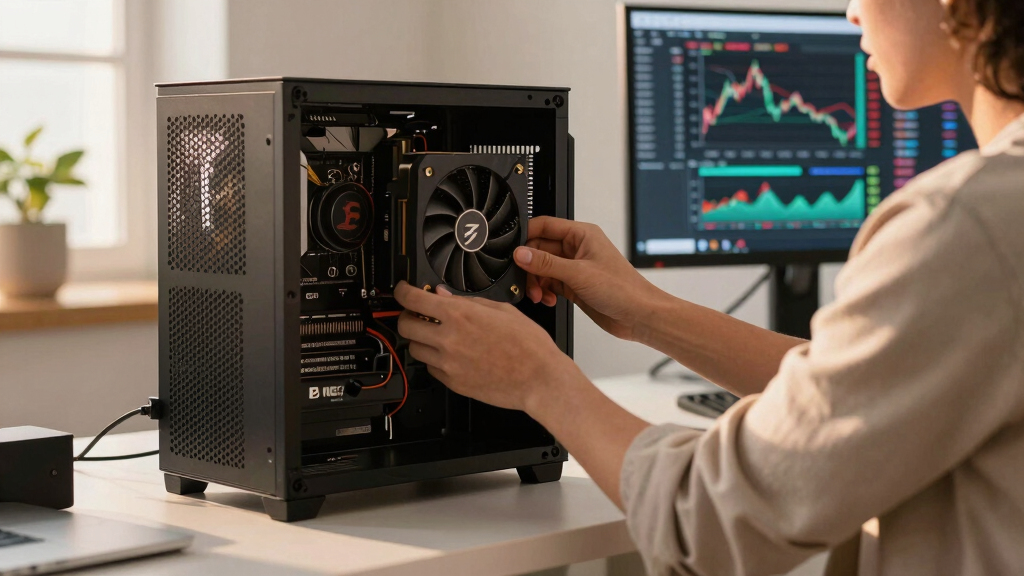
The development matters because local inference workloads are moving into deskside workstations where heat, power draw and fan noise can be limiting factors. A large GPU running near stock power can add hundreds of watts of heat to a room, raise case temperatures and make long inference sessions less practical.
If the guide’s results hold for a user’s workload, power limiting offers a lower-cost first step than buying a new cooler, replacing a case or rebuilding airflow. The significance is not that every system will keep the same throughput, but that the source’s data shows a broad efficiency band where watts fall faster than tokens per second. For workstation owners paying for power, managing noise or trying to run long local jobs, that tradeoff can affect daily usability.
NVIDIA GPU undervolting software
As an affiliate, we earn on qualifying purchases.
As an affiliate, we earn on qualifying purchases.
Background
The guide frames power limiting and undervolting as the first lever in a broader series on reducing heat and noise in high-power AI workstations. Its reasoning is specific to inference rather than gaming: the source says many local LLM workloads are constrained by memory bandwidth, so the GPU core can spend time waiting on VRAM rather than running at full compute saturation.
That distinction matters because a gaming workload may lose frames when core clocks are reduced, while a memory-bound inference workload may lose less throughput. The guide says factory voltage curves include margin so cards remain stable across silicon quality and operating conditions. Manual undervolting attempts to keep a target clock at a lower voltage, while power limiting lets the card manage that tradeoff automatically.
The source advises users who go beyond a power limit to test undervolting under their real workload. It gives 0.9 to 0.95 volts as a common starting target, but says stability over a short run does not prove stability over multi-hour inference sessions.
“This is the first thing you should do to a high-power AI workstation”
— Thorsten Meyer AI guide
“Local inference is memory-bound”
— Thorsten Meyer AI guide
“Power limiting moves one slider”
— Thorsten Meyer AI guide
“you make changes at your own risk”
— Thorsten Meyer AI disclosure
GPU power limit tool MSI Afterburner
As an affiliate, we earn on qualifying purchases.
As an affiliate, we earn on qualifying purchases.
What Remains Unclear
Several points remain workload-specific. The source says its figures vary by card, model, quantization and workload, and the supplied material does not include a full test methodology, full hardware configuration or reproducible benchmark logs. It is also not clear from the source material how results differ across AMD GPUs, multi-GPU systems, laptop GPUs or inference engines beyond the cited NVIDIA-focused examples.
The guide treats power limiting as reversible and widely used, but it does not remove the need for user testing. A power cap that works well for one model size, context length or batch setting may produce a different tokens-per-second result under another setup.
NVIDIA RTX 4090 cooling solutions
As an affiliate, we earn on qualifying purchases.
As an affiliate, we earn on qualifying purchases.
What’s Next
Readers applying the guide’s recommendation would next set a conservative power limit, run their actual local inference workload for an extended period, and compare tokens per second, wattage, temperature and fan noise against stock settings. The next data point to watch is whether more independent tests across GPUs, inference engines and model types confirm the same efficiency band.
GPU temperature monitoring hardware
As an affiliate, we earn on qualifying purchases.
As an affiliate, we earn on qualifying purchases.
Key Questions
What is the actual news development?
Thorsten Meyer AI has published a guide and interactive infographic making the case that GPU power limiting and undervolting should be an early step for reducing heat and noise in local AI inference workstations.
Is the performance claim confirmed for every GPU?
No. The source provides RTX 4090 and RTX 5090 examples and says the pattern depends on the card, model, quantization and workload. Users still need to measure their own tokens-per-second results.
What is the difference between power limiting and undervolting?
Power limiting caps how much power the GPU may draw and lets the card adjust clocks and voltage. Undervolting changes the voltage-frequency curve directly, which may preserve more performance for the same heat cut but needs more testing.
Why would inference lose less speed than gaming?
According to the guide, many local inference workloads are limited by memory bandwidth rather than GPU core compute. If the core is waiting on VRAM, reducing core power may have a smaller effect on tokens per second than it would have on a compute-heavy workload.
What remains unclear?
The source material does not provide a full independent benchmark suite, and results outside the cited NVIDIA examples are not established here. Stability and throughput under long runs remain user-specific.
Source: Thorsten Meyer AI
Fall Picks
fall essentials
As an affiliate, we earn on qualifying purchases.