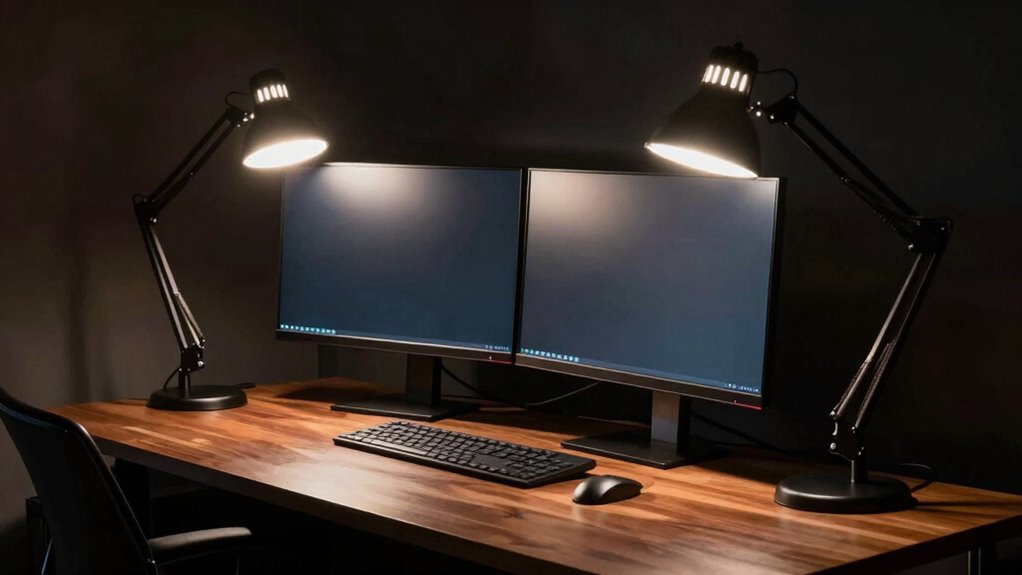
Glare happens when your desk lamp is positioned directly in front of or opposite your monitors, causing reflections and harsh spots on the screen. Placing the light too close or shining it directly into your eyes can also increase eye strain. To avoid this, angle the lamp away from your monitors and focus it on your workspace surface. Keep an eye on your lighting setup, and you’ll discover how to optimize your workspace for comfort and efficiency.
Key Takeaways
- Placing the lamp directly opposite or too close to monitors causes reflections and glare on screens.
- Positioning the lamp in front of monitors leads to screen reflections and visual discomfort.
- Shining the light directly into your eyes increases eye strain and reduces focus.
- Failing to angle the lamp away from screens creates harsh light spots and reduces visibility.
- Using a fixed, non-adjustable lamp height or angle can prevent proper light distribution and cause glare.
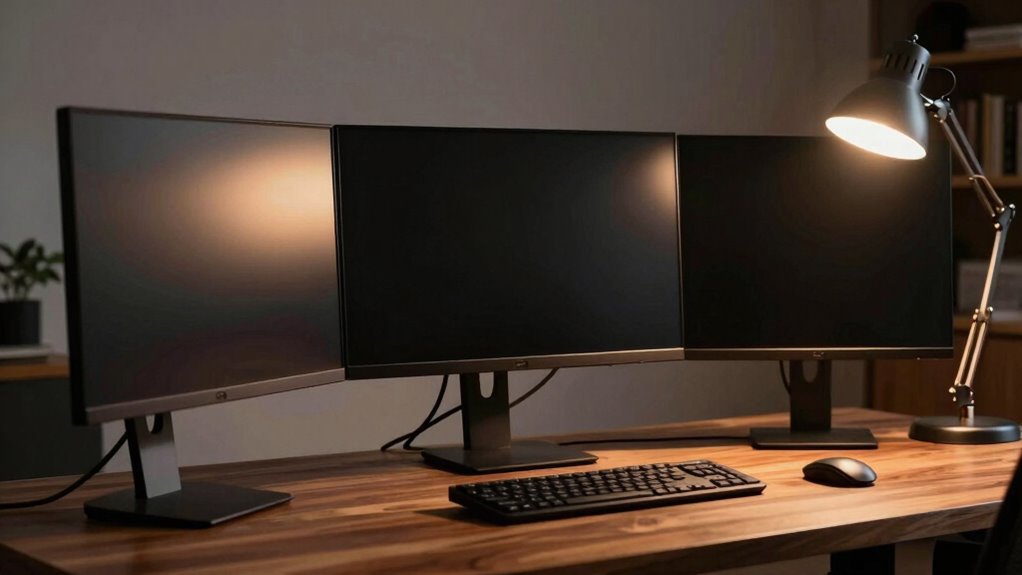
Setting up multiple monitors can boost your productivity, but without proper lighting, it can also cause eye strain and fatigue. One common mistake is positioning your desk lamp incorrectly, which often leads to glare on your screens. Glare happens because of this positioning error: placing the light source directly opposite or too close to your monitors. When your lamp shines directly into your screens or your eyes, it creates reflections and harsh light spots that make viewing uncomfortable.
Proper desk lamp placement prevents glare, reduces eye strain, and enhances workspace comfort.
To avoid this, you need to think about the lamp’s placement relative to your monitors. Instead of positioning your desk lamp directly in front of or behind your screens, try placing it at an angle that illuminates your workspace without reflecting on the screens. A good rule of thumb is to position the lamp so that it shines onto your desk surface, not directly onto your monitors. This way, you minimize glare and reduce eye strain, allowing you to focus better on your work.
Another key factor is choosing the right light with the appropriate color temperature. A lamp with a cooler color temperature, around 5000K to 6500K, mimics daylight and can help keep you alert during long work sessions. But be cautious—if the light is too cool or harsh, it may increase eye fatigue. Conversely, warmer tones around 2700K to 3000K create a softer, more relaxing environment, which might be better for late-night work. The goal is to select a light that balances comfort and visibility, reducing glare while maintaining proper illumination. Additionally, selecting a light with adjustable brightness allows you to customize your lighting and further reduce eye strain.
Energy efficiency is also important when selecting a desk lamp. LED lamps are an excellent choice because they consume less power and produce less heat compared to incandescent bulbs. This not only saves you money on electricity but also ensures your workspace remains comfortable. Moreover, many LED lamps now offer energy-efficient lighting, helping you decrease your overall energy footprint. Many LED lamps now also feature dimmable settings, giving you even more control over your lighting environment. Additionally, many LED lamps now offer adjustable brightness levels, allowing you to tailor the light intensity to your needs and reduce unnecessary energy use.
In the end, the positioning of your desk lamp plays a vital role in preventing glare and eye strain. Proper placement, combined with selecting a lamp with the right color temperature and energy-efficient features, can make a significant difference in your comfort and productivity. Keep your lighting setup flexible, experiment with different angles, and choose a lamp that suits your workspace to enjoy a glare-free, well-lit environment. Being mindful of monitor positioning and lighting setup can further enhance your overall ergonomic workspace. Paying attention to lighting ergonomics can help you create a healthier and more comfortable working environment.

Motumen Led Desk Lamp for Home Office, Eye-Care Architect Light with Clamp, Smart Double Head Computer Monitor Table Clip Lamp, Adjustable Flexible Goose-Neck, 25 Lighting Models, Task Lamp, Black
Super Bright & Eye-Caring: This LED desk lamp features a dual-head design for a wider lighting range, delivering…
As an affiliate, we earn on qualifying purchases.
As an affiliate, we earn on qualifying purchases.
Frequently Asked Questions
How Do I Choose the Best Desk Lamp Brightness for Multiple Monitors?
You should choose a desk lamp with adjustable brightness and a suitable color temperature to match your monitors. Opt for warmer tones (around 2700K-3000K) to reduce glare and eye strain. Consider a lamp with a flexible design that allows you to position it properly, avoiding direct light on your screens. This way, you can create a balanced lighting environment, minimizing glare and enhancing your workspace comfort.
Can Adjustable Desk Lamps Prevent Glare in Multi-Monitor Setups?
Yes, adjustable desk lamps can prevent glare in multi-monitor setups. By providing task lighting, you can direct light precisely where needed, reducing reflections on screens. Choose a lamp with adjustable brightness and color temperature to match your environment and reduce eye strain. Proper positioning ensures light doesn’t bounce off screens, minimizing glare. This way, you optimize visibility and comfort, making your workspace more efficient and less tiring.
What Are the Most Common Mistakes When Positioning Desk Lamps?
You often make the mistake of placing your desk lamp at the wrong lighting angles, causing unnecessary glare and eye strain. Keep the bulb type in mind—LEDs with warm tones are less harsh. Avoid placing the lamp directly in your line of sight or too close to your monitors. Instead, angle the light away from screens and adjust height to prevent reflections, ensuring a comfortable, glare-free workspace.
Are There Specific Lamp Types Recommended for Large Multi-Monitor Desks?
For large multi-monitor desks, opt for adjustable LED desk lamps with a neutral or daylight color temperature, around 4000K to 6500K. These lamps minimize glare and reduce eye strain, while their adjustable brightness and direction help you avoid positioning errors. Choose a lamp with a flexible arm and a matte finish to diffuse light evenly, ensuring your workspace remains well-lit without creating uncomfortable reflections or glare on your screens.
How Does Ambient Lighting Affect Glare in Multi-Monitor Configurations?
Think of ambient lighting as the gentle glow of dawn, softly illuminating your workspace without creating harsh shadows. When ambient light is balanced, it reduces screen reflection and minimizes glare, making your monitors easier to view. Excessive or poorly placed ambient light, however, can bounce off screens and cause glare. To keep vision comfortable, aim for diffuse, indirect lighting that complements your monitors and prevents reflective distractions.

Lepro LED Desk Lamp for Home Office, 9.5W 750LM Metal Touch Control Desk Light, 5 Color Modes 5 Brightness Level, Eye Caring Task Lamp For Reading, Sewing, Crafts, School Supplies, Puzzle Light, Black
Multiple Lighting Choices. This led desktop lamp offers 5 lighting modes that can each be paired with one…
As an affiliate, we earn on qualifying purchases.
As an affiliate, we earn on qualifying purchases.
Conclusion
Now that you know how improper lamp placement causes glare, you can turn the tide in your favor. Think of your workspace as a stage—lighting should highlight your work, not cast shadows or glare that hinder your focus. By positioning your desk lamp thoughtfully, you’ll create a harmonious environment that enhances productivity and comfort. Remember, in the dance between light and shadow, it’s your choices that lead the performance.
Motumen Led Desk Lamp for Home Office, Eye-Care Architect Light with Clamp, Smart Double Head Computer Monitor Table Clip Lamp, Adjustable Flexible Goose-Neck, 25 Lighting Models, Task Lamp, Black
Super Bright & Eye-Caring: This LED desk lamp features a dual-head design for a wider lighting range, delivering…
As an affiliate, we earn on qualifying purchases.
As an affiliate, we earn on qualifying purchases.

Airlonv LED Desk Lamp for Office Home, Eye-Caring Desk Light with Stepless Dimming Adjustable Flexible Gooseneck, 10W USB Adapter Desk Lamp with Clamp for Reading, Study, Workbench (Black)
Stepless Dimming Mode: The desk light offers effortless switching of color temperatures (2700K-6500K) and stepless dimming (1% -…
As an affiliate, we earn on qualifying purchases.
As an affiliate, we earn on qualifying purchases.