Using outdoor cameras with local storage keeps your footage on-site, directly protecting your privacy. By avoiding reliance on cloud servers, you reduce the risk of hacking or data misuse. Local storage gives you full control over your recordings, allowing you to implement strong security measures like encryption and passwords. This setup ensures your surveillance stays private and within your authority. To discover how to maximize these privacy benefits, keep exploring the key features these cameras offer.
Key Takeaways
- Local storage keeps footage on physical devices, reducing reliance on external servers and minimizing privacy risks.
- It prevents data from being exposed to cloud breaches, ensuring sensitive footage remains on-site.
- Offline storage options allow cameras to operate securely without internet access, safeguarding privacy.
- Encryption of local recordings adds an extra layer of protection against unauthorized access.
- Maintaining control over storage location and access helps preserve privacy and prevents unauthorized surveillance.

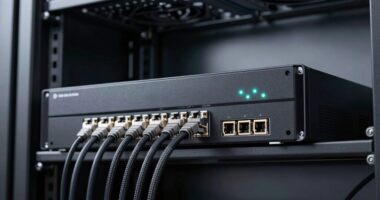
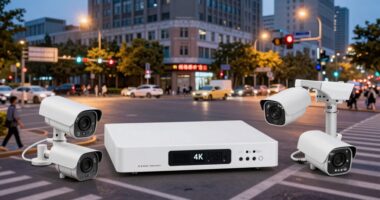
Outdoor cameras with local storage offer a reliable way to monitor your property without relying solely on cloud services. When you choose cameras with local storage, your footage stays on a physical device like an SD card or network-attached storage (NAS), giving you more control over your data. Unlike cloud storage, which involves uploading videos to remote servers managed by third parties, local storage keeps your recordings on-site, reducing the risk of unauthorized access or data breaches. This setup means you’re not dependent on internet connectivity to access your footage, ensuring you can review your recordings anytime, even during internet outages.
One of the key advantages of local storage is the enhanced privacy it offers. When your footage isn’t stored on external servers, there’s less chance of your personal data being compromised or misused by service providers. To further protect your recordings, many outdoor cameras with local storage incorporate robust data encryption. This means your videos are encrypted before they’re written onto the storage device, making it nearly impossible for hackers to access your footage even if they manage to breach your device. Data encryption acts as a digital lock, safeguarding your privacy and giving you peace of mind.
Security is also improved because you control who can access the stored footage. With cloud storage, you typically need to rely on passwords and account controls, which can sometimes be vulnerable. In contrast, local storage allows you to set up physical or network-level security measures—like strong passwords, encryption keys, or even disconnecting the device from the internet entirely. This level of control minimizes the chances of unauthorized viewing or tampering.
Moreover, local storage devices tend to be less complicated in terms of managing storage limits. Cloud services often come with subscription plans that can get expensive over time, especially if you need extended video history or higher resolution footage. With local storage, you simply expand your storage capacity as needed by adding more or larger storage devices, giving you a cost-effective and scalable solution. Plus, because your footage stays within your property, there’s less concern about data sovereignty issues or government access requests.
Another benefit is that field‑of‑view can be optimized to cover larger areas, making your surveillance more effective without increasing costs. In essence, outdoor cameras with local storage provide a straightforward, private, and secure way to keep an eye on your home or property. By keeping your videos on-site and using data encryption to protect them, you retain full ownership and control over your footage. This setup not only enhances your privacy but also ensures that your surveillance system remains resilient against cyber threats and unwanted surveillance, making it an excellent choice for those serious about safeguarding their personal space.
Frequently Asked Questions
Can Outdoor Cameras With Local Storage Be Hacked?
Yes, outdoor cameras with local storage can be hacked if you don’t address cybersecurity concerns. Hackers might try to access your device through weak passwords or unsecured networks. To protect your privacy, guarantee your camera uses strong data encryption and change default passwords regularly. Keep your firmware updated, and avoid connecting to insecure Wi-Fi networks. These steps help prevent unauthorized access and keep your footage safe.
What Is the Average Cost of Outdoor Cameras With Local Storage?
Imagine locking your privacy behind a sturdy door—that’s what outdoor cameras with local storage do, costing between $100 and $300. You’re paying for features like security encryption and ample storage capacity, which protect your footage from hacking. The price varies based on camera quality, storage size, and added features. So, investing in one gives you peace of mind, knowing your data stays private and secure.
How Long Does the Local Storage Capacity Last?
Your outdoor camera’s local storage duration depends on its capacity and recording settings. Typically, you can expect data retention for a few days to several weeks, depending on how much footage is stored and the camera’s quality. Larger storage capacity allows for longer storage duration, but it may require regular data management or manual deletion. Adjust your settings to balance storage duration with your surveillance needs effectively.
Are There Weather-Resistant Outdoor Cameras With Local Storage?
Did you know over 70% of homeowners prioritize weather resistance in outdoor cameras? Yes, there are weather-resistant outdoor cameras with local storage, designed to withstand rain, snow, and extreme temperatures. These cameras help address privacy concerns by keeping footage on local storage rather than cloud servers, giving you more control. With durable builds and secure storage options, you can confidently monitor your property in any weather without sacrificing privacy.
Do Local Storage Outdoor Cameras Require an Internet Connection?
No, local storage outdoor cameras don’t always require an internet connection to record footage. You can set them up to store data directly on a local device like a microSD card, which enhances privacy concerns by keeping data offline. Just remember, for remote access or alerts, an internet connection might be needed. Data encryption is essential here, ensuring your footage stays protected from unauthorized access.
Conclusion
So, next time you’re choosing an outdoor camera, remember—local storage isn’t just about privacy; it’s about giving you peace of mind, not a hacker’s playground. Who needs cloud servers floating around, vulnerable to breaches, when you can keep your footage safely tucked away at home? Embrace the simplicity, the privacy, and maybe even sleep better knowing your security system isn’t secretly selling your backyard adventures to the highest bidder. Privacy’s not dead; it’s just stored locally.