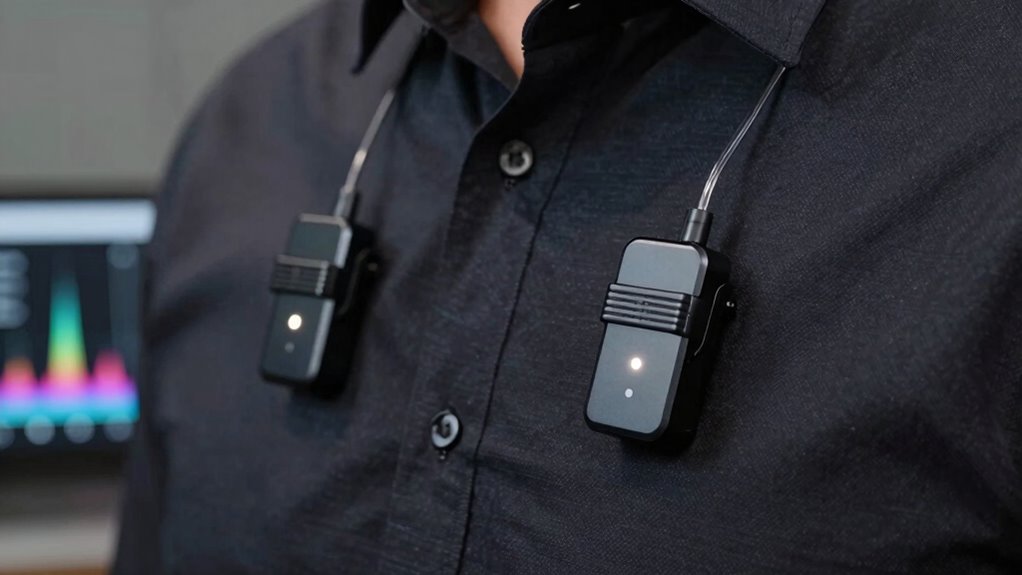
To prevent dropouts with dual wireless lav mics, you should select clear, non-overlapping frequencies using a spectrum management tool or scanner. Keep the transmitters and receivers well separated, positioning antennas strategically around the venue to minimize interference. Use directional antennas when possible and avoid crowded RF environments like urban areas. Regularly verify frequency assignments during setup to confirm there are no conflicts. Continuing will help you master environment and frequency tips to keep your audio seamless.
Key Takeaways
- Assign each lav mic to a unique, non-overlapping frequency to prevent interference and dropouts.
- Use frequency coordination tools to identify clear channels in your environment before setup.
- Opt for systems with automatic frequency management to dynamically avoid conflicts during operation.
- In crowded environments, use directional antennas to focus signals and minimize spectrum congestion.
- Regularly verify and adjust frequency assignments throughout the event to maintain reliable wireless audio.

Dual wireless lav mics offer a versatile solution for capturing high-quality audio in live performances, interviews, and video productions. When you’re working with multiple wireless microphones, managing interference and maintaining a strong signal become critical. The key to preventing dropouts lies in proper antenna placement and effective frequency coordination. Your antenna placement directly influences signal strength and stability; positioning antennas correctly ensures excellent reception. For best results, keep antennas elevated and away from obstructions like walls, metal objects, or electronic devices that can cause signal degradation. If you’re using multiple transmitters, staggering antenna positions around the room can help reduce interference and improve overall reception quality. Additionally, ensuring that your frequency spectrum is free from congestion can significantly enhance signal reliability during your event.
Frequency coordination is equally crucial. When selecting frequencies for your dual wireless lav mics, you need to ensure they don’t clash with each other or with other wireless devices nearby. Use a scanner or frequency management software to identify clear channels with minimal interference. Many modern systems offer automatic frequency coordination, which simplifies this process by scanning available channels and assigning the best options automatically. If your system doesn’t have this feature, manually selecting non-overlapping frequencies is essential. You want each mic to operate on a distinct frequency that doesn’t interfere with the others, especially in environments crowded with wireless signals.
In addition, consider the environment in which you’re operating. Urban settings or locations with many wireless devices often have crowded spectrum, so you might have to be more meticulous with your antenna placement and frequency selection. Employ directional antennas if possible, as they can focus the signal toward your transmitters, reducing susceptibility to interference from other sources. When working with dual mics, always double-check your frequency assignments before starting, and keep a backup plan ready in case you encounter unexpected interference or dropouts during your event.
Frequently Asked Questions
How Do Environmental Factors Affect Wireless Mic Frequency Stability?
Environmental factors can considerably impact your wireless mic’s frequency stability. Interference sources like Wi-Fi networks, other wireless devices, or physical obstacles can cause signal disruptions. To maintain stable audio, you should choose frequencies less crowded and avoid interference sources. Regularly monitor your signal, and adjust your mic’s frequency if you notice dropouts. This proactive approach helps ensure reliable performance and clear sound during your events.
Can Multiple Dual Wireless Lav Mics Operate Simultaneously Without Interference?
Yes, you can operate multiple dual wireless lav mics simultaneously without interference. To do this, you need proper frequency coordination, which involves planning and assigning clear channels for each mic set. Additionally, interference mitigation techniques, like selecting non-overlapping frequencies and using frequency agility, help guarantee stable connections. By carefully managing these factors, you’ll prevent dropouts and maintain high-quality audio during your event.
What Is the Typical Battery Life for Dual Wireless Lav Mics?
You can typically expect dual wireless lav mics to have a battery life of around 6 to 10 hours, depending on their battery longevity and power consumption. Keep in mind, higher power consumption from features like backlit displays or increased transmission power can cut short this time. To guarantee continuous use, it’s wise to carry spare batteries and monitor power levels regularly, especially during long shoots or events.
Are There Specific Brands Known for Better Frequency Management?
Think of choosing a brand like selecting a skilled navigator—brands like Sennheiser and Lectrosonics excel at mastering frequency management. Their reputation is built on reliable frequency coordination, reducing dropouts and interference. When you pick these brands, you’re trusting expert navigators who steer clear of signal traffic jams, ensuring your wireless audio stays clear and consistent. So, for seamless performance, go with brands renowned for their superior frequency management.
How Do I Troubleshoot Frequency Dropouts During a Live Event?
You should start by checking for signal interference from other wireless devices nearby. Use frequency coordination to identify the best channels with minimal overlap, and switch your mics accordingly. Make sure your transmitter and receiver are on the same, clear frequency. Regularly monitor the signal strength during the event, and have backup frequencies ready in case you experience dropouts. Proper planning and quick adjustments help guarantee smooth, dropout-free performances.
Conclusion
Choosing the right frequency for your dual wireless lav mics is like finding a clear trail through a dense forest—it’s the key to smooth, uninterrupted sound. When you pick wisely, you’re not just avoiding dropouts; you’re weaving a seamless audio tapestry that captures every whisper and shout. Trust your instincts, tune into the signals, and let your sound shine bright like a guiding star. With the right frequency, your performance will resonate long after the last note fades.