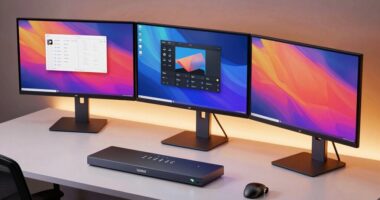
Finding the best ultrawide monitor for trading involves balancing screen real estate, color accuracy, refresh rates, and ergonomic features. The SAMSUNG 34″ ViewFinity S50GC stands out as the overall top pick thanks to its sharp resolution and HDR support. For those prioritizing speed, the Dell S3425DW offers a higher refresh rate and eye comfort. Meanwhile, the Samsung Odyssey G5 provides an immersive curved display suited for multi-tasking. Each option has tradeoffs—whether it’s price, curvature, or color accuracy—so continue reading for a detailed breakdown of these top contenders.

Get hardware and tech essentials delivered free with Prime
- Fast, free delivery on millions of items
- Prime Video, Amazon Music and more included
- Member-only deals all year
Key Takeaways
- High resolution and HDR support significantly improve clarity and color accuracy for trading charts and data.
- Refresh rates above 100Hz can offer smoother performance, but may come with higher costs or reduced compatibility.
- Curved screens enhance immersion but can distort multi-window workflows if not chosen carefully.
- Color accuracy varies, with some models optimized for professional-grade visuals, which benefits traders relying on precise data display.
- Ergonomics and stand adjustability are vital for long trading sessions, impacting comfort and focus.


| ultrawide monitor for trading | Resolution | Refresh Rate | HDR | Response Time |
|---|---|---|---|---|
| SAMSUNG 34" ViewFinity S50GC S | Ultra-WQHD | 100Hz | HDR10 | 5ms |
| LG 34U530A-W 34-inch UltraWide | 2560 x 1080 | 100Hz | VESA DisplayHDR 400 | — |
| Dell 34 Monitor S3425DW | 3440×1440 | 120Hz | — | 0.03ms |
| Samsung 34′ Odyssey G5 Ultra-W | WQHD | 165Hz | HDR10 | 1ms |
| LG 34U650A-B 34-inch UltraWide | 3440×1440 WQHD | 100Hz | HDR10 | — |
| LG 34WR55QK-B 34-inch UltraWid | 3440 x 1440 | 100Hz | HDR10 | 5ms |
| LG 34 Inch UltraWide Curved Mo | 3440 x 1440 (WQHD) | 120Hz | HDR10 | 5ms |
More Details on Our Top Picks
SAMSUNG 34″ ViewFinity S50GC Series Ultra-WQHD Monitor, 100Hz, HDR10, AMD FreeSync, Black
The Samsung ViewFinity S50GC stands out for its expansive 34-inch Ultra-WQHD display, making it ideal for traders who need to manage multiple charts and windows simultaneously. Compared with the Dell S3425DW, its wider aspect ratio and vibrant HDR10 support offer a more immersive viewing experience, though it’s limited to 100Hz, which may not satisfy high-frequency trading enthusiasts. The monitor’s nearly bezel-free design and multiple input options support a clean, efficient workspace. While lacking built-in speakers and a higher refresh rate, its color accuracy and multitasking features make it a balanced pick for daily trading and analysis.
Pros:- Wide 34-inch Ultra-WQHD display for multitasking
- Vibrant colors with HDR10 and over 1 billion supported colors
- Eye care features including flicker-free and blue light reduction
- Multiple input options with PIP and PBP modes
Cons:- Limited to 100Hz refresh rate, not suitable for fast-paced trading
- No mention of built-in speakers, which could affect convenience
Best for: Traders seeking a large, versatile screen that supports multitasking and color-rich visuals.
Not ideal for: High-frequency traders or gamers who require higher refresh rates and faster response times.
- Size:34 inches
- Resolution:Ultra-WQHD
- Refresh Rate:100Hz
- Response Time:5ms
- HDR:HDR10
- Inputs:2 x HDMI 2.2, 1 x DisplayPort 1.2
Our verdict“This monitor suits traders who prioritize a large, vivid display for multitasking over ultra-high refresh rates.”
LG 34U530A-W 34-inch UltraWide WFHD IPS Computer Monitor
The LG 34U530A-W offers a 34-inch wide workspace with a 2560×1080 resolution, making it a cost-effective choice for traders who want an ultra-wide screen without the premium price of 4K models. Its IPS panel ensures wide viewing angles and vibrant HDR color coverage, comparable to the more premium LG 34U650A-B, but with slightly lower resolution. The adjustable stand and versatile connectivity, including USB Type-C, make it suitable for long hours of trading and analysis, though the resolution may feel less sharp for detailed chart work. Its budget-friendly price makes it appealing for traders starting out or with basic multitasking needs.
Pros:- Wide 21:9 aspect ratio enhances multitasking
- Vibrant HDR color and wide viewing angles
- Versatile connectivity options including USB Type-C
- Adjustable stand for ergonomic comfort
Cons:- Resolution of 2560×1080 is less sharp than 4K or WQHD options
- Built-in speakers may not meet audio quality expectations
Best for: Beginner or casual traders needing an affordable, large display for multitasking.
Not ideal for: Professional traders requiring ultra-high resolution or extensive color accuracy.
- Screen Size:34 inches
- Resolution:2560 x 1080
- Refresh Rate:100Hz
- Panel Type:IPS
- HDR:VESA DisplayHDR 400
- Connectivity:USB Type-C, HDMI, DisplayPort
Our verdict“This monitor makes sense for traders who want a large, affordable screen with decent color and flexibility.”
Dell 34 Monitor S3425DW, WQHD VA, 120Hz, FreeSync Premium, Eye Comfort
The Dell S3425DW excels in delivering vivid, true-to-life colors with its 3440×1440 WQHD resolution and 120Hz refresh rate, making it well-suited for traders who rely on detailed charts and color differentiation. Compared to the Samsung ViewFinity, it offers a higher refresh rate for smoother visuals and a VA panel with a higher contrast ratio, which enhances dark scene details. Its eye comfort technology and USB-C with 65W charging support long trading sessions. The monitor’s curved design and broad color coverage favor traders who prioritize visual accuracy and immersive viewing, though its size and limited stand adjustments may be less ideal for smaller desks or ergonomic flexibility.
Pros:- Vivid colors with 99% sRGB and 95% DCI-P3 coverage
- 120Hz refresh rate with FreeSync Premium for smooth visuals
- Blue light reduction and eye comfort tech
- USB-C with 65W charging for simplified connectivity
Cons:- Large size may require ample desk space
- Limited stand adjustability details available
Best for: Traders who need vibrant, accurate visuals with smooth performance for detailed analysis.
Not ideal for: Desk setups with limited space or traders needing extensive ergonomic adjustments.
- Display Size:34 inches
- Resolution:3440×1440
- Refresh Rate:120Hz
- Response Time:0.03ms
- Color Gamut:99% sRGB, 95% DCI-P3
- Connectivity:USB-C, HDMI, 4 USB ports
Our verdict“This monitor makes sense for traders who value color accuracy and smooth motion in a large curved display.”
Samsung 34′ Odyssey G5 Ultra-Wide Gaming Monitor with 1000R Curved Screen
The Samsung Odyssey G5 delivers a highly immersive experience with its 1000R curved design, aligning closely with gaming needs but also appealing to traders who prefer a more engaging visual environment. Its 165Hz refresh rate and 1ms response time, combined with AMD FreeSync Premium, provide ultra-smooth, tear-free visuals—features that benefit high-speed trading and rapid chart updates. However, its focus on gaming-centric specs makes it less versatile for everyday multitasking or color-accurate analysis compared to the Dell S3425DW or LG monitors. The larger size and curved form factor may also limit placement flexibility in some trading setups.
Pros:- Immersive 1000R curved display enhances focus
- High 165Hz refresh rate and 1ms response for fast visuals
- Vivid HDR10 colors for lifelike images
Cons:- Size and curvature may not fit all desks
- Limited to gaming features, less suited for detailed analysis
Best for: Traders who prioritize fast, fluid visuals and an immersive environment for quick decision-making.
Not ideal for: Traders needing high color accuracy or detailed multi-window setups for extended analysis.
- Size:34 inches
- Curvature:1000R
- Resolution:WQHD
- Refresh Rate:165Hz
- Response Time:1ms
- HDR:HDR10
Our verdict“This monitor works best for traders who thrive on rapid visuals and immersive displays, not detailed chart analysis.”
LG 34U650A-B 34-inch UltraWide IPS WQHD Curved Monitor, Black
The LG 34U650A-B provides a balanced combination of size, curvature, and color accuracy with its 34-inch IPS panel and 3440×1440 resolution. Its 3800R curvature enhances immersion without overwhelming, making it suitable for traders who spend long hours analyzing multiple data streams. Its HDR10 support and 99% sRGB coverage deliver vibrant images, while the adjustable stand allows ergonomic customization. Compared to the LG 34U530A-W, it offers a more refined design and better ergonomic features, making it a solid choice for those seeking comfort and versatility. Its resolution, however, isn’t as sharp as 4K models, which could be a drawback for detailed chart work.
Pros:- Wide 34-inch UltraWide display enhances multitasking
- Vibrant colors with HDR10 and 99% sRGB coverage
- Adjustable stand for ergonomic comfort
- Curved design improves immersion
Cons:- Limited to 3440×1440 resolution, not 4K
- Curved design may not suit all workspace layouts
Best for: Traders who need an ergonomic, color-accurate display for extended trading sessions.
Not ideal for: Traders who require ultra-high resolution or minimal curvature for precise work.
- Size:34 inches
- Resolution:3440×1440 WQHD
- Panel Type:IPS
- Refresh Rate:100Hz
- HDR:HDR10
- Curve Radius:3800R
Our verdict“This monitor is ideal for traders who prioritize comfort and color accuracy during long analysis sessions.”
LG 34WR55QK-B 34-inch UltraWide WQHD Curved Computer Monitor, 100Hz, HDR10, Adjustable Stand
This LG model stands out for offering a balanced combination of size, resolution, and connectivity, making it a strong choice for traders who want an immersive experience without overextending into high-end premium territory. Its 34-inch curved display with 3440 x 1440 resolution provides ample space for multiple charts and windows, while the 100Hz refresh rate ensures smoother scrolling and interactions compared to standard monitors. The inclusion of USB Type-C with power delivery simplifies cable management, especially for laptop users. Compared to the LG 34U650A-B, this model’s slightly lower price makes it accessible without sacrificing core features, but it does have a response time of 5ms that’s less optimized for quick trades or fast-paced analysis. Its ergonomic stand and borderless design enhance usability for long trading sessions, although it lacks built-in speakers, which could be inconvenient for multimedia use. Overall, this monitor is ideal for traders who prioritize a large, versatile display with good connectivity at a reasonable price, but less so for those needing ultra-high refresh rates or integrated audio.
Pros:- Large 34-inch curved display maximizes workspace and reduces eye strain.
- Multiple connectivity options including USB Type-C with power delivery simplify setup.
- Adjustable height and tilt ensure ergonomic comfort during long trading sessions.
Cons:- Response time of 5ms might be less ideal for very fast trading actions.
- Lack of built-in speakers may require external audio devices for multimedia.
Best for: Active traders who need a sizable, versatile display with multiple connectivity options and good color accuracy.
Not ideal for: Day traders who require ultra-fast refresh rates above 100Hz or integrated audio for quick decision-making and multimedia use.
- Size:34 inches
- Resolution:3440 x 1440
- Refresh Rate:100Hz
- Response Time:5ms
- HDR:HDR10
- Color Gamut:99% sRGB
- Connectivity:USB Type-C (up to 65W), HDMI x2, DisplayPort, USB ports, Headphone jack
Our verdict“This monitor suits traders seeking a large, well-rounded display with flexible connectivity and ergonomic features, without the need for ultra-high refresh rates.”
LG 34 Inch UltraWide Curved Monitor, WQHD (3440 x 1440), 120Hz, HDR10, 99% sRGB, Adjustable Stand
This LG model emphasizes vibrant visuals and smooth performance, making it well-suited for traders who also engage in content creation or need vivid, accurate colors. Its 120Hz refresh rate surpasses the previous model, offering more fluid scrolling and interaction, especially beneficial for fast-moving markets. The 34-inch curved display with WQHD resolution provides a panoramic view that helps reduce the need to switch between multiple windows. The 99% sRGB coverage with HDR10 support ensures rich, true-to-life colors, which can be crucial for traders analyzing detailed charts or engaging in multimedia tasks. Compared to the B0DQF8LRGZ, this monitor adds a higher refresh rate and a more refined ergonomic stand with tilt, height, and swivel adjustments, but it might come at a higher price. The VA panel offers strong contrast but may have narrower viewing angles than an IPS panel, possibly affecting color consistency. It’s best suited for traders who value visual fidelity and ergonomic flexibility but are less concerned about ultra-fast refresh rates or built-in audio.
Pros:- 120Hz refresh rate provides smoother interactions and scrolling.
- Vivid colors with 99% sRGB coverage and HDR10 support enhance visual clarity.
- Flexible ergonomic stand with tilt, height, and swivel adjustments boosts comfort.
Cons:- Potentially higher price point compared to similar models with lower refresh rates.
- VA panel’s narrower viewing angles may affect color consistency when viewed from the side.
Best for: Traders who prioritize vibrant visuals, ergonomic comfort, and smooth performance for multitasking and analysis.
Not ideal for: High-frequency day traders who need ultra-fast refresh rates above 120Hz or for users who rely heavily on wide viewing angles for collaborative work.
- Display Size:34 inches
- Resolution:3440 x 1440 (WQHD)
- Refresh Rate:120Hz
- Response Time:5ms
- HDR:HDR10
- Color Gamut:99% sRGB
- Features:Reader Mode, DisplayPort, HDMI, Tilt/Height/Swivel Adjustment
Our verdict“This monitor fits traders seeking enriched visuals and ergonomic flexibility, especially those who also value color accuracy and smoothness for multitasking.”

How We Picked
Products were evaluated based on performance characteristics that matter for trading: high-resolution displays for clarity, accurate color reproduction for data precision, fast refresh rates for smooth updates, and ergonomic features for prolonged use. Build quality and reliability also played a role, along with value considerations such as price-to-performance ratio. The ranking prioritizes monitors that offer a balanced combination of these features while considering different trader needs—from casual retail traders to professional day traders—ensuring the options cater to a wide range of users.| ultrawide monitor for trading | HDR |
|---|---|
| SAMSUNG 34" ViewFinity S50GC S | HDR10 |
| LG 34U530A-W 34-inch UltraWide | VESA DisplayHDR 400 |
| Dell 34 Monitor S3425DW | — |
| Samsung 34′ Odyssey G5 Ultra-W | HDR10 |
| LG 34U650A-B 34-inch UltraWide | HDR10 |
| LG 34WR55QK-B 34-inch UltraWid | HDR10 |
| LG 34 Inch UltraWide Curved Mo | HDR10 |
Factors to Consider When Choosing Best Ultrawide Monitor For Trading
Choosing the best ultrawide monitor for trading requires understanding several key factors. While larger screens are generally better, not all ultrawides deliver the same performance or comfort. It’s important to consider display quality, refresh rate, ergonomic adjustments, and connectivity options. Being mindful of these factors helps avoid common pitfalls, such as sacrificing color accuracy for size or choosing a monitor with poor build quality. Here are the main considerations to keep in mind:Display Resolution and Sharpness
For trading, clarity and detail are critical, making high resolution a priority. A QHD (3440 x 1440) or WQHD resolution strikes a good balance between sharpness and affordability, allowing multiple charts and data windows to be open simultaneously. Lower resolutions can cause eye strain or make text and data harder to read, especially over extended periods. However, higher resolutions demand more powerful graphics cards, so ensure your system can handle the display without performance drops.
Refresh Rate and Response Time
While not as crucial as in gaming, a higher refresh rate—such as 120Hz or 144Hz—can still deliver smoother updates, especially during fast market movements. Monitors with 60Hz are common and generally sufficient, but traders who prefer a more responsive experience might find the extra fluidity beneficial. Be aware that higher refresh rates often come with increased costs and may require compatible hardware.
Color Accuracy and Panel Type
Accurate color reproduction helps ensure that data, charts, and indicators are displayed correctly. IPS panels typically provide better color and wider viewing angles than VA or TN panels, making them preferable for trading setups. If color precision is a priority—especially for traders who also do design work—look for monitors with high sRGB or AdobeRGB coverage. Keep in mind, some cheaper ultrawides sacrifice color fidelity for size or price.
Ergonomics and Adjustability
Extended trading sessions demand comfortable viewing angles and positions. Monitors with adjustable stands—height, tilt, swivel, and pivot—help prevent neck strain and promote better posture. Curved screens can improve immersion but may not be ideal for multi-window workflows if they cause distortions. Consider your workspace layout and personal preferences when selecting a monitor with suitable ergonomic features.
Connectivity and Compatibility
Ensure your monitor offers the right ports—USB-C, HDMI, DisplayPort—that match your hardware. USB-C is increasingly popular for its convenience, allowing power, data, and video over a single cable. Compatibility with your graphics card also affects performance, especially if you plan to run multiple monitors. Checking the monitor’s compatibility with your system beforehand can prevent frustrating bottlenecks or the need for adapters.
Frequently Asked Questions
Is a curved ultrawide monitor better for trading than a flat one?
Curved ultrawide monitors can improve immersion and reduce glare, making them more comfortable during long hours. However, they can also cause distortions when working with multiple windows or side-by-side data streams, which might complicate multitasking. Flat screens often provide more consistent viewing angles across the entire display, making them a better choice for traders who need precise, undistorted visuals across multiple windows.
How important is refresh rate for a trading monitor?
While a higher refresh rate isn’t as critical as in gaming, it still influences how smoothly market data updates appear, especially during rapid price movements. Monitors with 100Hz or higher can reduce motion blur and lag, providing a slightly more responsive feel. For most traders, a 60Hz display is sufficient, but those engaging in high-frequency trading may prefer higher refresh rates to gain a marginal edge in visual clarity and responsiveness.
Do I need a 4K ultrawide for trading?
4K ultrawides offer exceptional clarity, but they come with increased costs and demand more powerful graphics hardware. For trading purposes, a QHD or WQHD resolution often provides a perfect balance between visual detail and system performance. Unless your workflow involves detailed visual tasks beyond trading, a 4K ultrawide might be an unnecessary expense and could lead to scaling issues or performance bottlenecks.
What size is best for an ultrawide monitor for trading?
Most traders find that 34 inches strikes a good balance between screen real estate and desk space. Larger sizes, like 38 or 40 inches, can offer more viewing area but may require more substantial desk setups and higher resolutions to maintain clarity. Smaller ultrawides around 32 inches might be more manageable but can limit the number of windows you can comfortably view simultaneously. Consider your workspace and how much information you want on screen at once.
Should I prioritize color accuracy or size for trading?
Color accuracy is essential if you rely heavily on precise data visualization, such as charts with color-coded indicators. IPS panels typically provide better color fidelity, which can help reduce errors. Size, on the other hand, determines how much information you can display at once. For most traders, a balanced approach that offers good color accuracy along with ample screen space is ideal. Avoid sacrificing clarity and color for sheer size, especially if it hampers your ability to interpret data accurately.
Conclusion
For general trading needs, the SAMSUNG 34″ ViewFinity S50GC offers a well-rounded blend of resolution, HDR, and build quality, making it the best overall choice. Those prioritizing affordability without sacrificing performance should consider the LG 34U530A-W, which provides solid features at a more accessible price. If you want a premium experience with superior color accuracy and ergonomic features, the LG 34WQ55QK-B stands out. Beginners or traders with limited space might prefer smaller or more straightforward options, while professional traders should invest in monitors with higher refresh rates and extensive adjustability. Ultimately, your choice depends on your specific workflow, budget, and workspace constraints.